Button Layout on User's Videos uses Non-User's Layout after App Launch
Nobody has claimed this yet.
- Dominant language
- Java
- Stars
- 2.4k
- Forks
- 110
- PR merge metrics
- No merged PRs in 30d
Description
**DESCRIPTION:**
If the user views one of their own published videos immediately after launching the app, the button layout beneath the Title will be version that usually appears on other people's videos. The Download button appears in the 4th position, and the Report button appears in the 5th position.
After awhile the buttons will switch to the correct layout with Edit in the 4th position and Delete in the 5th position. Sometimes it will never correct itself.
-----
**REPRO STEPS:**
1) Launch LBRY 0.15.3 on Android 10
2) Navigate to 'Menu > Channels'
3) Select a channel you own with videos published
4) Select one of your videos
5) View the button layout
**Results:** Download and Report are in 4th and 5th positions respectively
**Expected:** Edit and Delete are in the 4th and 5th positions respectively
-----
**ENVIRONMENT:**
Pixel 2 XL
Android 10
LBRY 0.15.3
-----
**MEDIA:**
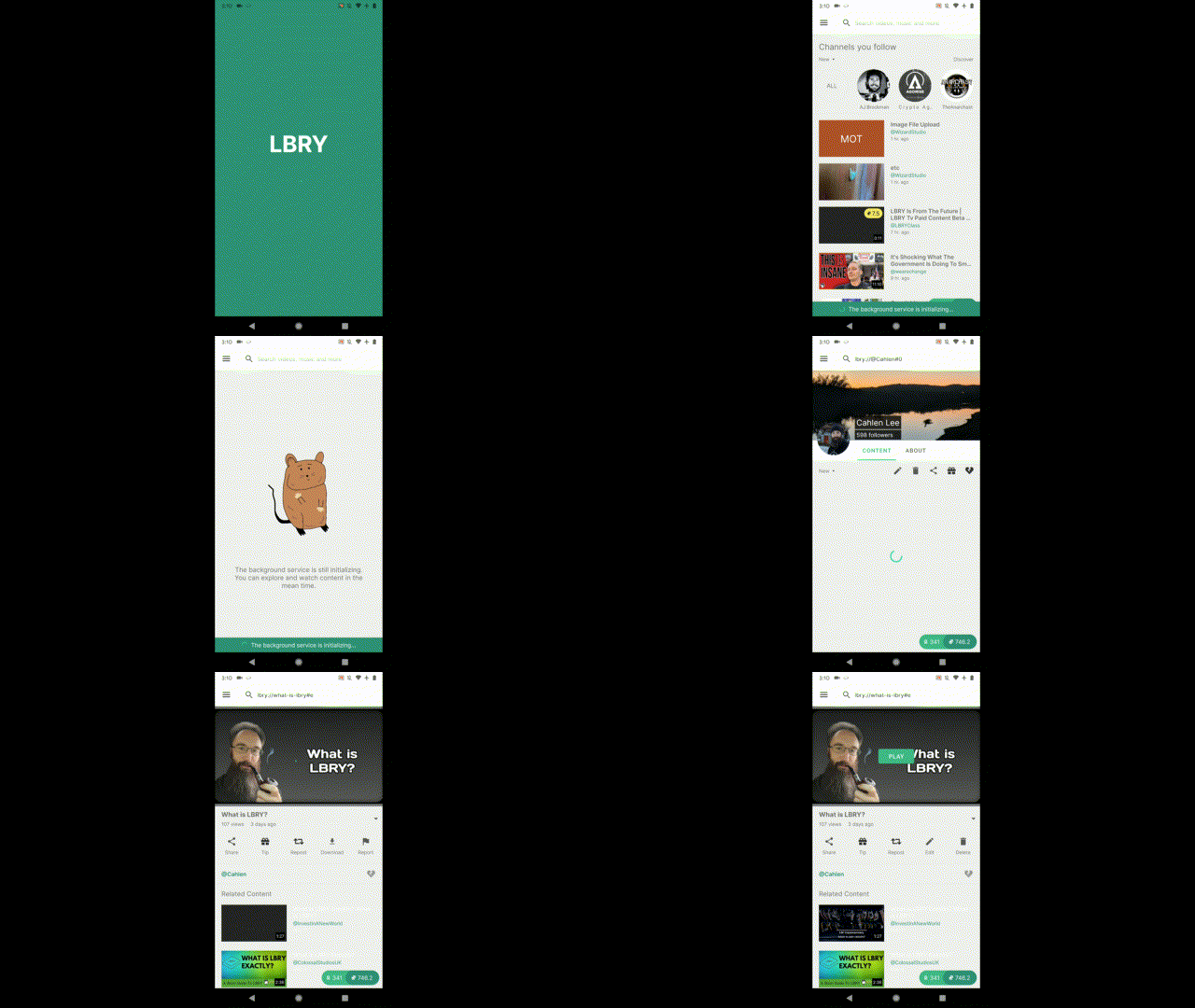
-----
**INTERNAL USE:**
-----
**DEFINITION OF DONE:**
- [ ] Tested against acceptance criteria
- [ ] Tested against the assumptions of the user story
- [ ] The project builds without errors
- [ ] Unit tests are written and passing
- [ ] Tests on devices/browsers listed in the issue have passed
- [ ] QA performed & issues resolved
- [ ] Refactoring completed
- [ ] Any configuration or build changes documented
- [ ] Documentation updated
- [ ] Peer Code Review performed
-----
**LBRY ADDRESS:**
bZSqrVdpxt5KJdn2eGMUzT9Jn3gEiRet7b
mail@cahlen.org
Contributor guide
No contributing guide indexed for this repository
First steps
- Read the whole issue, then the project's contributing guide.
- Comment on the issue to say you are picking it up — it saves two people doing the same work.
- Fork the repository and make your change on a branch.
- Open a pull request that references the issue number.
Research direction
Reproduce the issue in the Android app using the listed Menu > Channels path on a device matching the reported environment. Compare the button layout immediately after launch with the expected Edit and Delete actions, then verify the layout remains correct and run the project's available tests and build checks.
Written by the indexing model from the issue text.
Assessment
- Tech stack
- android, java
- Domain
- mobile
- Issue type
- Bug
- Difficulty
- 3/5
- Estimated time
- 1-2 days
- Activity status
- Stale
- Clarity
- Mostly clear
- Newbie friendliness
- 35/100