kingToolbox / kingToolbox/WindTerm
Open new session in the same window triggered by an external command
- Dominant language
- C
- Stars
- 32.3k
- Forks
- 2.5k
- PR merge metrics
- No merged PRs in 30d
Description
When you use WindTerm as an "external ssh terminal client" (e.g. simply speaking, a replacement for `putty`) it seems impossible to maintain the same window as well as automatically log in by passing special params to the `.exe` file.
Current behaviour:
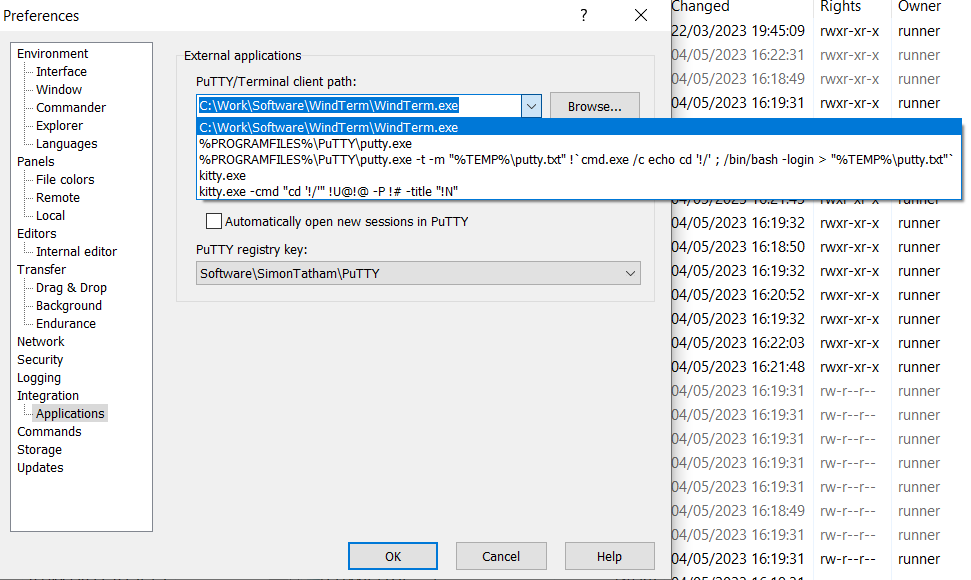
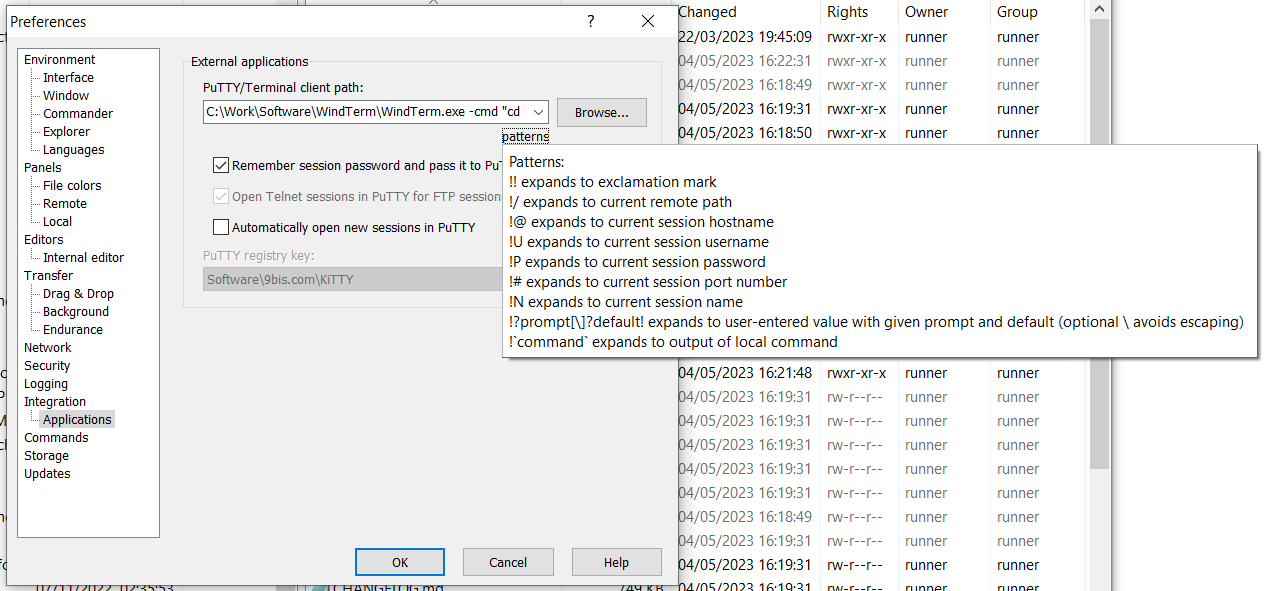
For example, when using WinSCP + putty on Windows, you usually execute the command `%PROGRAMFILES%\PuTTY\putty.exe` and pass the required ssh login params. Then clicking "Open Terminal" - opens a new terminal and automatically logs in. However, if you do the same with WindTerm it will open a new window\instance instead of a currently open one.
Desired outcome:
when calling `winterm.exe` it maintains the same window but opens a new `session` and automatically logs in to ssh with given credentials (login\pass\sshkey\etc)
Ideally:
clear guide on how to integrate with WinSCP (and etc-like tools that use putty as shell) to replace putty with WindTerm
Contributor guide
No contributing guide indexed for this repository
Research direction
Start with the winterm.exe command-line entry point and the existing Open Terminal flow, then review how WinSCP passes PuTTY-style SSH parameters. Done means an external invocation reuses the current window, opens a new session, and supports the requested SSH login details; document the WinSCP integration steps.
Written by the indexing model from the issue text.
Assessment
- Tech stack
- c
- Domain
- cli, desktop
- Issue type
- Feature
- Difficulty
- 4/5
- Estimated time
- 3-5 days
- Activity status
- Stale
- Clarity
- Mostly clear
- Newbie friendliness
- 45/100