keystonejs / keystonejs/keystone
When user session expires, errors are shown in the Admin UI
- Dominant language
- TypeScript
- Stars
- 10k
- Forks
- 1.3k
- Avg merge
- 19h 14m
- Merged PRs (30d)
- 19
Description
Currently when a users login expires in the Admin UI, we see `Error` messages rendered in the UI and `Access denied` in network responses.
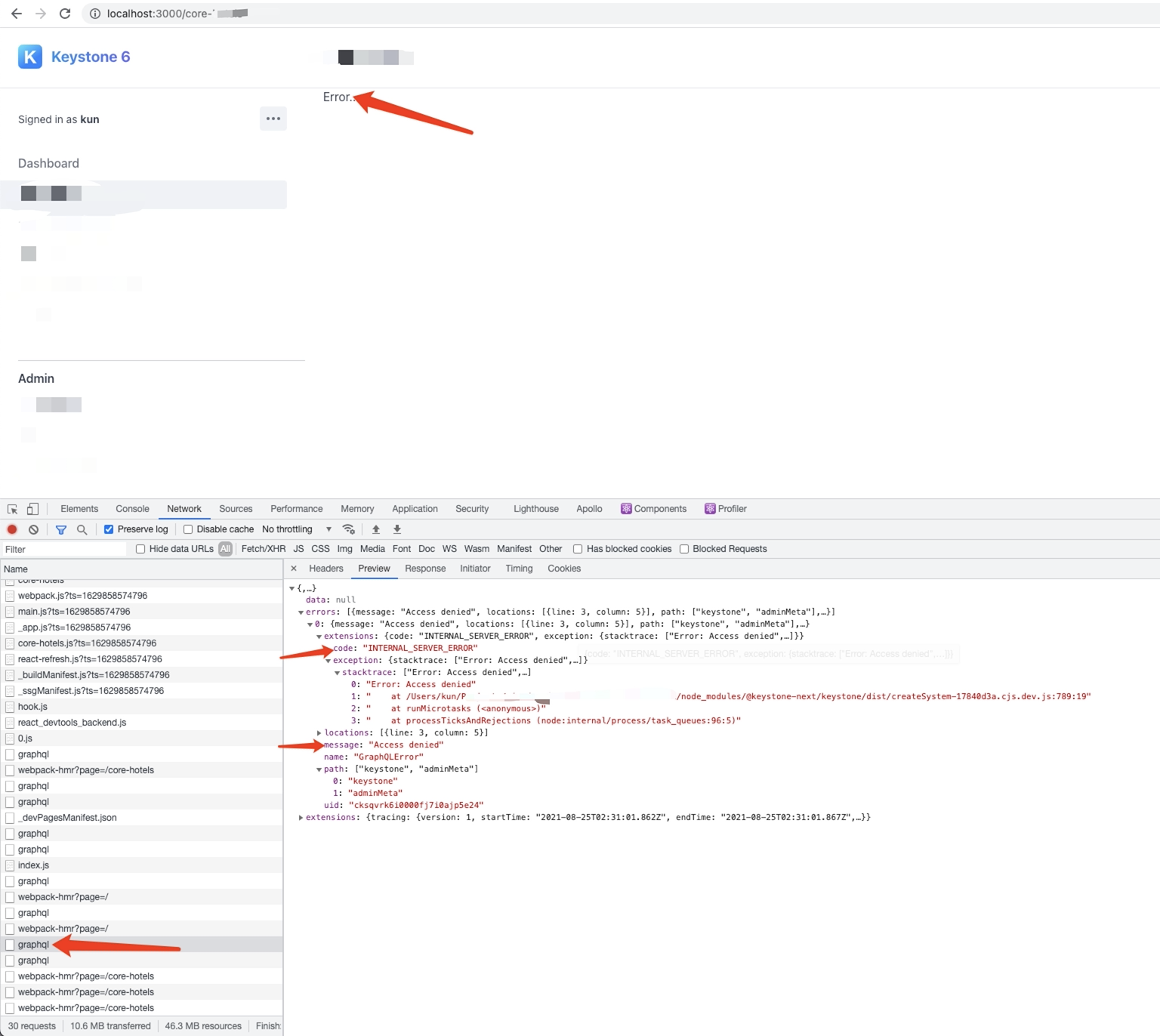
Ideally this shouldn't occur, and we should catch this and redirect the user back to the sign in page.
If the page gets reloaded and hits the page middleware, a redirect happens, but ideally it should be caught before this.
**Here’s the current behavior:**
- Log into Keystone App,
- Perform some operations
- Session Expires, Cookie gets removed
- Trigger a GraphQL request
- Returns with AccessDenied
- Displays error in the related view
**Expected Behavior:**
- Log Into Keystone App
- Perform some operations
- Session Expires, Cookie gets removed
- Trigger a GraphQL request
- Returns with Access Denied
- Intercept this response
- Redirect to login page
_Adapted and sourced from Charles Cyril on the Keystone Community Slack: https://keystonejs.slack.com/archives/C01STDMEW3S/p1629859492428800_
Contributor guide
Research direction
Start in the Admin UI by tracing the GraphQL request made after the session cookie is removed, then compare that path with the existing page middleware redirect. The work is done when an AccessDenied response redirects to the sign-in page instead of rendering an Error message, without requiring a page reload.
Written by the indexing model from the issue text.
Assessment
- Tech stack
- graphql, node.js, react, typescript
- Domain
- api, authentication, frontend
- Issue type
- Bug
- Difficulty
- 4/5
- Estimated time
- 3-5 days
- Activity status
- Stale
- Clarity
- Mostly clear
- Newbie friendliness
- 35/100