bug(web): OSK auto-positioning doesn't work well with `fixed`-positioned input elements
- Dominant language
- Pascal
- Stars
- 534
- Forks
- 143
- Avg merge
- 2d 10h
- Merged PRs (30d)
- 113
Description
### Describe the bug
If KMW has attached to a page input element that uses fixed, thus viewport-relative positioning, the "floating" desktop-style OSK will not be positioned properly after any page scrolling occurs.
### Reproduce the bug
This is near-certainly not the only way to reproduce the bug, but it's currently the lowest-effort way.
1. Go to https://keyman.com/bookmarklet/.
2. Click on literally any offered bookmarklet from the page's list once it loads.
3. Scroll the page down slightly.
4. Hover over the "Keyboards" option in the page's top banner, then click within the keyboard-search element.
5. See error:
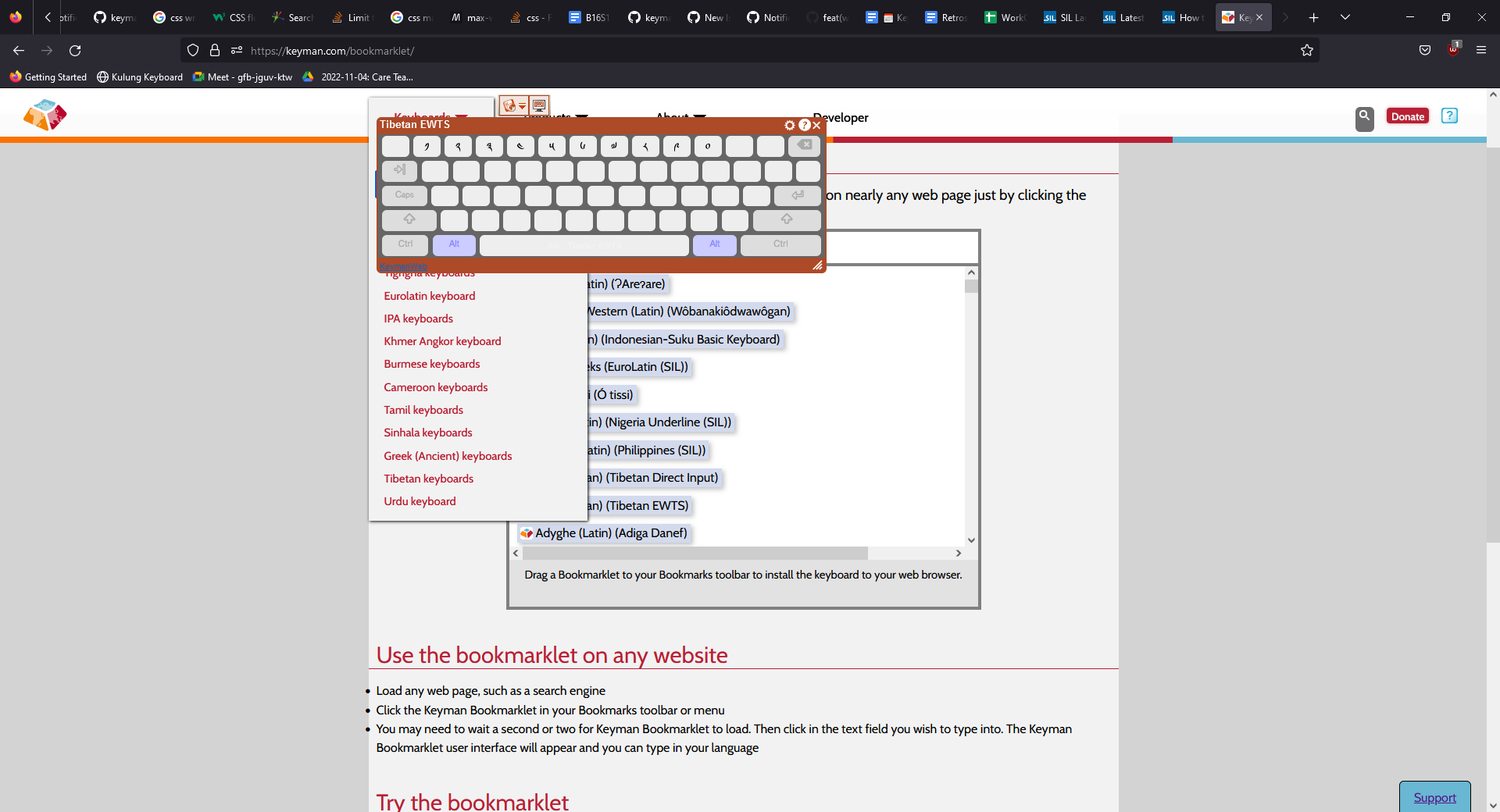
The positioning acts as if the page element were using absolute page positioning rather than fixed; the OSK's mispositioning will be drectly proportional to the distance that the page has been vertically scrolled.
### Expected behavior
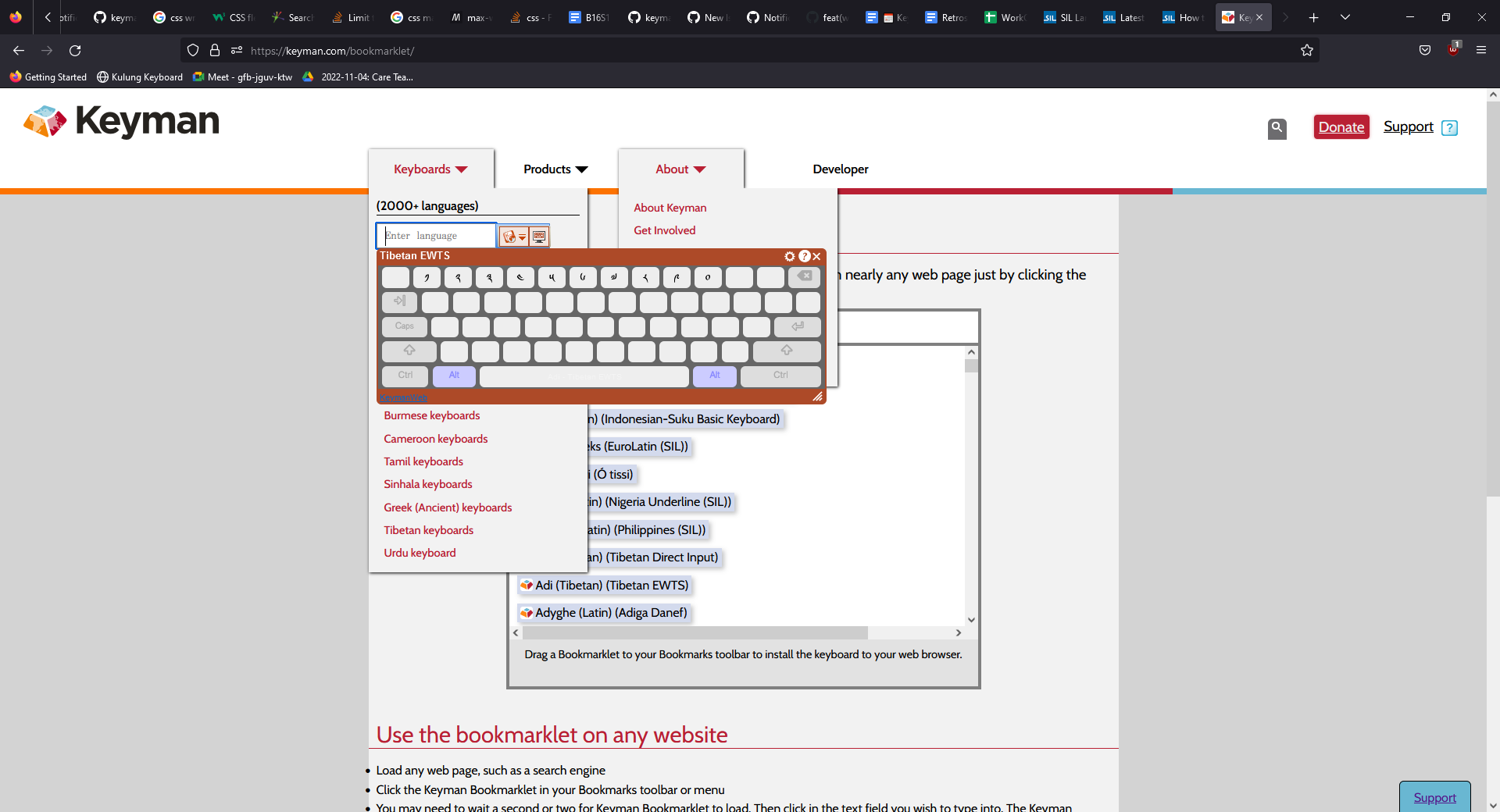
The OSK should display directly below the keyboard-search element regardless of vertical scroll distance (referring to the repro above):
### Related issues
_No response_
### Keyman apps
- [ ] Keyman for Android
- [ ] Keyman for iPhone and iPad
- [ ] Keyman for Linux
- [ ] Keyman for macOS
- [ ] Keyman for Windows
- [ ] Keyman Developer
- [X] KeymanWeb
- [ ] Other - give details at bottom of form
### Keyman version
15.0.272 / 16.0.99
### Operating system
_No response_
### Device
_No response_
### Target application
_No response_
### Browser
_No response_
### Keyboard name
_No response_
### Keyboard version
_No response_
### Language name
_No response_
### Additional context
_No response_
Contributor guide
Assessment
This issue has not been assessed yet.