bug(android): Black border line appears on the top of the banner after rotating the device from Landscape to Portrait View
- Dominant language
- Pascal
- Stars
- 534
- Forks
- 143
- Avg merge
- 2d 10h
- Merged PRs (30d)
- 113
Description
**Describe the bug**
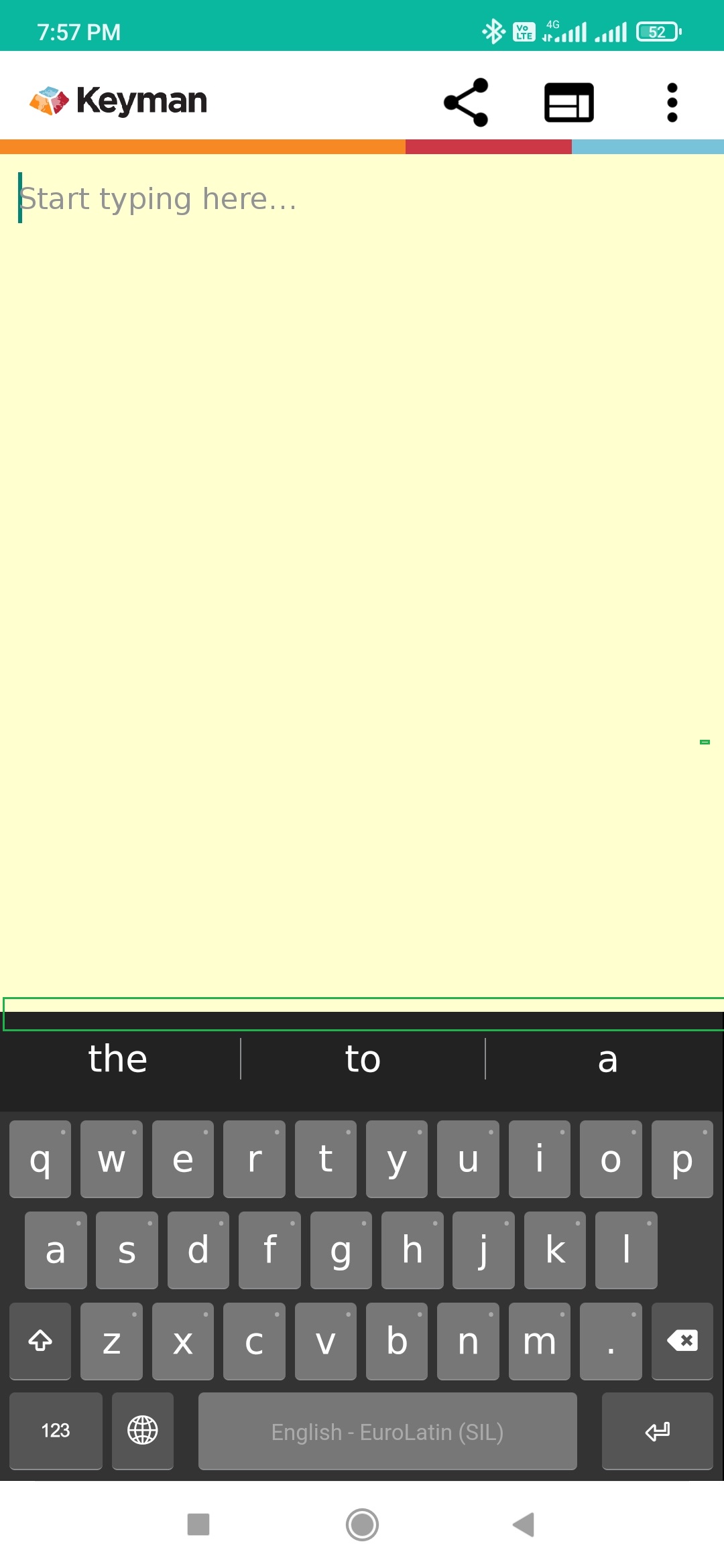
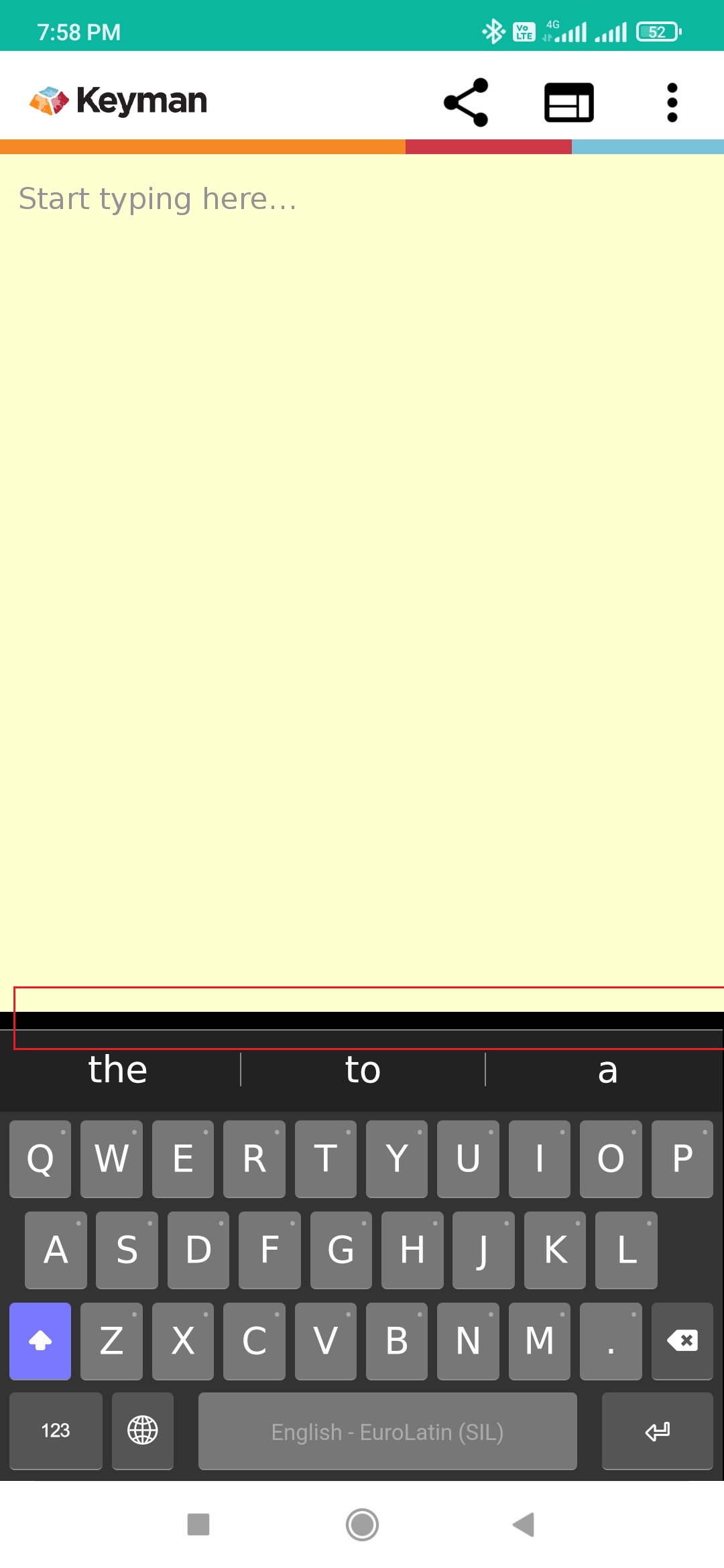
I noticed that a black border line appears on the top of the banner after rotating from Landscape to Portrait view
**To Reproduce**
1. Install Keyman 16.0.48-alpha build in an Android device.
2. Open Keyman In-App.
3. Verify that the default (English - EuroLatin (SIL)) On Screen Keyboard appears on the View.
4. Install 'Khmer Angkor" Language.
5. Verify that we are able to change the language using the globe key.
6. Rotate the device from Portrait to Landscape.
7. Long Press the globe Key.
8. Select "Khmer Angkor" OSK.
9. Rotate the device from Landscape to Portrait.
10. Change the Keyboard to Eurolatin.
11. Here, I noticed that there is a black border line appears on the top of the banner in the OSK.
**Screenshots**
Before Rotating the device:
After Rotating the device:
---
**Keyman for Android:**
Device: Redmi Note 8
- OS: Android 11.0
- Keyman version: 16.0.48-alpha
- Target Application: Keyman In-App
--
**Keyboards**
- Keyboard name: English - EuroLatin (SIL)
- Keyboard version: 2.0
- Language name: Egnlish
- Keyboard name: Central Khmer (Khmer, Cambodia)
- Keyboard version: 1.2
- Language name: Khmer
Contributor guide
Assessment
This issue has not been assessed yet.