bug(ios): the stable version of FV behaves differently on simulator and physical device
- Dominant language
- Pascal
- Stars
- 534
- Forks
- 143
- Avg merge
- 2d 10h
- Merged PRs (30d)
- 113
Description
**Describe the bug**
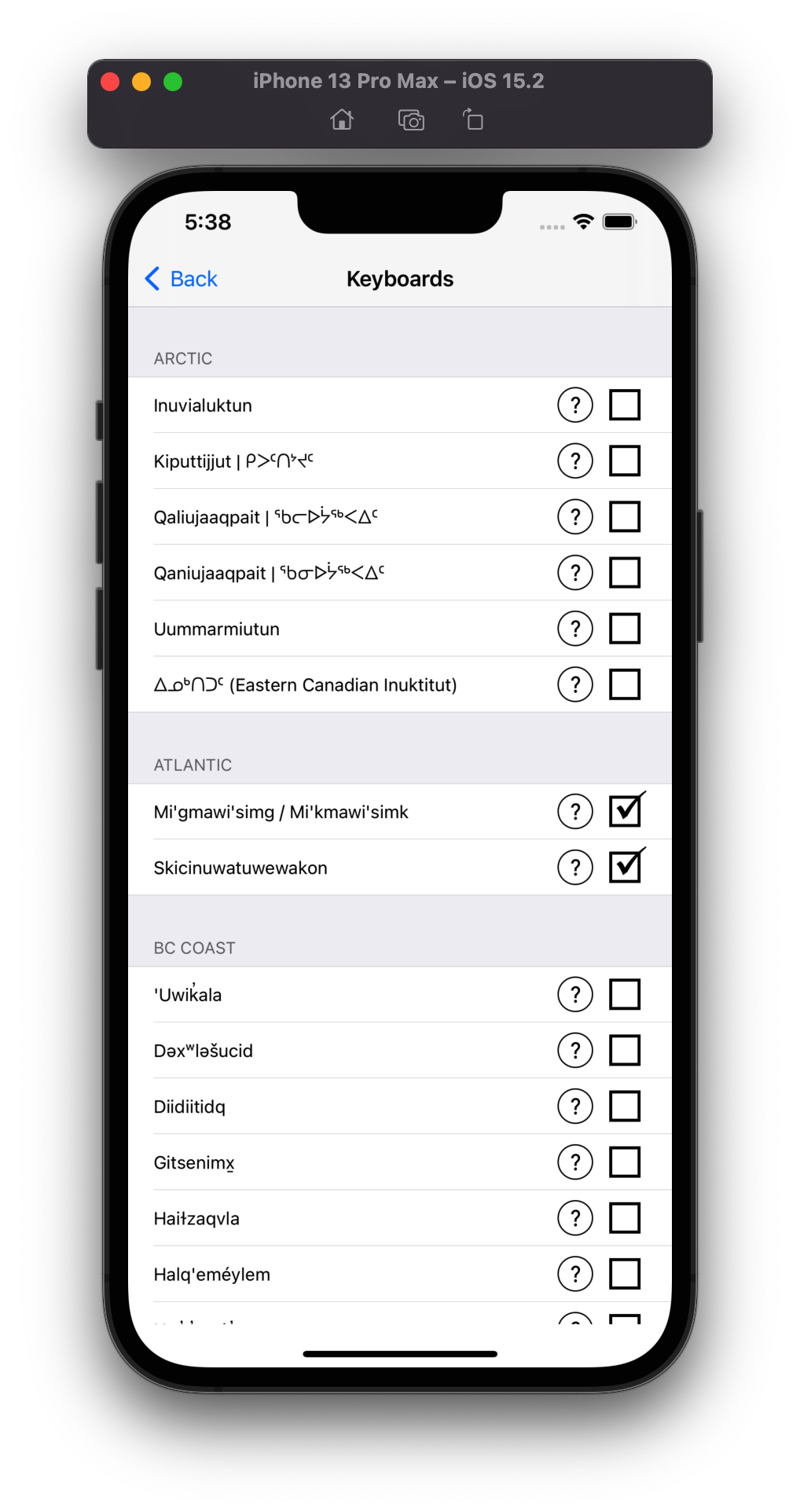
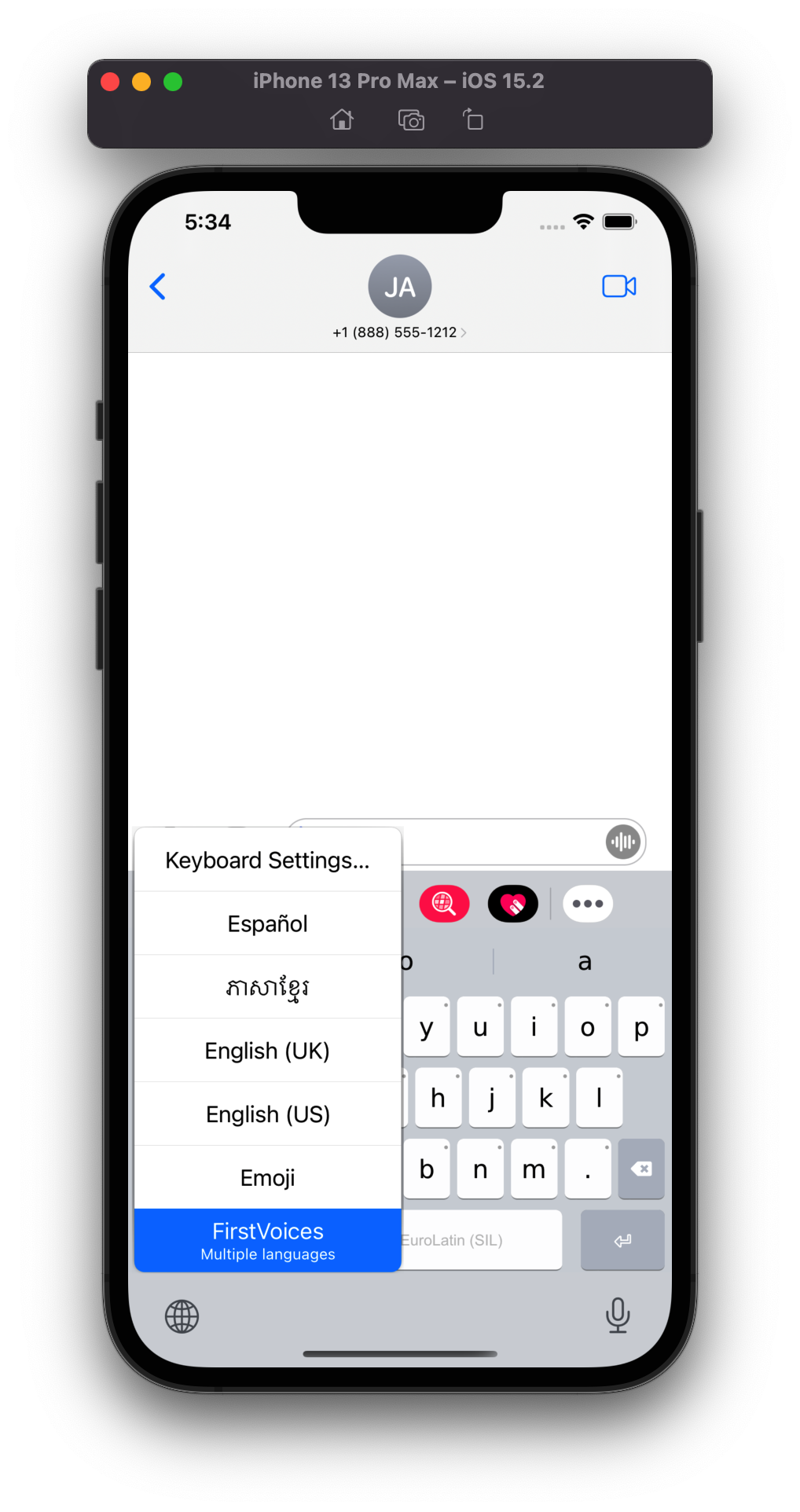
Installing and setting FirstVoice keyboard app as a system keyboard on iOS in a simulator shows Euro Latin (SIL) keyboard instead of the ones chosen off of the keyboard list in FV.
On a physical device (i.e. iPad), doing this same thing results in the expected behavior where the selected keyboards shows up when triggered.
**To Reproduce**
1. Get the stable build of FV from '[status.keyman.com](https://downloads.keyman.com/ios/stable/14.0.286/firstvoices-ios-simulator-14.0.286.app.zip)'
2. Install it on a simulator and set it as a system keyboard
3. Go to Safari or Message text area and select FirstVoice
4. See error
**Expected behavior**
The selected keyboard off of the list available in the FV app should be shown when FV is selected.
**Screenshots**
The keyboards selected off of the FV available keyboard list:
What's shown when FirstVoice is selected:
---
**Keyman for iPhone:**
- Device: iPhone 13 pro max
- OS: iOS 15.2
- Keyman version: 14.0.286
- Target application: iMessage
Contributor guide
Assessment
This issue has not been assessed yet.