bug(windows): keyboard icon is different from what's being active on the Lock Screen
- Dominant language
- Pascal
- Stars
- 534
- Forks
- 143
- Avg merge
- 2d 10h
- Merged PRs (30d)
- 113
Description
**Describe the bug**
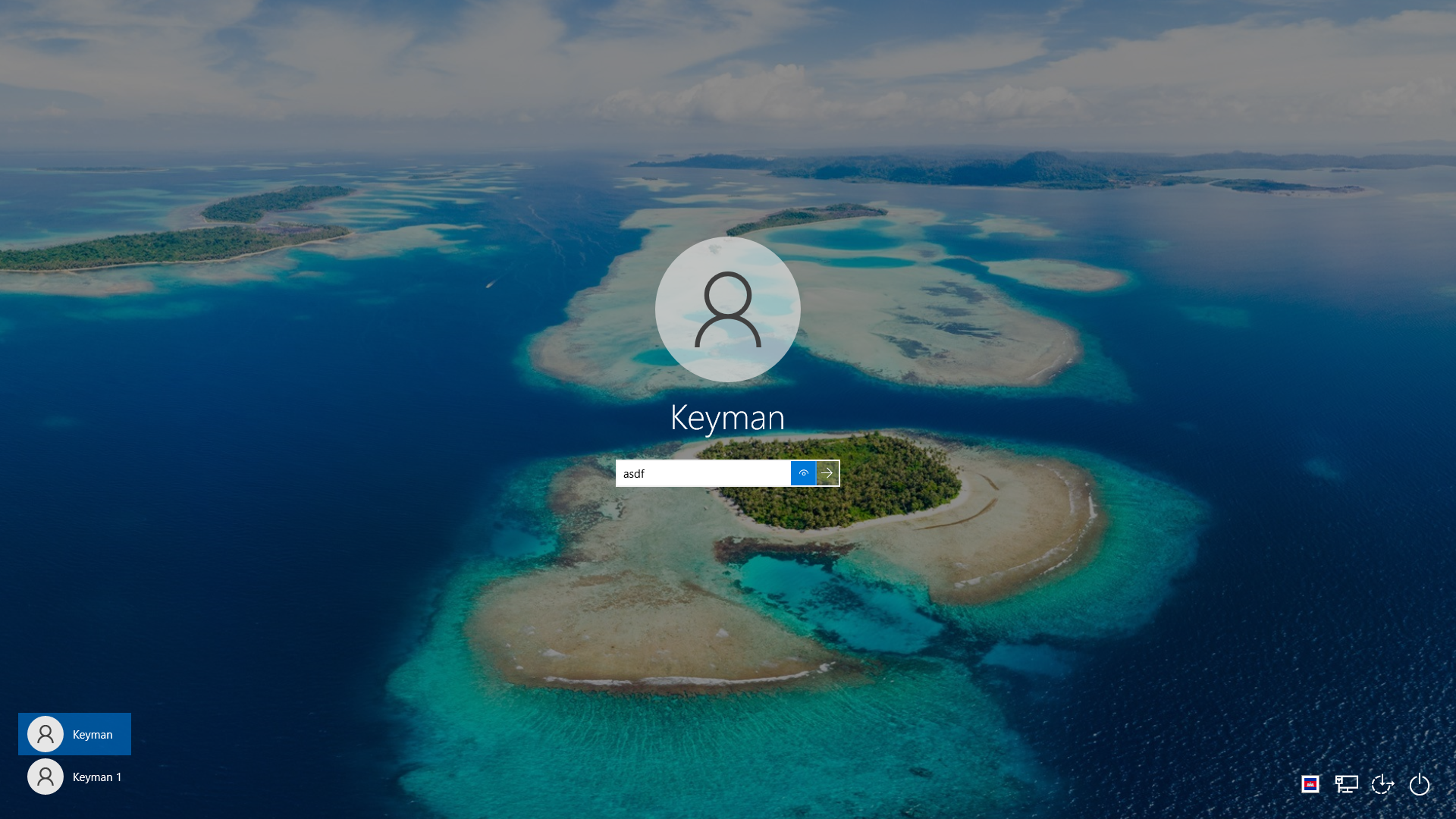
When setting a keyman keyboard as a default input method, the keyboard icon is shown on Lock Screen. Yet the characters output are those of EN.
The screenshot above shows Khmer Angkor icon at the bottom corner of the screen, however when one starts typing, English characters are emitted -- which is understandable because only EN characters are acceptable as passwords.
What is expected though is to have the keyboard icon reflect the keyboard being used, in this case EN.
---
**Keyman for Windows:**
- OS: Windows 10 Pro 21H1 x64
- Keyman version: 14.0.282
- Target Application: Windows' Lock Screen
---
**Keyboard**
- Keyboard name: khmer_angkor
- Keyboard version: 1.0.9
- Language name: Khmer
Contributor guide
Assessment
This issue has not been assessed yet.