bug(mac): Input Monitoring does not have Keyman listed
- Dominant language
- Pascal
- Stars
- 534
- Forks
- 143
- Avg merge
- 2d 10h
- Merged PRs (30d)
- 113
Description
**Describe the bug**
Keyman for macOS v14.0.276 have been installed on MBP running Big Sur 11.4. When trying to configure the Security Settings, Keyman cannot be found under the Input Monitoring (see screenshot below).
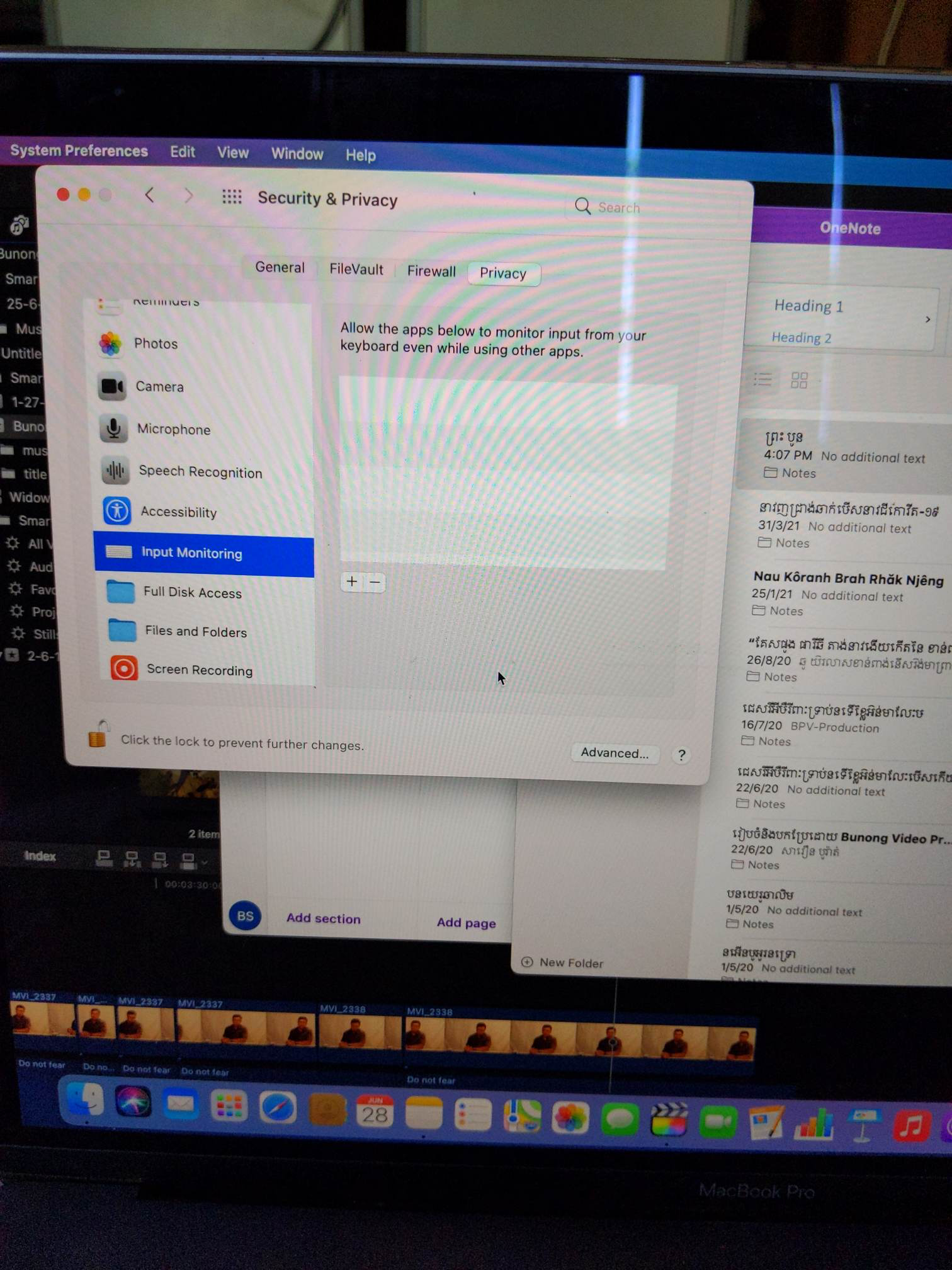
**Expected behavior**
Keyman should be shown on the list in Input Monitoring to be checked to enable.
---
**Keyman for macOS:**
- OS: macOS Big Sur
- Keyman version: 14.0.276
- Target Application: System Preferences/Security & Privacy/Input Monitoring
**Additional context**
- Keyman is running as normal though. Khmer Angkor keyboard can be used as expected.
- Keyman is shown under "Accessibility" and "Files and Folders"
Contributor guide
Assessment
This issue has not been assessed yet.