bug(windows): inconsistencies with deadkeys, AltGr and Norwegian physical keyboard
- Dominant language
- Pascal
- Stars
- 534
- Forks
- 143
- Avg merge
- 2d 10h
- Merged PRs (30d)
- 113
Description
Reported via email:
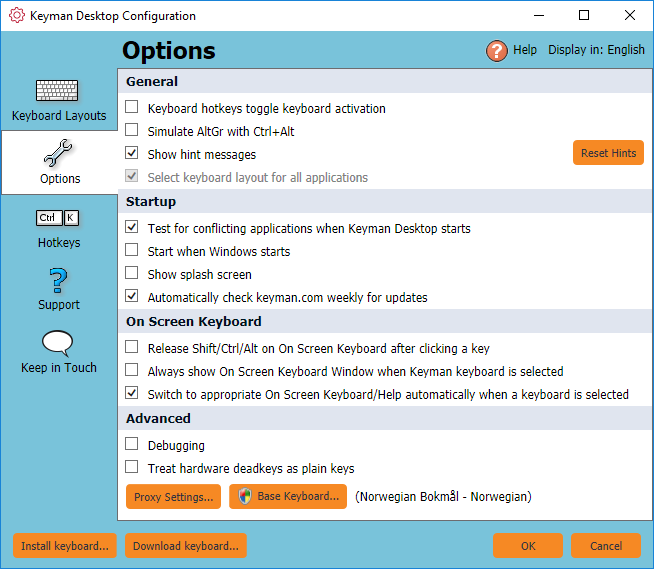
Checking the **Treat hardware deadkeys as plain keys** option does help, but there are still some very strange things going on when using Keyman with the Phil Unicode keyboard on a Norwegian physical keyboard.
In **Word 2010**, if **AltGr + a dead key** is pressed at the very beginning of the document, it has the effect of locking the **Ctrl** key, with all sorts of strange things happening when subsequent keys are pressed. The only way to get out of that state is to press the **Ctrl** key. If **AltGr + a dead key** is not part of the first character in the document, everything works normally. Everything also works normally if the **Ctrl** key is pressed while pressing **AltGr + a dead key** for the first character in the document.
In **Paratext 8**, any time the **AltGr key + a dead key** is pressed, the whole chapter is highlighted. Also here it has the effect of locking the **Ctrl** key and it is necessary to press the **Ctrl** key to get out of this state. And also here, if pressing the **Ctrl** key in combination with **AltGr + a dead key**, everything will work normally.
It looks as if things work the same way in **Notepad** as in **Paratext 8**.
The keyboard seems to work just fine with a US keyboard both in Word 2010 and Notepad for Windows 10.
I’m running Windows 10 Home, version 1803 (OS build 17134.191).
[Phil Unicode 1.2.kmn.txt](https://github.com/keymanapp/keyman/files/2308873/Phil.Unicode.1.2.kmn.txt)

Contributor guide
Assessment
This issue has not been assessed yet.