Unable to continue log in on Linux client
Nobody has claimed this yet.
- Dominant language
- Go
- Stars
- 9.2k
- Forks
- 1.3k
- Avg merge
- 12h 58m
- Merged PRs (30d)
- 56
Description
Keybase GUI Version: 1.0.36-20171120211059+9c5671ec9
Hello I am using the Keybase app for Linux on Fedora 26 (kernel verison 4.13.13-200.fc26.x86_64). I am unable to log in using the Desktop app.
Steps to reproduce:
- Open Keybase app
- Click the "Log in" link
- Enter my id -> Continue
- Select the laptop device I am using
- Set a public name for this device "Work laptop" for example -> Continue
- Type in text code. The app gives me words to type but I don't know where to type them. No text box in this window.
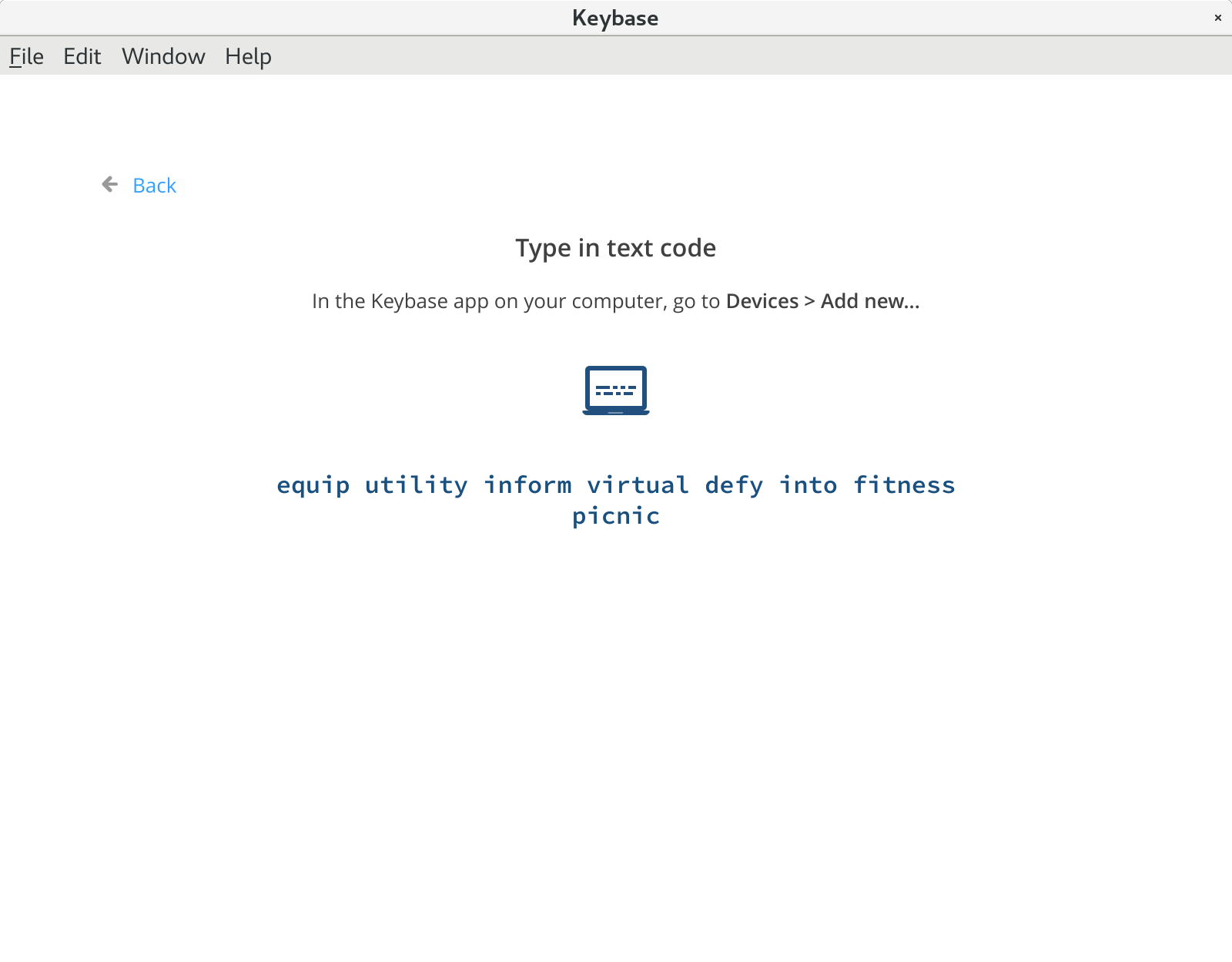
The Keybase app gives me the advice:
"In the Keybase app on your computer, go to Devices > Add new..."
I am already in the Keybase app on my computer, and the app does not have a menu named "Devices" (only File, Edit, Window, Help) or any sub menu "Add new".
Clicking on another Keybase window I see a menu button that gives me the following options "Open folders, Keybase.io, Report a bug, Help/Doc, Quit"
I also tried to add a device at Keybase.io but the web app told me to use the desktop app and I am unable to do that. Please advise if you need more information. Thanks!
Contributor guide
No contributing guide indexed for this repository
First steps
- Read the whole issue, then the project's contributing guide.
- Comment on the issue to say you are picking it up — it saves two people doing the same work.
- Fork the repository and make your change on a branch.
- Open a pull request that references the issue number.
Research direction
Start by reproducing the login flow in the Linux desktop app, following the listed steps through device selection and text-code entry. Done means the app clearly provides a way to enter the displayed code and allows the login process to continue.
Written by the indexing model from the issue text.
Assessment
- Tech stack
- fedora, linux
- Domain
- authentication, desktop
- Issue type
- Bug
- Difficulty
- 4/5
- Estimated time
- 3-5 days
- Activity status
- Stale
- Clarity
- Needs clarification
- Newbie friendliness
- 25/100