Keybase doesn't work/start on home mounted over NFS
Nobody has claimed this yet.
- Dominant language
- Go
- Stars
- 9.2k
- Forks
- 1.3k
- Avg merge
- 12h 58m
- Merged PRs (30d)
- 56
Description
I'm using Keybase (keybase-1.0.35.20171110170110.68245d46b-1.x86_64) and some few days ago another version worked fine.
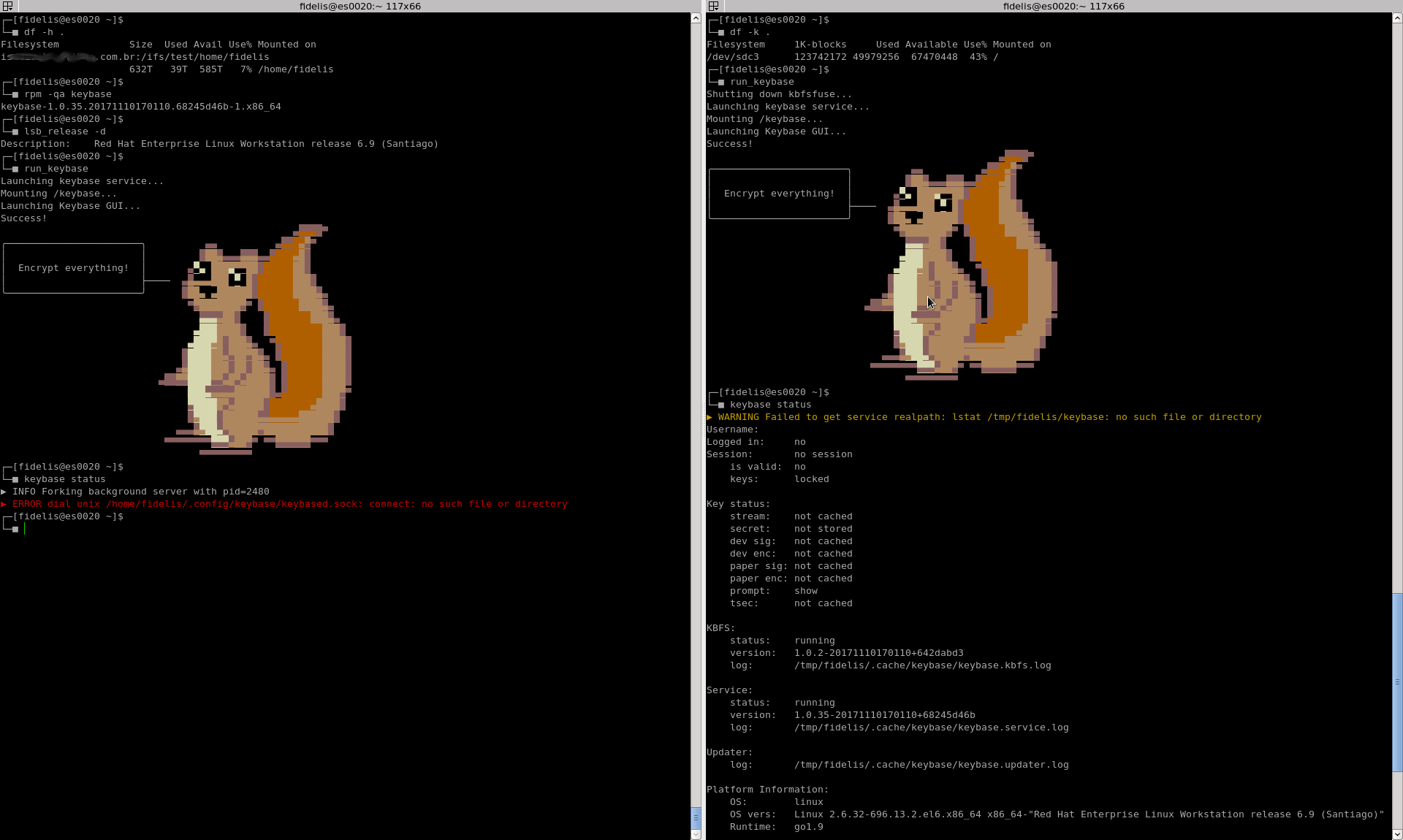
I did a test using my normal user with my home in two places: /home/fidelis (NFS) and /tmp/fidelis (local disk). When using it over a NFS mount point and tried to start run_keybase it seems like everything is fine, but shows me an error as follows:
┌─[fidelis@es0020 ~]$
└─■ keybase status
▶ INFO Forking background server with pid=2480
▶ ERROR dial unix /home/fidelis/.config/keybase/keybased.sock: connect: no such file or directory
I know that Red Hat Enterprise Linux 6 or CentOS 6 both are a bit elder Linuxes versions to run Keybase client, but all the terminal functionalities worked fine for me (I don't desire the client GUI, at all) in previous Keybase version. Even in this version, using it on local disk I did another test and got another machine added es0020_test to my Keybase account:
┌─[fidelis@es0020 keybase]$
└─■ keybase login
Your keybase username or email address: ffidelis

The device you are currently using needs to be provisioned.
Which one of your existing devices would you like to use
to provision this new device?

	1. [mobile]	xxxxxxx
	2. [computer]	xxxxxxx
	3. [computer]	xxxxxxx
	4. [computer]	xxxxxxx
	5. [paper key]	xxxxxxx
	6. [paper key]	xxxxxxx

Choose a device: 1

************************************************************
* Name your new device!                                    *
************************************************************
Enter a public name for this device: **es0020_test**
Type this verification code into your other device:
	xxxxxxxx xxxxxxxx xxxxxxxx xxxxxxxx xxxxxxxx xxxxxxxx xxxxxxxx xxxxxxxx xxxxxxxx
If you are using the command line client on your other device, run this command:
	keybase device add
It will then prompt you for the verification code above.
Or, scan this QR Code with the keybase app on your mobile phone:
There's also a PNG version in /tmp/keybase_qr.png that might work better.

✔ Success! You provisioned your device **es0020_test**.

You are logged in as ffidelis
  - type `keybase help` for more info.
(NFS) my log id: aa2f25d21c5c79f3d822d01c
(local) my log id: 12fc5c9cec2642d9de446c1c
Contributor guide
No contributing guide indexed for this repository
First steps
- Read the whole issue, then the project's contributing guide.
- Comment on the issue to say you are picking it up — it saves two people doing the same work.
- Fork the repository and make your change on a branch.
- Open a pull request that references the issue number.
Research direction
Reproduce the failure by running run_keybase and keybase status with the home directory mounted over NFS, then compare it with the local /tmp/fidelis setup. Trace why the NFS case does not provide /home/fidelis/.config/keybase/keybased.sock; done means the terminal client starts and keybase status connects successfully over NFS.
Written by the indexing model from the issue text.
Assessment
- Tech stack
- go, linux
- Domain
- cli, networking, operating-systems
- Issue type
- Bug
- Difficulty
- 4/5
- Estimated time
- 3-5 days
- Activity status
- Stale
- Clarity
- Needs clarification
- Newbie friendliness
- 35/100