Main window not unhiding on Windows 7 when clicking tray icon
Nobody has claimed this yet.
- Dominant language
- Go
- Stars
- 9.2k
- Forks
- 1.3k
- Avg merge
- 12h 58m
- Merged PRs (30d)
- 56
Description
The application once minimized to tray seems to be unable to re-show for me. Clicking the taskbar icon or right/left clicking the tray icon just re-hides or attempts to show the application.
Here's an example of me spamming right and left click, I get one flash of the application window in the lower right but it quickly disappears again.
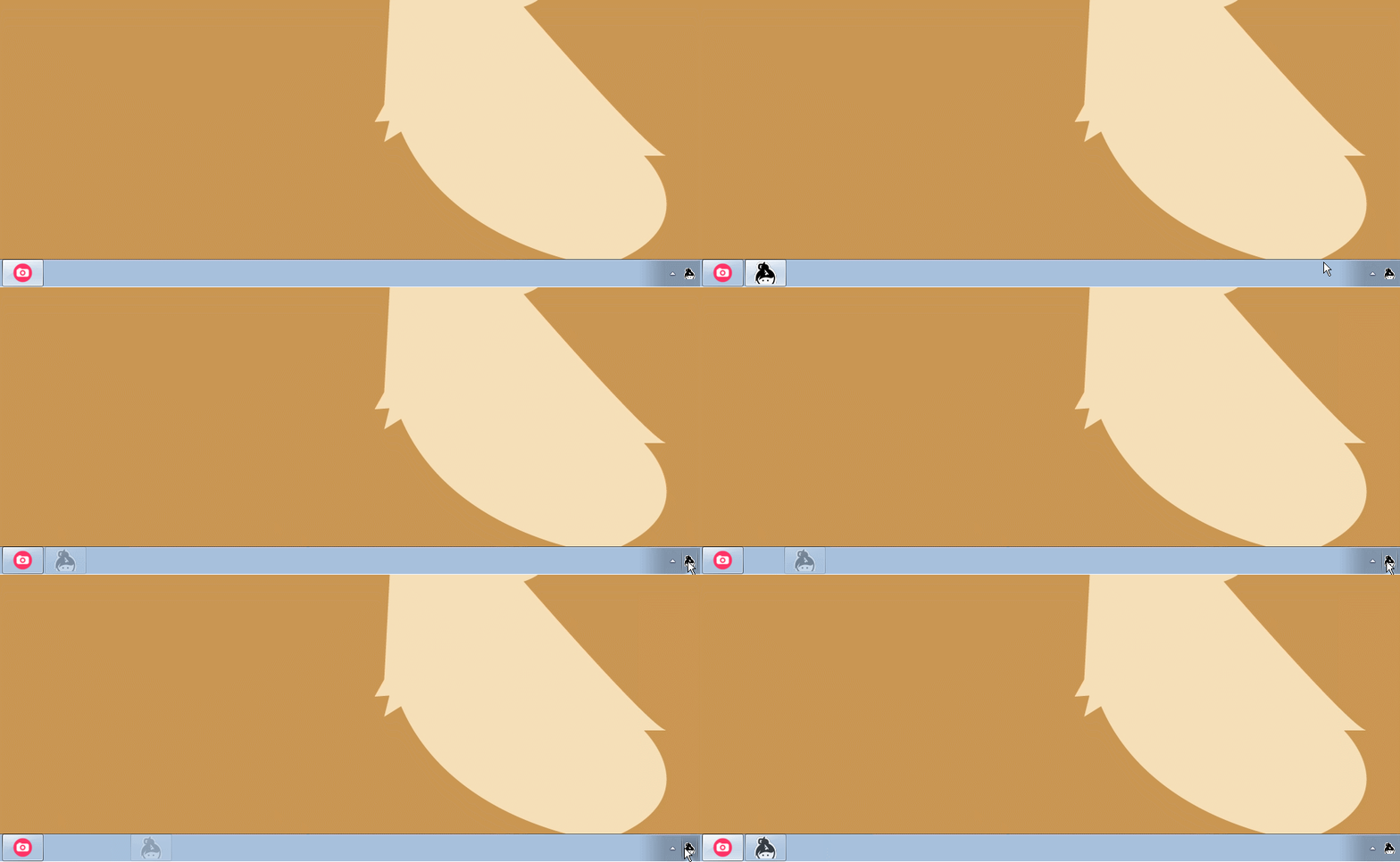
If I force-relocate the invisible-but-focused window to another monitor with Win+Shift+Left/Right, I get a blank cutout of where the window should be in the lower right of the screen.
Win 7 Pro SP1
Quadro K610M
3 Monitors
my log id: 4178e4cfa78f8a69e6115f1c
Contributor guide
No contributing guide indexed for this repository
First steps
- Read the whole issue, then the project's contributing guide.
- Comment on the issue to say you are picking it up — it saves two people doing the same work.
- Fork the repository and make your change on a branch.
- Open a pull request that references the issue number.
Research direction
No source file or test is named in the issue. Start by reproducing the tray and taskbar behavior on Windows 7 using the reported setup and log ID 4178e4cfa78f8a69e6115f1c; done means the main window reliably reappears instead of flashing or remaining invisible.
Written by the indexing model from the issue text.
Assessment
- Tech stack
- electron
- Domain
- desktop, operating-systems
- Issue type
- Bug
- Difficulty
- 4/5
- Estimated time
- 3-5 days
- Activity status
- Stale
- Clarity
- Needs clarification
- Newbie friendliness
- 25/100