Windows Client - Silent installation pops ups windows
Nobody has claimed this yet.
- Dominant language
- Go
- Stars
- 9.2k
- Forks
- 1.3k
- Avg merge
- 12h 58m
- Merged PRs (30d)
- 56
Description
Howdy,
I'm attempting to install this silently - I've passed /install /quiet, as the instructions indicate when I run `keybase_setup_386.exe -?
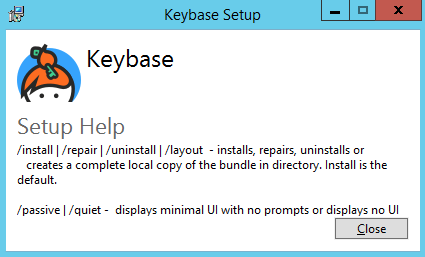
However, once it installs, it appears to pop up a browser Window and the client starts.

Are there additional options that need to be passed to prevent this? Would it be too much trouble to ask that it didn't pop those windows and honor /quiet if passed?
I did look around for other issues similar to this but all I found were ones where it rebooted the machine without warning (I'd like to prevent that as well).
Contributor guide
No contributing guide indexed for this repository
First steps
- Read the whole issue, then the project's contributing guide.
- Comment on the issue to say you are picking it up — it saves two people doing the same work.
- Fork the repository and make your change on a branch.
- Open a pull request that references the issue number.
Research direction
Start by reproducing keybase_setup_386.exe with /install /quiet, then observe whether the browser and client launch during installation. Done means silent installation produces no windows, honors /quiet, and does not reboot the machine unexpectedly.
Written by the indexing model from the issue text.
Assessment
- Domain
- operating-systems
- Issue type
- Bug
- Difficulty
- 4/5
- Estimated time
- 3-5 days
- Activity status
- Stale
- Clarity
- Mostly clear
- Newbie friendliness
- 35/100