Keybase app won't pin to top menu bar on my new Macbook Pro M1
- Dominant language
- Go
- Stars
- 9.2k
- Forks
- 1.3k
- Avg merge
- 12h 58m
- Merged PRs (30d)
- 56
Description
On my old macbook, when I open the Keybase app by clicking on the app in the bottom dock in the apple OS, a small icon of Keybase will also automatically pin to the top menu bar on my apple OS. But now that I have a new Macbook Pro (M1), the app will not open the small pinned icon in the top menu bar. Both Macbooks are running the same latest version of macOS Monterey 12.6.
Attached is a screenshot of when Keybase opens the small pinned icon on my old Macbook.
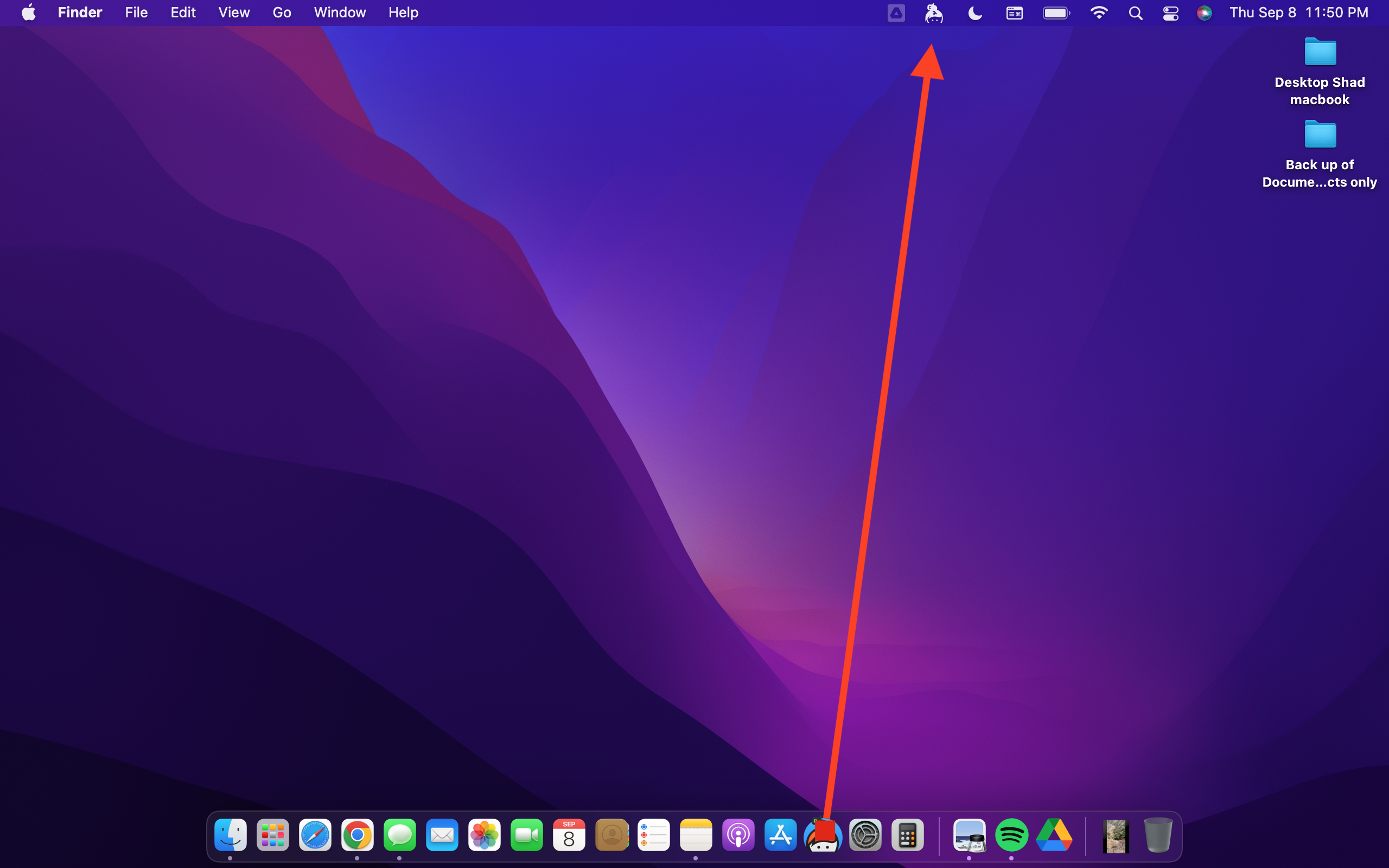
Keybase version is 6.0.1
Please advise on how to get the small icon to show in the top menu bar when I open Keybase. Thanks
Contributor guide
No contributing guide indexed for this repository
Research direction
No source file or test is named. Reproduce the issue on an M1 MacBook running macOS Monterey 12.6 with Keybase 6.0.1, compare behavior with the attached screenshot and the old MacBook, and trace the desktop app's menu-bar startup path. Done means opening Keybase reliably shows its pinned menu-bar icon.
Written by the indexing model from the issue text.
Assessment
- Tech stack
- go, macos
- Domain
- desktop
- Issue type
- Bug
- Difficulty
- 3/5
- Estimated time
- 1-2 days
- Activity status
- Stale
- Clarity
- Mostly clear
- Newbie friendliness
- 30/100