Can't authorize keybase CLI as new device using android app to read the passphrase
- Dominant language
- Go
- Stars
- 9.2k
- Forks
- 1.3k
- Avg merge
- 12h 58m
- Merged PRs (30d)
- 56
Description
I'm using keysabe android app version `5.3.0-20200309161020+68e317972d` and keybase CLI version `5.3.1-20200320154633+3e235215b3` on my Ubuntu machine. The problem arises when I try to add my Ubuntu as a new device using my phone as the provisioner.
After issuing `keybase login` in my Ubuntu terminal, entering my username and selecting my phone as provisioner I'm presented with a passphrase, an ASCII qrcode and a message stating that a PNG version of the qrcode was saved under /tmp. The instructions say I must open the app on my phone, proceed to add a new device and authorize it with the passphrase or scanning the qrcode.
When opening the app and authorizing a new computer device scanning the qrcode things work perfectly, but if instead I try to use the passphrase it's impossible to succeed, simply because there's no place to input the passphrase. Nowhere to type it, at all.
Right bellow the camera screen there's indeed a `Type secret instead` option
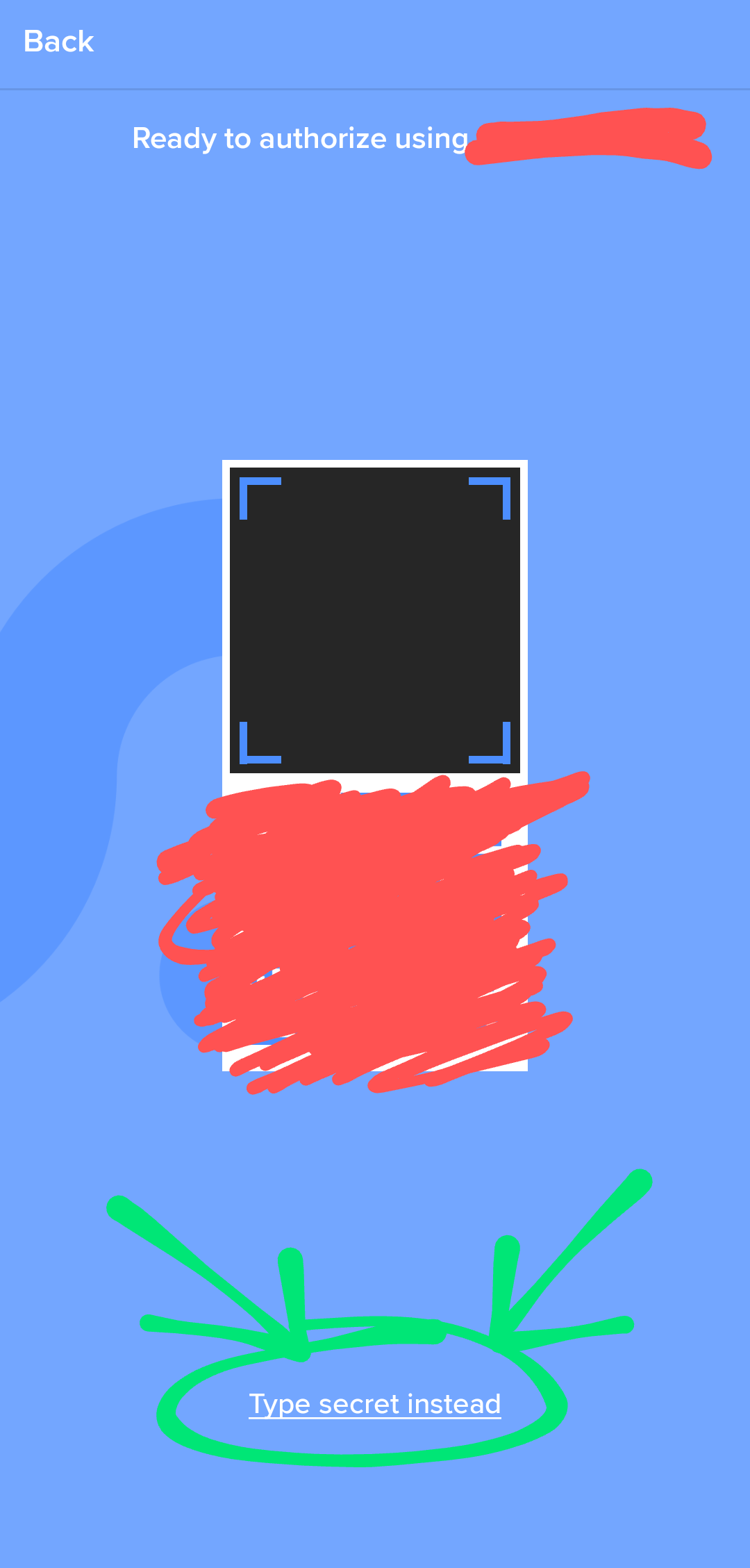
but when you select it, a new screen with no possibility of typing the secret instead is presented.
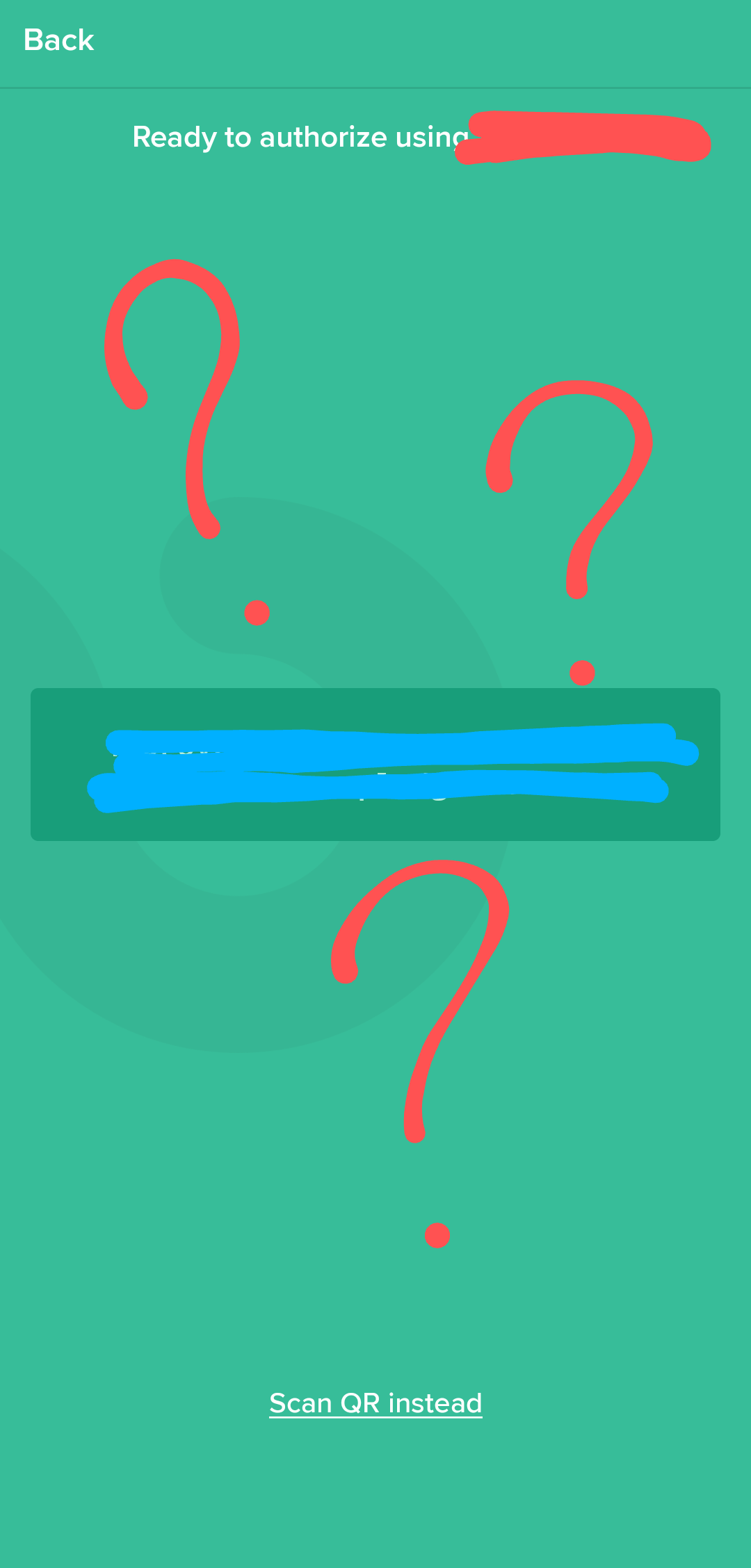
Instead of letting you `Type secret instead`, it shows another passphrase (redacted in blue) that can't be entered in the computer terminal either, which leads us to a situation where the computer, which can't read anything, wants the phone to read it's passphrase; and the phone, which also can't read anything, wants the computer to read its passphrase. So here we have a deadlock of people who just want to talk, but not to listen back.
Contributor guide
No contributing guide indexed for this repository
Research direction
Start by reproducing the `keybase login` provisioning flow with an Android phone, using the reported app and CLI versions. Inspect the Android "Type secret instead" screen alongside the CLI's passphrase flow. Done means the phone accepts the CLI passphrase, while QR-code authorization continues to work.
Written by the indexing model from the issue text.
Assessment
- Tech stack
- android, go
- Domain
- authentication, cli, mobile-dev, security
- Issue type
- Bug
- Difficulty
- 4/5
- Estimated time
- 3-5 days
- Activity status
- Stale
- Clarity
- Mostly clear
- Newbie friendliness
- 28/100