Cannot Disable 'Keybase in Explorer'
Nobody has claimed this yet.
- Dominant language
- Go
- Stars
- 9.2k
- Forks
- 1.3k
- Avg merge
- 12h 58m
- Merged PRs (30d)
- 56
Description
The option to 'Enable Keybase in Explorer' has somehow activated without me chosoing it
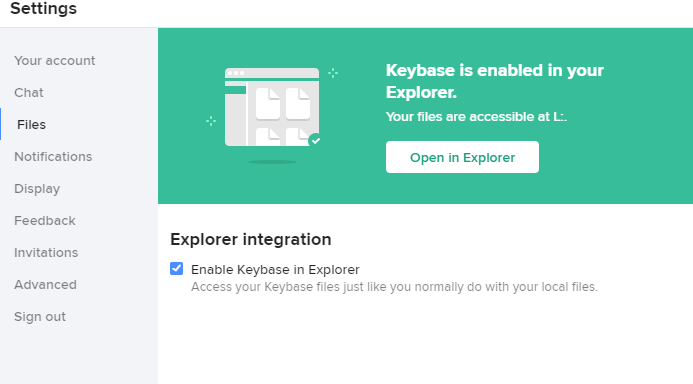
and has locked my main external HDD so it can no longer be used with my VMs.
I cannot disable the option in Keybase. I get the following error:
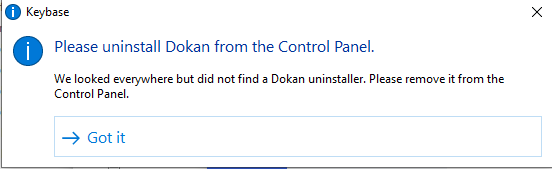
The Program doesn't exist in the uninstall programs section of Windows and is not in the list of services or processes currently running.
Even if I exit Keybase and kill all Keybase processes, the drive is still locked??
Anyone have an idea how to fix this??
Contributor guide
No contributing guide indexed for this repository
First steps
- Read the whole issue, then the project's contributing guide.
- Comment on the issue to say you are picking it up — it saves two people doing the same work.
- Fork the repository and make your change on a branch.
- Open a pull request that references the issue number.
Research direction
Start by reproducing the issue on Windows with “Enable Keybase in Explorer” active, then investigate why disabling it fails and why the external HDD remains locked after Keybase exits. Done means the option can be disabled and the drive is usable by the user's VMs again.
Written by the indexing model from the issue text.
Assessment
- Domain
- operating-systems
- Issue type
- Bug
- Difficulty
- 4/5
- Estimated time
- 3-5 days
- Activity status
- Stale
- Clarity
- Needs clarification
- Newbie friendliness
- 25/100