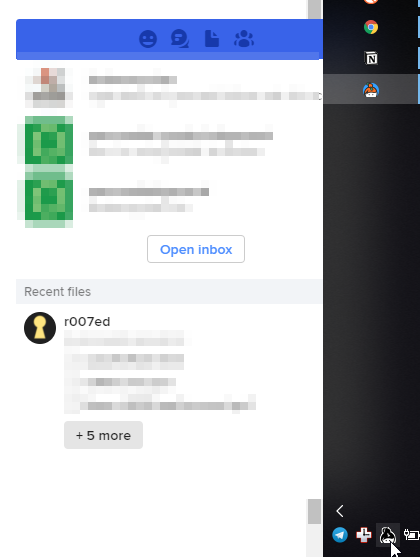
Popup menu from tray icon underlaps Windows task bar when task bar is vertical on right
- Dominant language
- Go
- Stars
- 9.2k
- Forks
- 1.3k
- PR merge metrics
- PR metrics pending
Description
I know there is a similar issue for the Left side created over a year ago.
As someone pointed out in that ticket, it was strictly for the task bar on the left.
I am creating on for the Issue occurring with a vertical task bar on the right hand side.
As you can see in the screenshot, if Keybase is launches from an icon in the notification tray it greatly reduces the ability to use the program as intended, with the Hamburger menu behind the task bar.
Contributor guide
No contributing guide indexed for this repository
Research direction
Reproduce the issue on Windows with a vertical task bar on the right, then trace the notification-tray popup placement path and compare it with the existing left-side issue. Done means the hamburger menu opened from the tray remains fully accessible rather than being covered by the task bar.
Written by the indexing model from the issue text.
Assessment
- Tech stack
- electron
- Domain
- desktop
- Issue type
- Bug
- Difficulty
- 3/5
- Estimated time
- 1-2 days
- Activity status
- Stale
- Clarity
- Needs clarification
- Newbie friendliness
- 35/100