Incorrect user has Enter key focus when adding team member
Nobody has claimed this yet.
- Dominant language
- Go
- Stars
- 9.2k
- Forks
- 1.3k
- Avg merge
- 12h 58m
- Merged PRs (30d)
- 56
Description
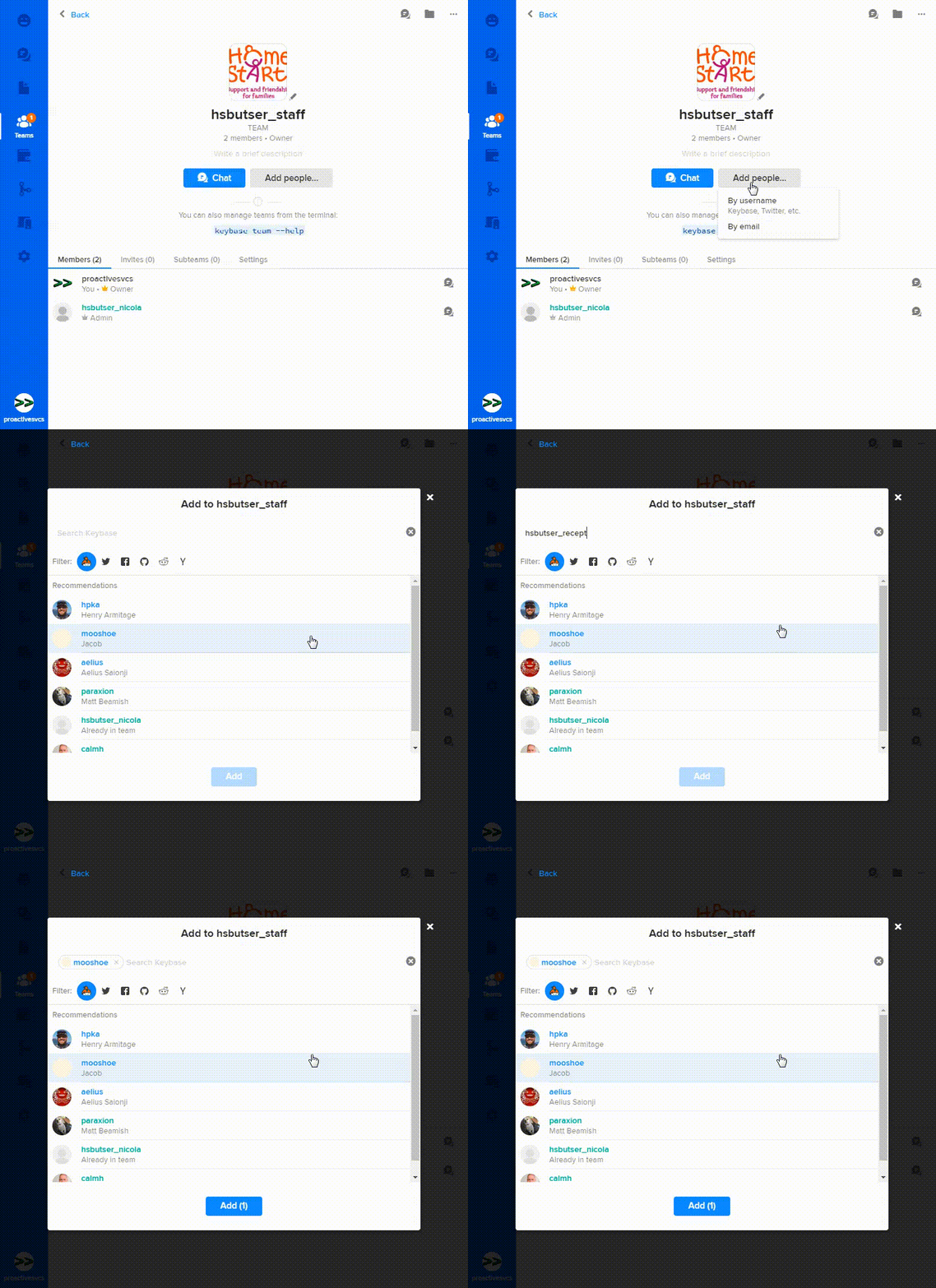
When adding a user to a team via their Keybase username it is easy to add the wrong user by mistake, when typing their username and hitting Enter.
Steps to reproduce:
Navigate to team window, click "Add people"
Click "By username"
Type out a username in full.
As you type notice that search results narrow down to display only the username you have typed.
Hit Return/Enter.
The wrong username is added to the Add list.
Contributor guide
No contributing guide indexed for this repository
First steps
- Read the whole issue, then the project's contributing guide.
- Comment on the issue to say you are picking it up — it saves two people doing the same work.
- Fork the repository and make your change on a branch.
- Open a pull request that references the issue number.
Research direction
Start by reproducing the team window's Add people flow, selecting By username, entering a full username, and pressing Enter. Trace the username search and Add list focus behavior; done means Enter adds the intended matching username rather than the wrong result.
Written by the indexing model from the issue text.
Assessment
- Tech stack
- react
- Domain
- frontend
- Issue type
- Bug
- Difficulty
- 3/5
- Estimated time
- 1-2 days
- Activity status
- Stale
- Clarity
- Mostly clear
- Newbie friendliness
- 45/100