[Bug][Jupyter Widget] New HTML/Map Does Not Fully Configure Based on Config Arg.
- Dominant language
- TypeScript
- Stars
- 12k
- Forks
- 2k
- Avg merge
- 1d 5h
- Merged PRs (30d)
- 66
Description
**Describe the bug**
`mapConstruction.save_to_html(data={'data1': df}, config=mapConstruction.config, file_name='HTML_Maps/constructionSolarFarm_TimeSeries_RW.html')`
saves the config data within the .html file, but the config is not loaded when opening the .html in a browser (.html files of regular and read_only=True in zip file attached)
**To Reproduce**
Steps to reproduce the behavior:
save contruction.csv (attached)
`import pandas as pd`
`df=pd.read_csv('Data/selfmade/construction.csv')`
`from keplergl import KeplerGl`
`mapConstruction=KeplerGl(height=1000)`
`mapConstruction.add_data(data=df,name='Construction')`
`mapConstruction`
(make modifications such as point radius and add filter related to (time:date), then change to Incremental Time Window in time-domain graph that appears).
`# this will save map with provided data and config`
`mapConstruction.save_to_html(data={'data1': df}, config=mapConstruction.config, file_name='HTML_Maps/constructionSolarFarm_TimeSeries_RW.html')`
or
`# this will save map with the interaction panel disabled`
`mapConstruction.save_to_html(data={'data1': df}, config=mapConstruction.config, file_name='HTML_Maps/constructionSolarFarm_TimeSeries_R.html', read_only=True)`
**Expected behavior**
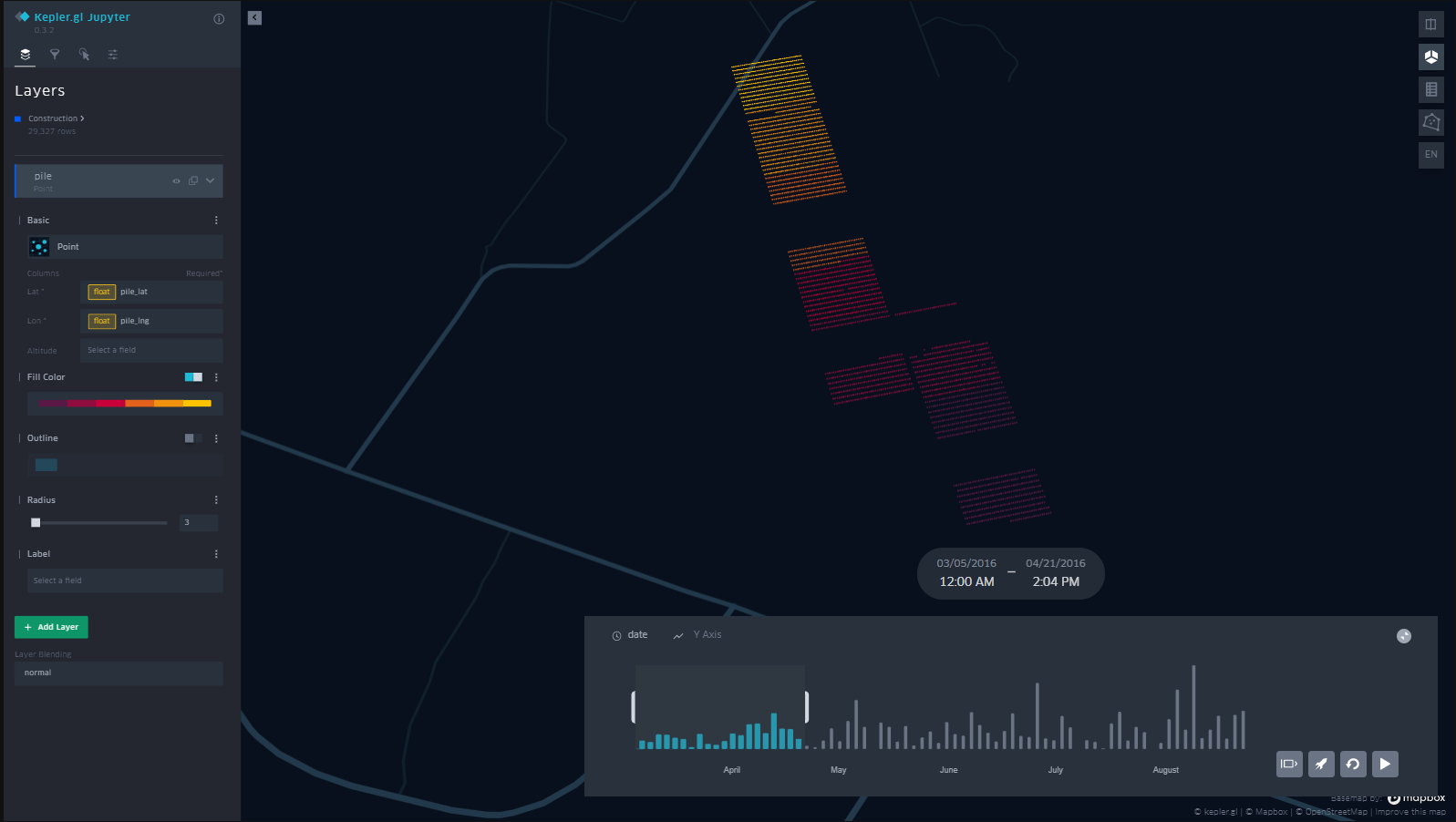
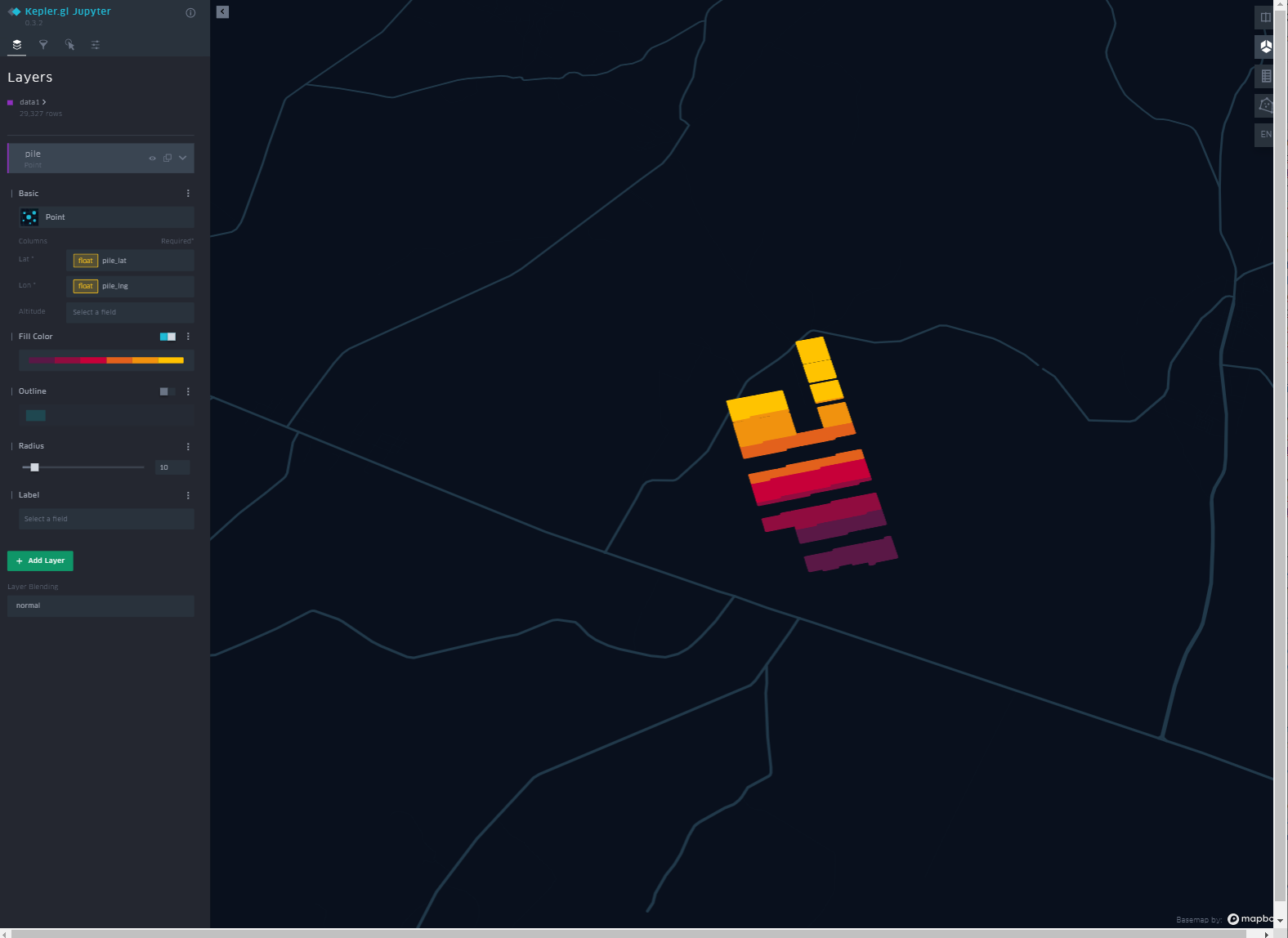
When opening created html files in Chrome, all config settings should be the same as before, such as the smaller point radius (3 in my case) and with time:date set as a filter with the date/time iteration ability on the bottom part of the ui (for both read/write and read_only)
**Screenshots**
What appears in JupyterLab before I save html in a lower cell:

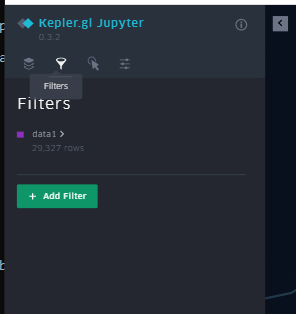
What appears when I then open the saved html in a Chrome browser:
**Environment (please complete the following information):**
- Python version: 3.8.3
- jupyterlab: 3.2.9
- keplergl Widget: 0.3.2
**Additional context**
[HTML_Maps.zip](https://github.com/keplergl/kepler.gl/files/8182031/HTML_Maps.zip)
[construction.csv](https://github.com/keplergl/kepler.gl/files/8182038/construction.csv)
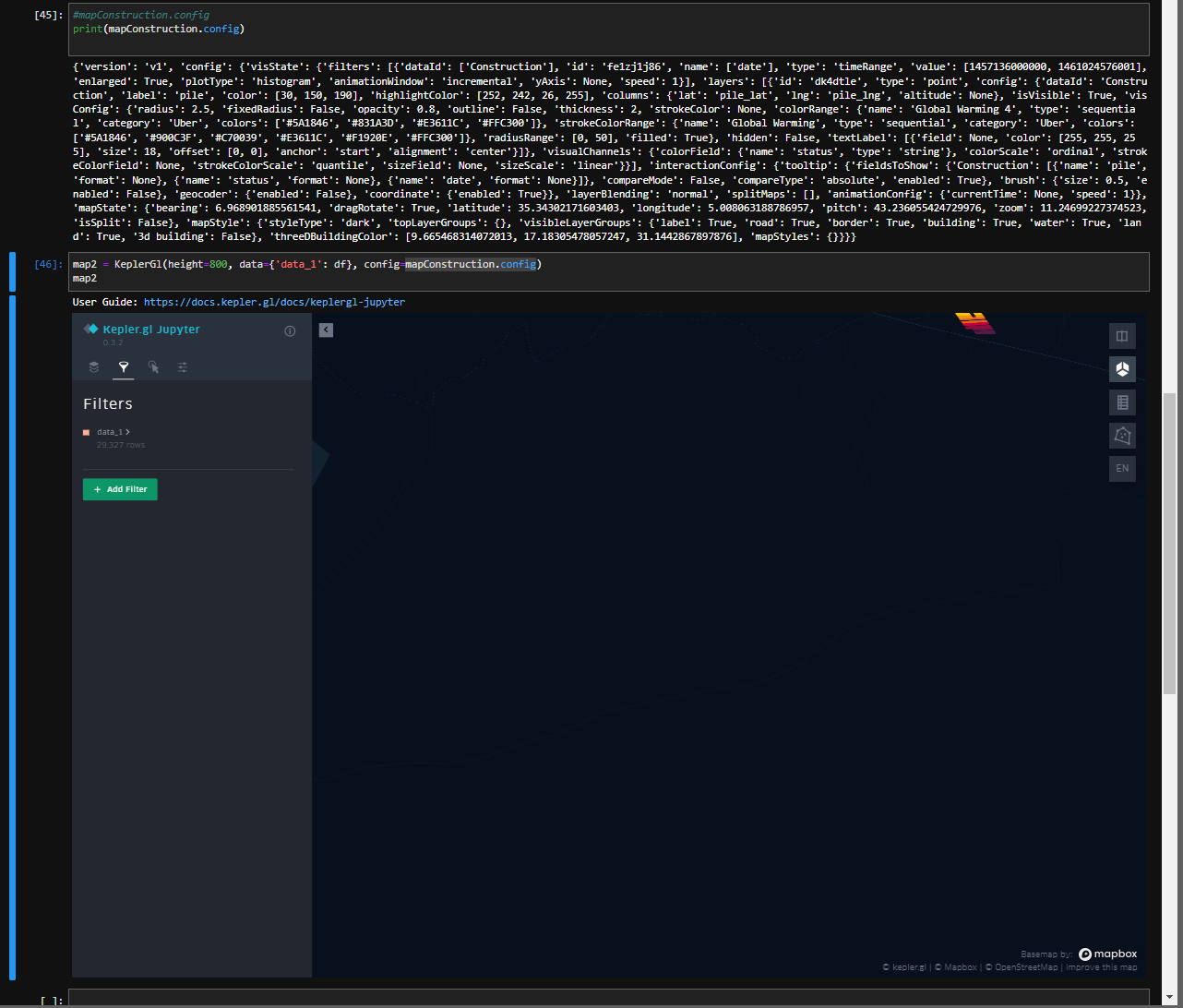
Edit: All configs are properly saved in the html, but only the camera config (lat,lon,zoom,etc), interactions, and basemap are loaded and displayed in browser. Layers and filter configs are not loaded in browser even though the configs are present in the html file. This is true for Chrome and Edge browsers.
Edit2: Picture below shows saved config with time filter, modified radius, etc, yet when a new map is created with said config, none of that is implemented:
Contributor guide
No contributing guide indexed for this repository
Assessment
This issue has not been assessed yet.