Allow showing filtered data in data table
- Dominant language
- TypeScript
- Stars
- 12k
- Forks
- 2k
- Avg merge
- 1d 5h
- Merged PRs (30d)
- 66
Description
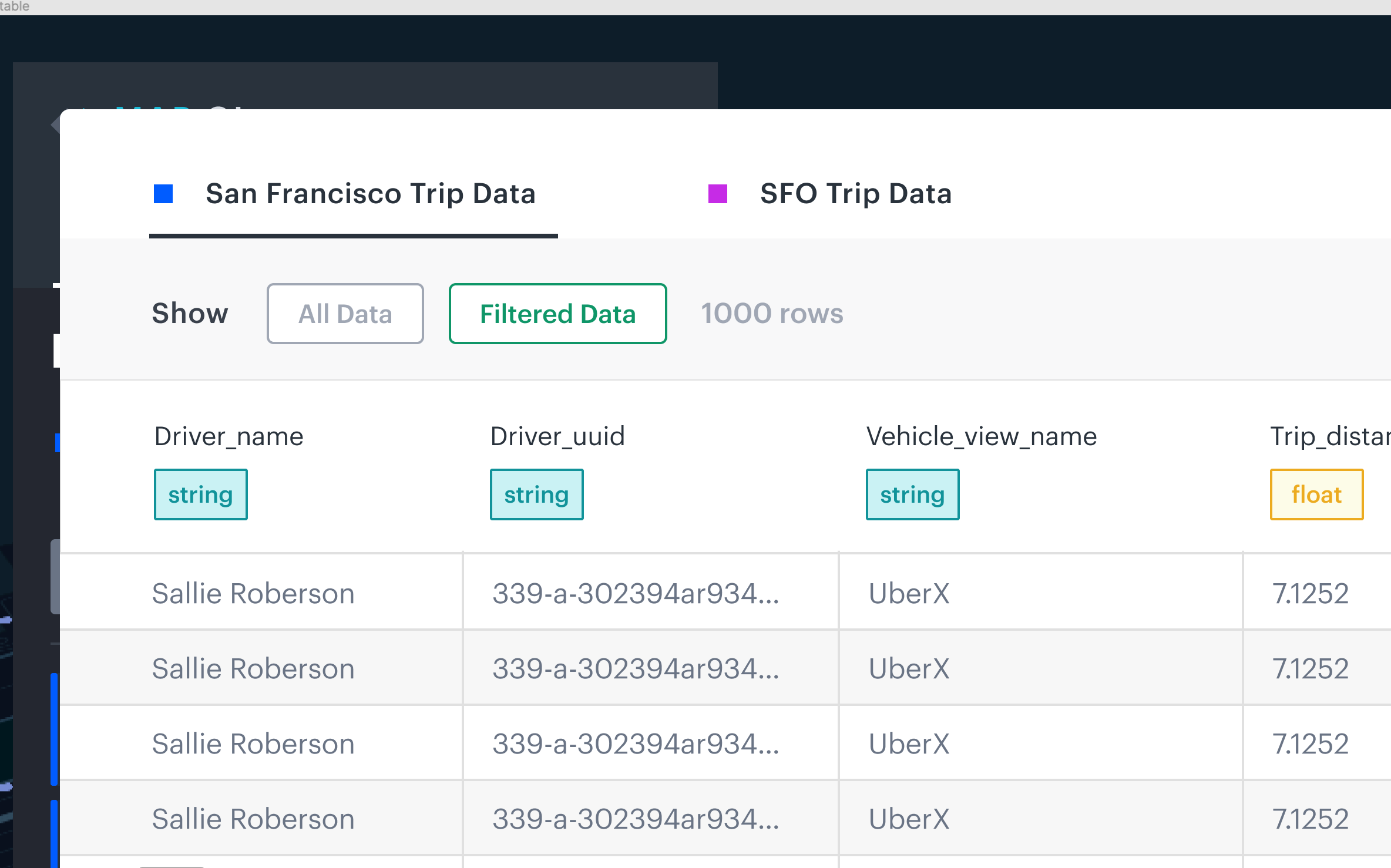
Data table currently displays all data. To allow showing filtered data, we will add a control panel on top of the header, and show controls to toggle between all data or filtered data. When toggle the `All Data` or `Filtered Data`, the row count displays number of rows as a result.
[Design](https://www.figma.com/file/EqPZXHNYrfIDVyIFV4VD0Q/Kepler?node-id=4245%3A24123) as below.
### Implementation Steps
- Add UI control in `data-table-modal` below `DatasetTabs` to show the toggle buttons
- Use `SelectionButton` from `common/styled-components` to render the 2 toggle buttons
- To show filtered data `applyCPUFilter` action should be triggered on demand. pass it from `modal-container` into `data-table-modal`
- See example in `export-data-modal` using `applyCPUFilter`. When the data table modal is first mounted, dataset is not filtered. When user click to show filtered data. `applyCPUFilter` should be dispatched, dataset is then filtered inside reducer, and ready for displaying filtered data.
- Currently a `dataContainer` is passed to `
Contributor guide
No contributing guide indexed for this repository
Assessment
This issue has not been assessed yet.