Heatmap layer won't render above other layers in map [Bug]
- Dominant language
- TypeScript
- Stars
- 12k
- Forks
- 2k
- Avg merge
- 1d 5h
- Merged PRs (30d)
- 66
Description
**Describe the bug**
When I drag and drop layers on the map, all of the layers match the order that I drag the layers on except for the heatmap layer. That stays underneath the other layers. Not sure if it is the heatmap o
**To Reproduce**
Steps to reproduce the behavior:
1. Add multiple datasets with one layer being a heatmap
2. Drag and drop layers with heatmap layer on the top
3. View that the heatmap layer does not stay on the top of the layers even though it was dragged there
**Expected behavior**
I expect the heatmap layer to show about all the other layers when I drag it to the top of the layer ordering
**Screenshots**
If applicable, add screenshots to help explain your problem.
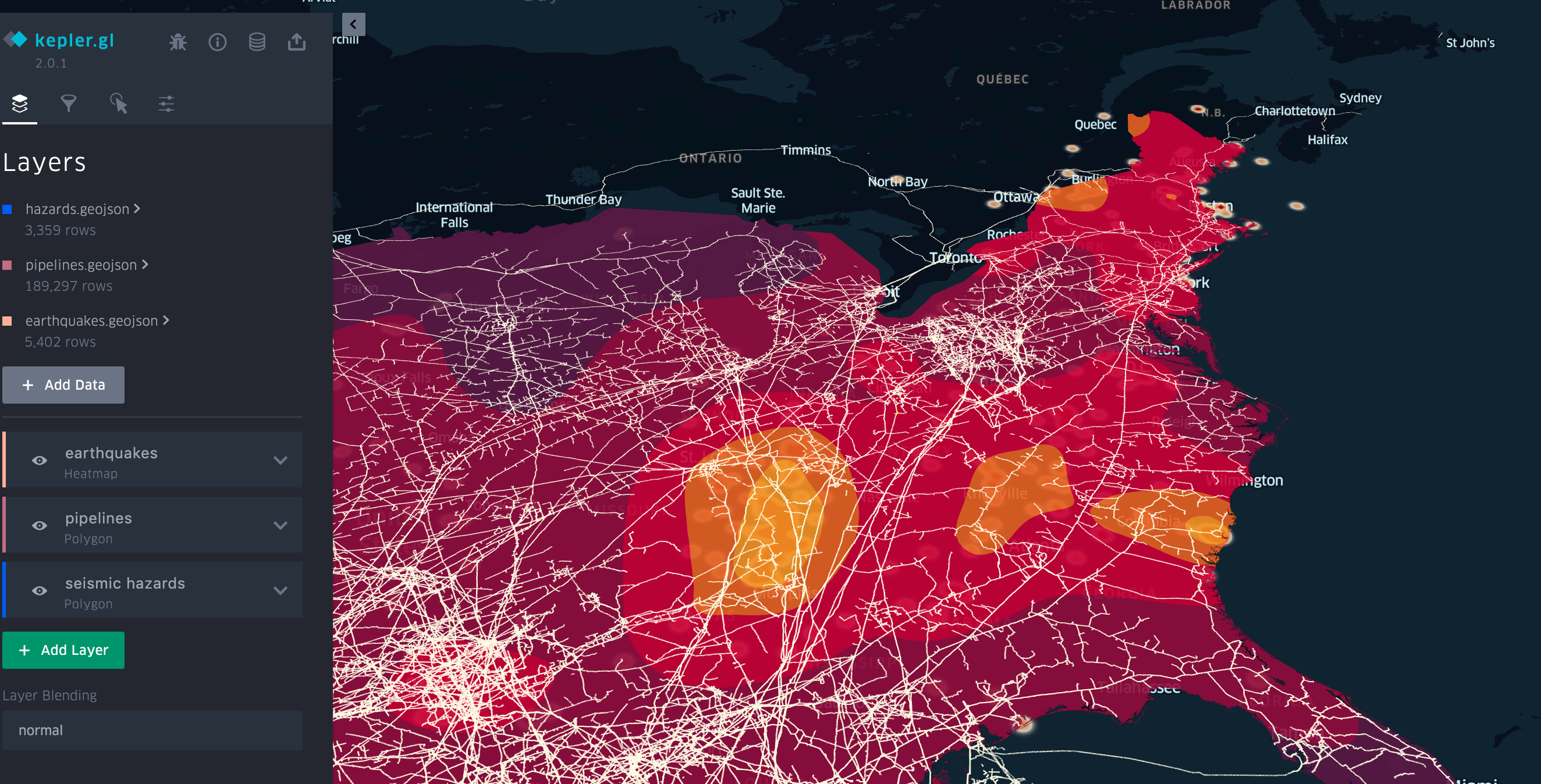
Earthquakes is the heatmap layer and if you look in Maine, the heatmap points are underneath the other layers.
Contributor guide
No contributing guide indexed for this repository
Research direction
Reproduce the issue using multiple datasets with one heatmap, then drag the heatmap to the top and observe the rendered layer order. Trace the map layer-ordering and heatmap rendering entry points to identify where the requested order is lost; done means the heatmap remains above the other layers after reordering.
Written by the indexing model from the issue text.
Assessment
- Tech stack
- typescript
- Domain
- data-visualization, frontend
- Issue type
- Bug
- Difficulty
- 3/5
- Estimated time
- 1-2 days
- Activity status
- Stale
- Clarity
- Mostly clear
- Newbie friendliness
- 35/100