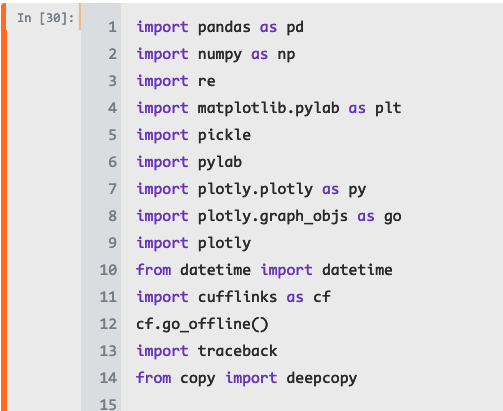
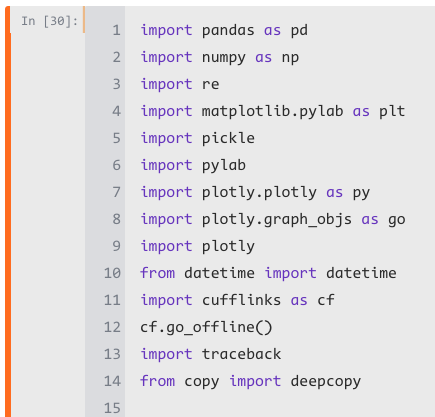
Font in code cells looks bold and smeared on chrome, zooming in and out "fixes" the issue
- Dominant language
- Jupyter Notebook
- Stars
- 13.3k
- Forks
- 5.8k
- Avg merge
- 6d 11h
- Merged PRs (30d)
- 7
Description
By default when I open a notebook the fonts look bold and smeared, as in the following picture:
If I zoom in and then back out, the issue is fixed and the fonts look normal, as in the following picture:
I'm running in:
chrome Version 72.0.3626.109 (Official Build) (64-bit)
jupyter-1.0.0
jupyter-console-5.2.0
qtconsole-4.4.3
mac 10.14.3.
Contributor guide
Research direction
No file, test, or entry point is named. First reproduce the initial bold, smeared font rendering in Chrome 72 on macOS, then compare it with the result after zooming in and out; done means the code-cell font renders normally on the initial notebook load.
Written by the indexing model from the issue text.
Assessment
- Tech stack
- jupyter-notebook
- Domain
- frontend
- Issue type
- Bug
- Difficulty
- 4/5
- Estimated time
- 3-5 days
- Activity status
- Stale
- Clarity
- Needs clarification
- Newbie friendliness
- 25/100