Windows Terminal not responding
Open
- Dominant language
- Jupyter Notebook
- Stars
- 13.3k
- Forks
- 5.8k
- Avg merge
- 6d 11h
- Merged PRs (30d)
- 7
Description
I'm running jupyterlab 0.31.4 on a Windows 10 64 bit machine. When I try launch a terminal session, I get the following screen:
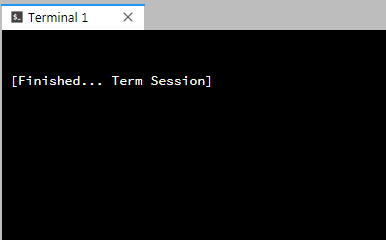
I've tried various keyboard entries to get the terminal active but nothing works. Has anyone encountered this issue before?
Contributor guide
Research direction
Reproduce the terminal-session launch on Windows 10 64-bit with JupyterLab 0.31.4, using the screenshot and reported unresponsive keyboard input as the starting point. Trace the terminal launch behavior and document or fix the cause so a newly launched terminal accepts input.
Written by the indexing model from the issue text.
Assessment
- Tech stack
- jupyter-notebook
- Domain
- cli, operating-systems
- Issue type
- Bug
- Difficulty
- 3/5
- Estimated time
- 1-2 days
- Activity status
- Stale
- Clarity
- Needs clarification
- Newbie friendliness
- 25/100