jspreadsheet / jspreadsheet/ce
Deleting a row does not delete Meta for that row
Open
Nobody has claimed this yet.
- Dominant language
- JavaScript
- Stars
- 7.2k
- Forks
- 890
- PR merge metrics
- No merged PRs in 30d
Description
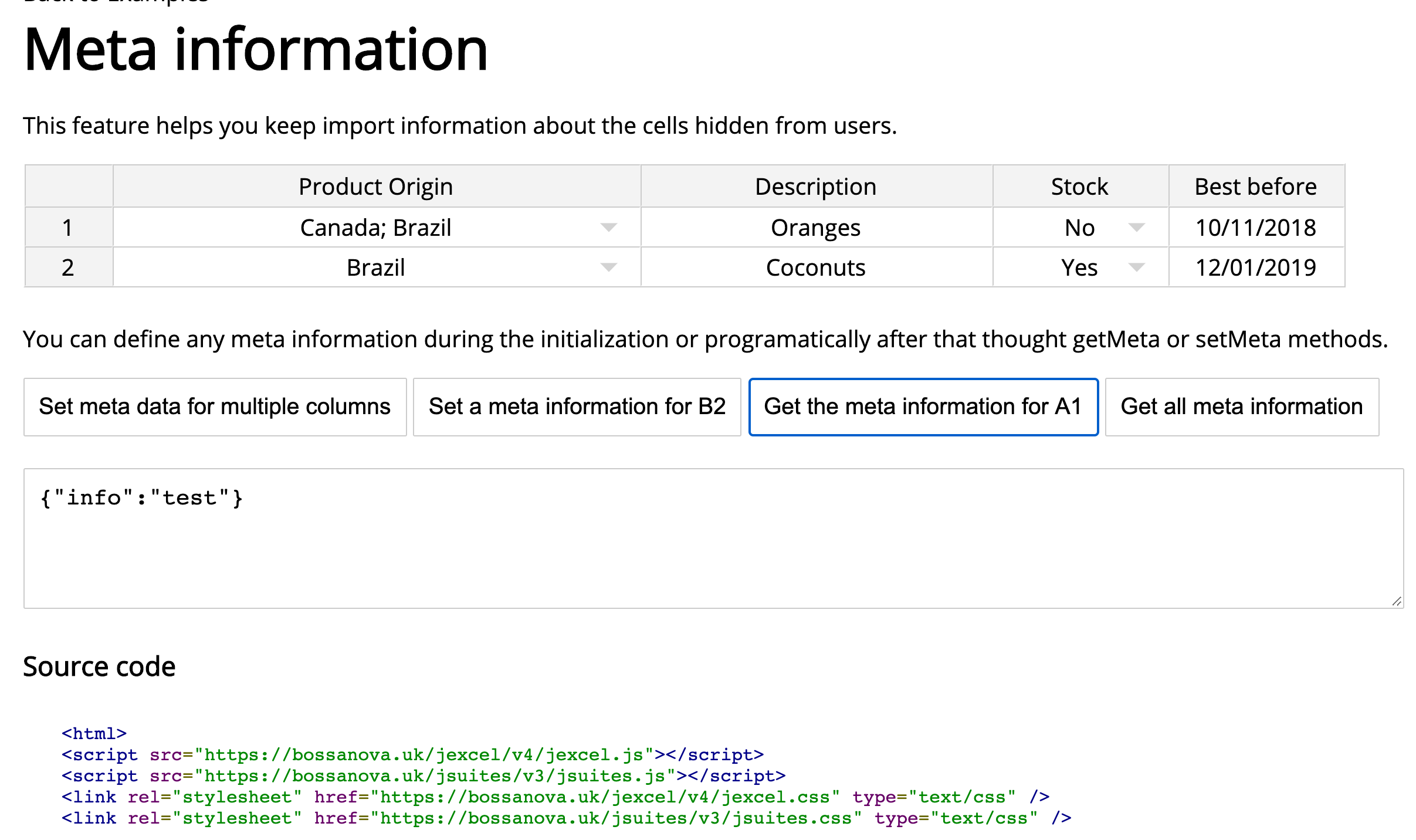
I'm seeing behaviour where deleting rows does not delete the Meta information associated with the deleted row, but rather leaves the Meta data behind for the row that shifts up to take it's place. It happens with both Firefox and Chrome w/ JExcel 4.3.0.
To reproduce:
- https://bossanova.uk/jexcel/v4/examples/meta-information or https://jexcel.net/v7/examples/meta-information
- Get all meta information =
{"A1":{"myMeta":"this is just a test","otherMetaInformation":"other test"},"A2":{"info":"test"}} - Delete Row 1 & Get all meta information =
{"A1":{"info":"test"}}(Good: Row 2 became Row 1) - Delete Row 1 Again & Get the meta information for A1 =
{"info":"test"}(Bad: Row 1 was just deleted)
Contributor guide
First steps
- Read the whole issue, then the project's contributing guide.
- Comment on the issue to say you are picking it up — it saves two people doing the same work.
- Fork the repository and make your change on a branch.
- Open a pull request that references the issue number.
Research direction
Reproduce the issue in the linked meta-information example using the four steps in the report. Start by tracing row deletion and the metadata returned for A1 after the second deletion. Done means deleting a row also removes its metadata, so querying A1 no longer returns the deleted row's information.
Written by the indexing model from the issue text.
Assessment
- Tech stack
- javascript
- Domain
- frontend, web-dev
- Issue type
- Bug
- Difficulty
- 3/5
- Estimated time
- 1-2 days
- Activity status
- Stale
- Clarity
- Mostly clear
- Newbie friendliness
- 42/100