Navigation - (menu) activity
Open
Nobody has claimed this yet.
Activity: Navigation
- Dominant language
- Rust
- Stars
- 14
- Forks
- 18
- PR merge metrics
- No merged PRs in 30d
Description
Pls see the flow in this link:
https://zpl.io/dxDzzNK
In content step (#2)
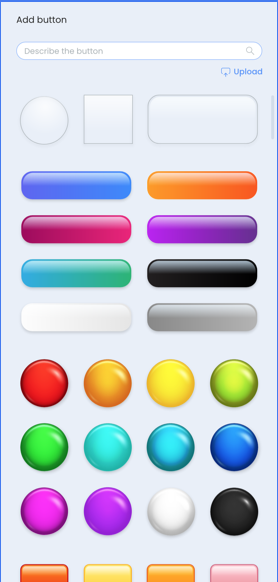
There is a new tab: navigation with buttons
https://zpl.io/7wkrkBq
https://zpl.io/Z09Z91L
They behave as images, except:
- They have shades
- Hover state is 70% transparency on the player.
- Double click on a button opens a text box on the button.
Menu buttons-20220411T130803Z-001.zip
In interaction step (#3)
The teacher selects a button to add navigation to.
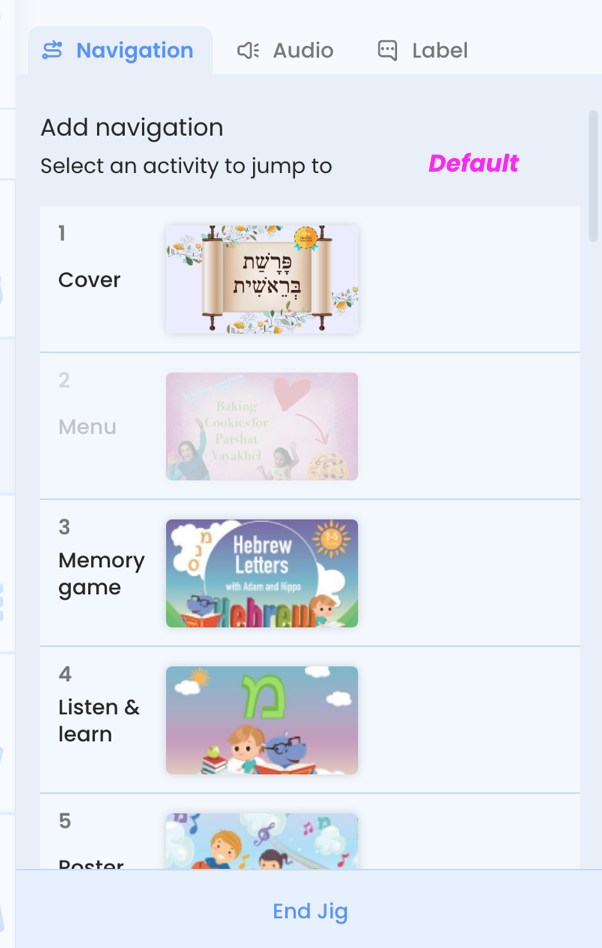
- The teacher can select activities from the list.
- Each activity line has 5 states: regular, hover, linked, linked-hover and disabled.
- The activity of where we are (navigation) is disabled.
- Once an activity is selected a blue icon appears on the left upper corner of the button on the canvas, and on the line of activity on the panel. https://zpl.io/nolwlEA
- On hovering on the linked activity a hyperlink icon to unlink appears. https://zpl.io/PqzZz7M
- when no activities yet, an error notification appears: https://zpl.io/qyZpZem
- In case the teacher linked an activity and later on deleted it, an icon of a broker link appears. Same icons appear on the activity line on the panel. https://zpl.io/L4kyk0B
Contributor guide
No contributing guide indexed for this repository
First steps
- Read the whole issue, then the project's contributing guide.
- Comment on the issue to say you are picking it up — it saves two people doing the same work.
- Fork the repository and make your change on a branch.
- Open a pull request that references the issue number.
Assessment
This issue has not been assessed yet.