jhen0409 / jhen0409/react-native-debugger
cant see Native Style Editor
- Dominant language
- JavaScript
- Stars
- 10.4k
- Forks
- 815
- PR merge metrics
- No merged PRs in 30d
Description
There is nice screenshot from main page
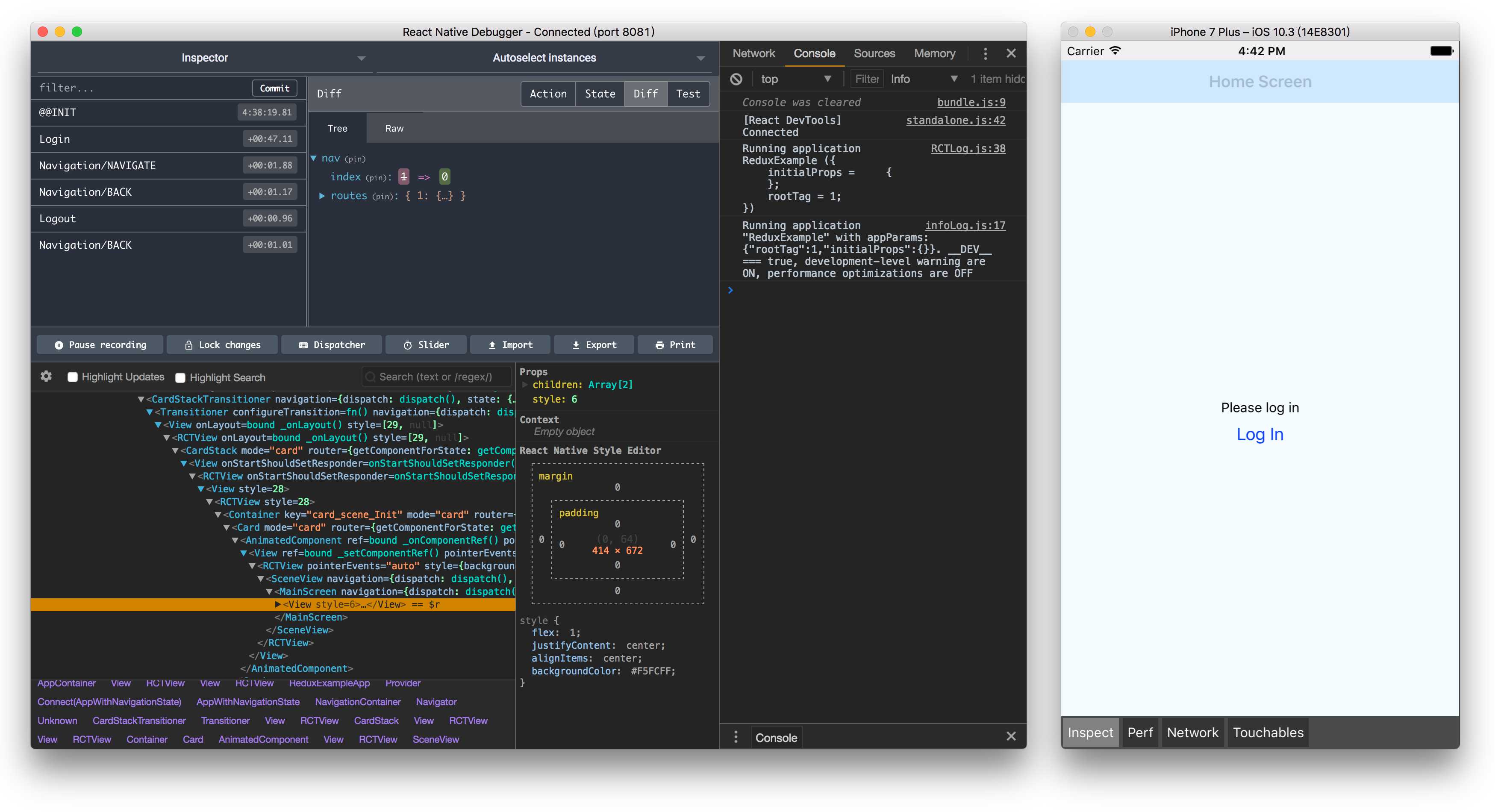
As you can see - there is Bounding Box and styles in app window.
When i inspect on device or emulator - i can see mobile overlay with these features.
But when i use emulator - there is no Bounding box or sizes, no matter which element i try.
I can only edit style {} object
What am i doing wrong? Its not very comfortable, i would like to see element sizes.
How do you, people implement Pixel Perfect (or something close to it)?
React Native Debugger app version: 0.11.7
React Native version: 0.63.4
Platform: android and iOs
Is real device of platform: yes
Operating System: macOS
Contributor guide
Assessment
This issue has not been assessed yet.