jenkinsci / jenkinsci/gitlab-plugin
multiple webhooks in the same gitlab projects generate confusing report
- Dominant language
- Java
- Stars
- 1.4k
- Forks
- 615
- Avg merge
- 4h 32m
- Merged PRs (30d)
- 10
Description
### Version report
[Jenkins](https://www.jenkins.io/) version: 2.303.1
[Gitlab](https://gitlab.com/gitlab-org/gitlab) community edition: 14.5.2
[Jenkins folder plugin](https://plugins.jenkins.io/cloudbees-folder/) version : 6.16
[Jenkins Gitlab plugin](https://plugins.jenkins.io/gitlab-plugin/) version: 1.5.20
Jenkins and plugins versions report generated with
```
println("Jenkins: ${Jenkins.instance.getVersion()}")
println("OS: ${System.getProperty('os.name')} - ${System.getProperty('os.version')}")
println "---"
Jenkins.instance.pluginManager.plugins
.collect()
.sort { it.getShortName() }
.each {
plugin -> println("${plugin.getShortName()}:${plugin.getVersion()}")
}
return
```
output is [here](https://github.com/jenkinsci/gitlab-plugin/files/7725936/output.txt)
- What Operating System are you using (both controller, and any agents involved in the problem)? centos 7
### Reproduction steps
- **Step 1** : follow the instructions given in the [GitLab documentation](https://docs.gitlab.com/ee/integration/jenkins.html#webhook-integration) to trigger the execution of a Jenkins job located in a folder through a webhook. The jenkins job will execute the following :
```
pipeline {
agent any
options {
gitLabConnection('gitlab')
gitlabBuilds(builds: ['build', 'test', 'deploy'])
}
stages {
stage('build') {
steps { sh 'sleep 1m' }
post {
failure { updateGitlabCommitStatus name: 'build', state: 'failed' }
success { updateGitlabCommitStatus name: 'build', state: 'success' }
}
}
stage('test') {
steps { sh 'sleep 1m' }
post {
failure { updateGitlabCommitStatus name: 'test', state: 'failed' }
success { updateGitlabCommitStatus name: 'test', state: 'success' }
}
}
stage('deploy') {
steps { sh 'sleep 1m' }
post {
failure { updateGitlabCommitStatus name: 'deploy', state: 'failed' }
success { updateGitlabCommitStatus name: 'deploy', state: 'success' }
}
}
}
}
```
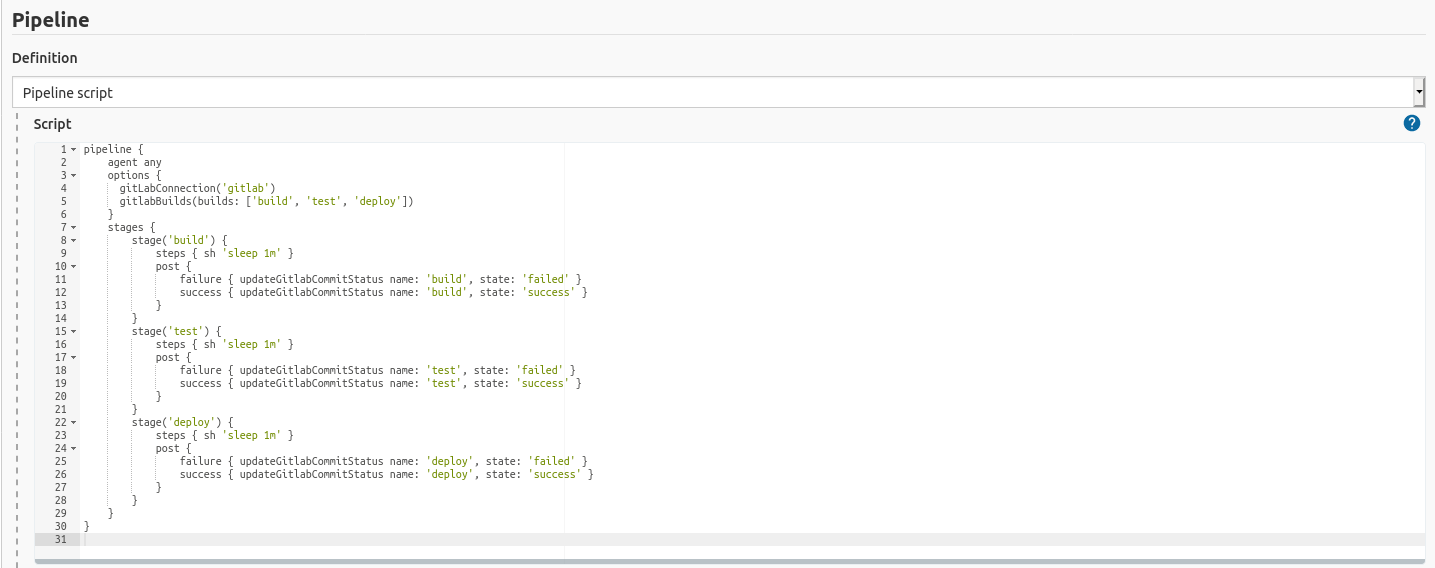
- **Step 2** : follow the instructions given in the [GitLab documentation](https://docs.gitlab.com/ee/integration/jenkins.html#webhook-integration) to trigger the execution of a second distinct Jenkins job located in a folder through a second distinct webhook in the same Gitlab project. The jenkins job will execute the following :
```
pipeline {
agent any
options {
gitLabConnection('gitlab')
gitlabBuilds(builds: ['build2'])
}
stages {
stage('build2') {
steps { sh 'sleep 1m' }
post {
failure { updateGitlabCommitStatus name: 'build2', state: 'failed' }
success { updateGitlabCommitStatus name: 'build2', state: 'success' }
}
}
}
}
```
- **Step 3** : Push a commit in the Gitlab project to trigger the execution of the two jenkins jobs. Observe the output of the job in jenkins and in Gitlab.
### Results
**Expected result:**
- The webhooks are triggering the Jenkins job execution.
- The Jenkins jobs status can be observed in Gitlab.
- The stages are observed correctly in Gitlab.
**Actual result:**
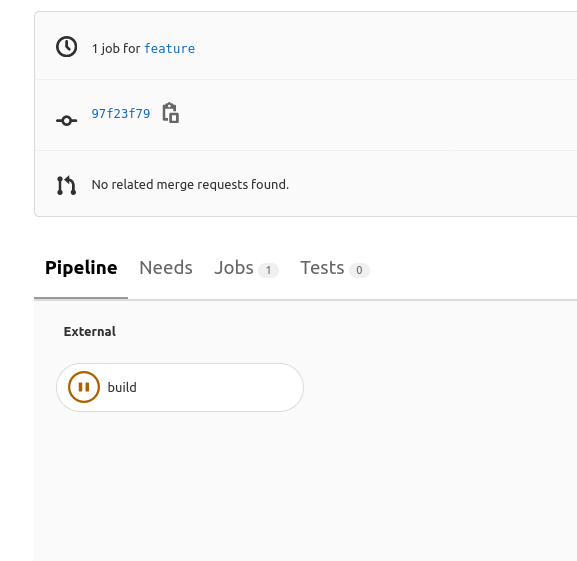
- The Jenkins jobs are not reported correctly in Gitlab. For example when both jobs have terminated in Jenkins, in Gitlab one is reported as terminated but the other is not.
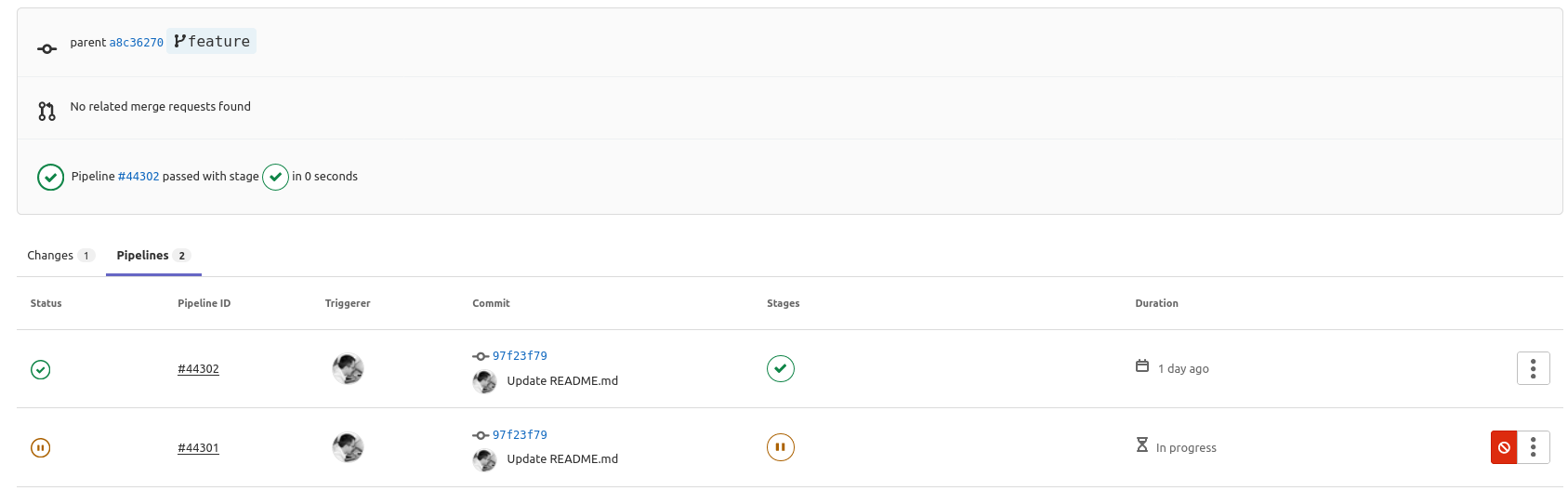
- Gitlab incorrectly reports the different stages for the 2 Jenkins pipelines.

**Comments:**
It seems they are already multiple issues revolving around this topic ( [example](https://github.com/jenkinsci/gitlab-plugin/issues/1114) ). I have not been able to identify a clear workaround however.
Contributor guide
Assessment
This issue has not been assessed yet.