jenkinsci / jenkinsci/gerrit-trigger-plugin
[JENKINS-32898] Disable Strict Forbidden File Verification option always causes trigger
- Dominant language
- Java
- Stars
- 226
- Forks
- 289
- PR merge metrics
- No merged PRs in 30d
Description
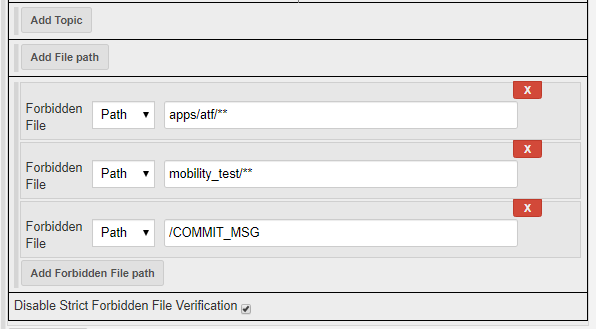
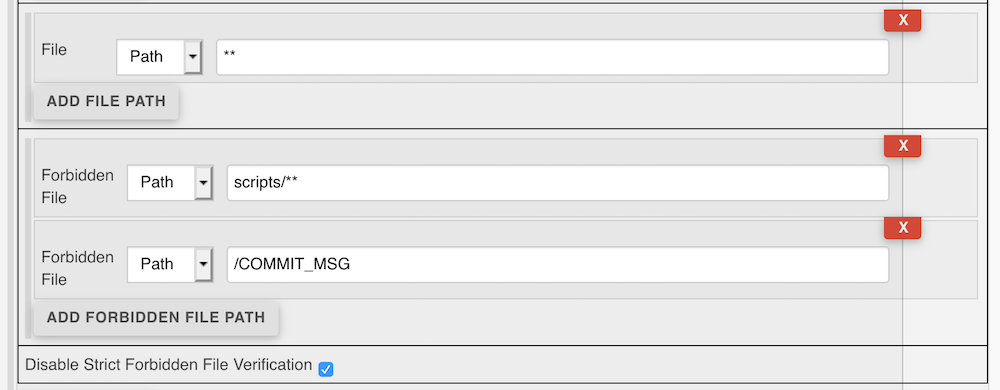
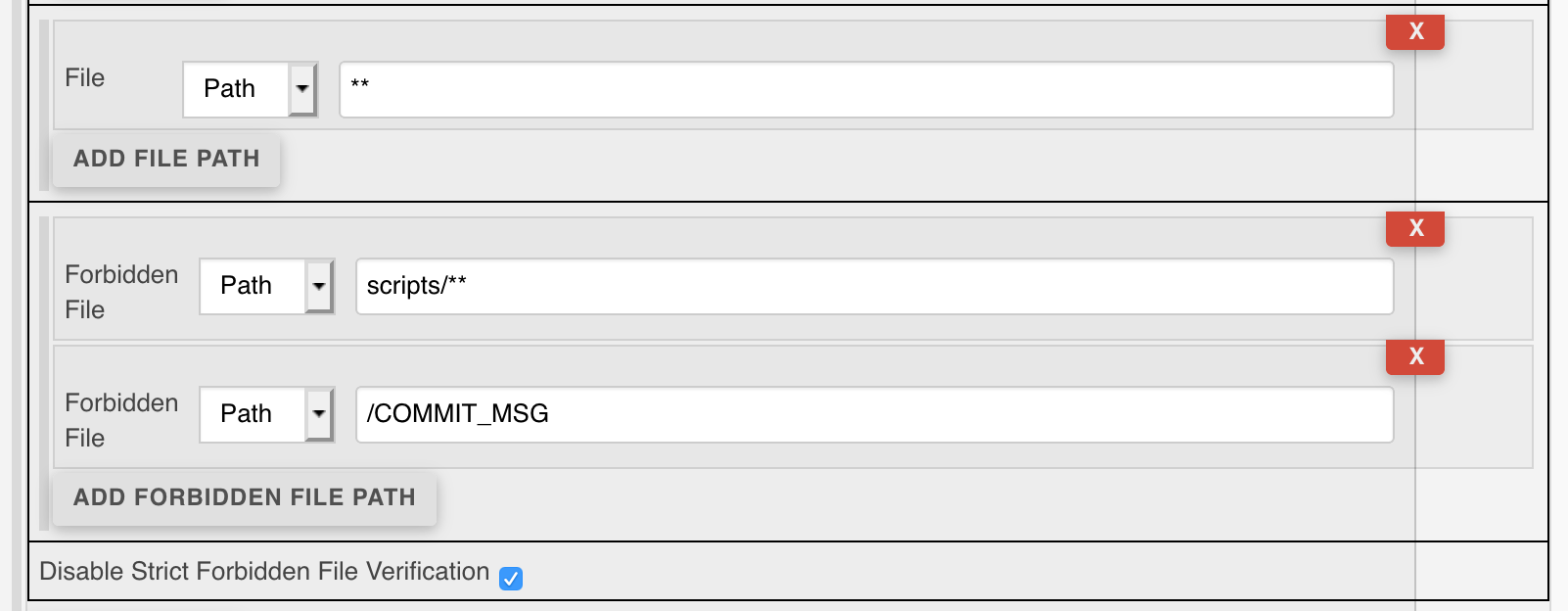
The Disable Strict Forbidden File Verification option appears have a bug when the Fobidden File path is contained within the trigger file path.
According to the in job config help regarding this option:
- Enabling this option will allow an event to trigger a build if the event contains BOTH one or more wanted file paths AND one or more forbidden file paths.
- In other words, with this option, the build will not get triggered if the change contains only forbidden files, otherwise it will get triggered.
I have done some testing and found that the behavior is as described unless the path in forbidden file path field is a subset of the path in the file path field.
File.isInteresting(...) (FilePath.java line 97) doesn't exclude forbidden paths from its search, so if the forbidden path is contained in files it will cause foundInterestingTopicOrFile to be true and cause a trigger even though it's a forbidden file path.
See also GerritProject.isInteresting(...) method (GerritProject.java line 215).
---
Originally reported by jajax, imported from: Disable Strict Forbidden File Verification option always causes trigger
 rsandell
Raw content of original issue
The Disable Strict Forbidden File Verification option appears have a bug when the Fobidden File path is contained within the trigger file path.
According to the in job config help regarding this option:
- Enabling this option will allow an event to trigger a build if the event contains BOTH one or more wanted file paths AND one or more forbidden file paths.
- In other words, with this option, the build will not get triggered if the change contains only forbidden files, otherwise it will get triggered.
I have done some testing and found that the behavior is as described unless the path in forbidden file path field is a subset of the path in the file path field.
File.isInteresting(...) (FilePath.java line 97) doesn't exclude forbidden paths from its search, so if the forbidden path is contained in files it will cause foundInterestingTopicOrFile to be true and cause a trigger even though it's a forbidden file path.
See also GerritProject.isInteresting(...) method (GerritProject.java line 215).
environment
```
Jenkins 1.642.1, gerrit-trigger-plugin 2.18.3
Jenkins 2.7, gerrit-trigger-plugin 2.23.3
Jenkins 2.46.3, gerrit-trigger-plugin 2.24.0
```
3 attachments
- [image-2019-05-15-12-17-26-124.png](https://issues.jenkins.io/secure/attachment/47217/image-2019-05-15-12-17-26-124.png)
> 
- [jenkins-32898.png](https://issues.jenkins.io/secure/attachment/49652/jenkins-32898.png)
> 
- [jenkins-32898.png](https://issues.jenkins.io/secure/attachment/49651/jenkins-32898.png)
> 
Contributor guide
Research direction
Start with FilePath.java and its isInteresting(...) method, then trace how GerritProject.java uses isInteresting(...) around line 215. Reproduce the case where a forbidden path is contained within the configured file path; done means forbidden-only changes do not trigger while events containing wanted files still follow the documented behavior.
Written by the indexing model from the issue text.
Assessment
- Tech stack
- java
- Domain
- ci-cd
- Issue type
- Bug
- Difficulty
- 3/5
- Estimated time
- 1-2 days
- Activity status
- Stale
- Clarity
- Clearly specified
- Newbie friendliness
- 42/100