jd-opensource / jd-opensource/taro-ui
跳转页面后自动聚焦搜索框,但是无法真正聚焦并呼出软键盘
Open
表单组件
- Dominant language
- TypeScript
- Stars
- 4.7k
- Forks
- 740
- PR merge metrics
- No merged PRs in 30d
Description
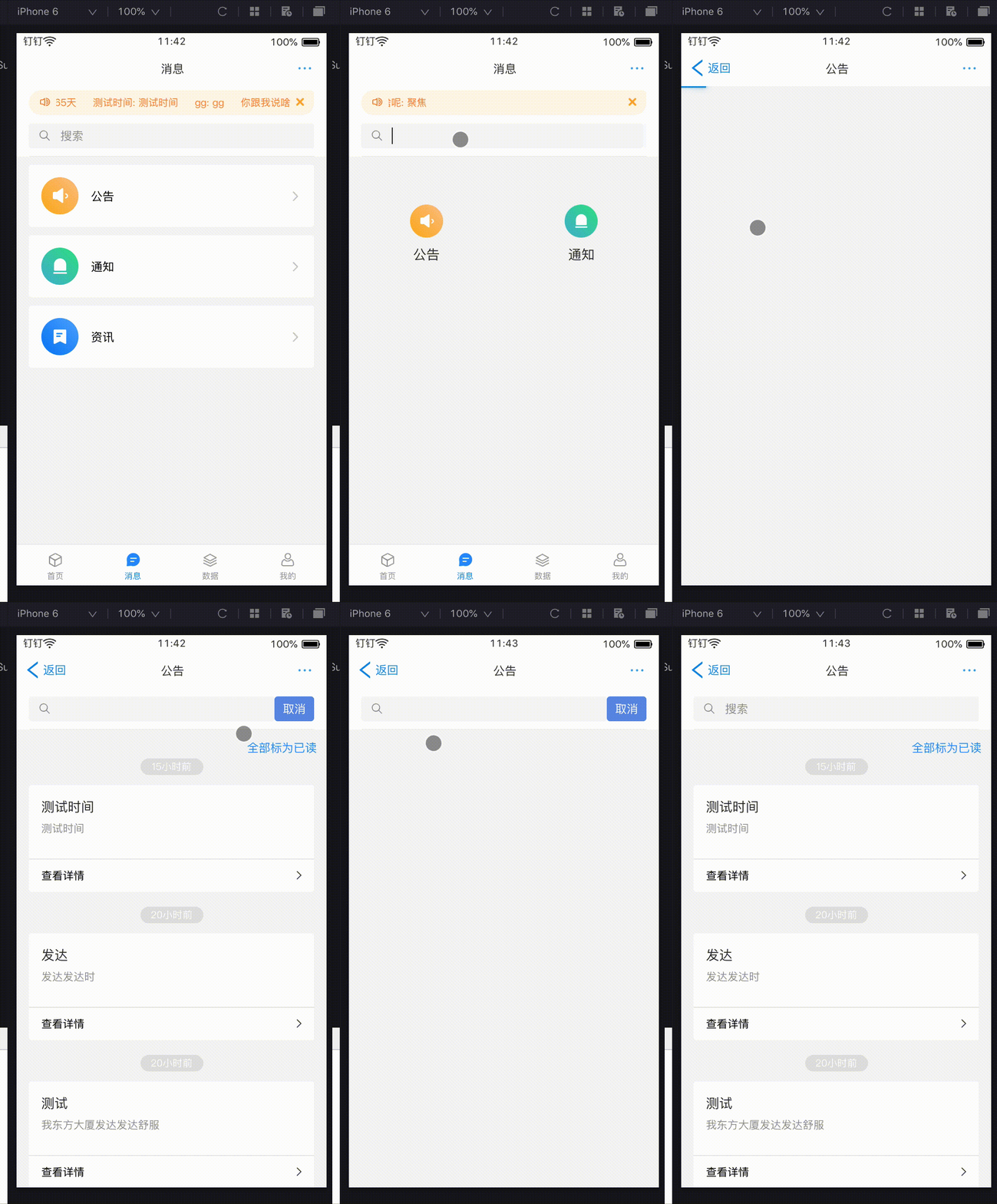
如图,开发环境是钉钉小程序,"taro-ui": "^2.2.1"
首页点击搜索框,然后在搜索框下跳转到其他类别的搜索,期望进入页面直接聚焦搜索框,
但是只有右侧按钮被呼出,光标和软键盘都不会弹出,求解~
进入页面时,设置的focus,失焦时置为false
```
onBlur = () => {
this.setState({
showNavi: false,
focus: false
});
};
componentWillMount() {
if (this.$router.params.q === "1") {
this.setState({
focus: true
});}
this.reload();
}
```
Contributor guide
Assessment
This issue has not been assessed yet.