Password in Windows credentials is not updated on next `set_password` call
- Dominant language
- Python
- Stars
- 1.5k
- Forks
- 196
- PR merge metrics
- No merged PRs in 30d
Description
**Describe the bug**
New entry is created instead of updating existing password.
**To Reproduce**
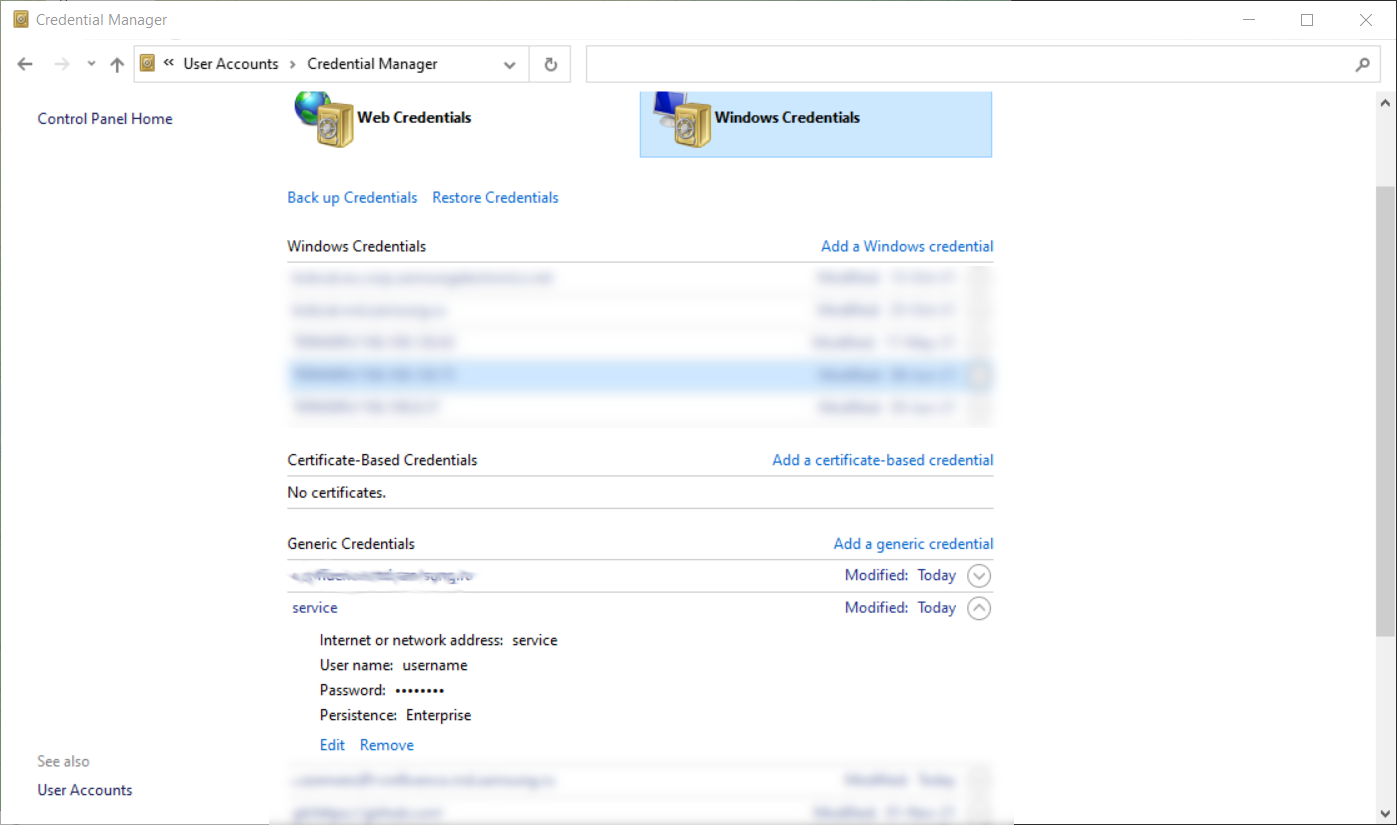
1. Open cmd.exe and set password with CLI utility
```
C:\>keyring set service username
Password for 'username' in 'service':
```
2. Open Credential manager and observe a new entry:
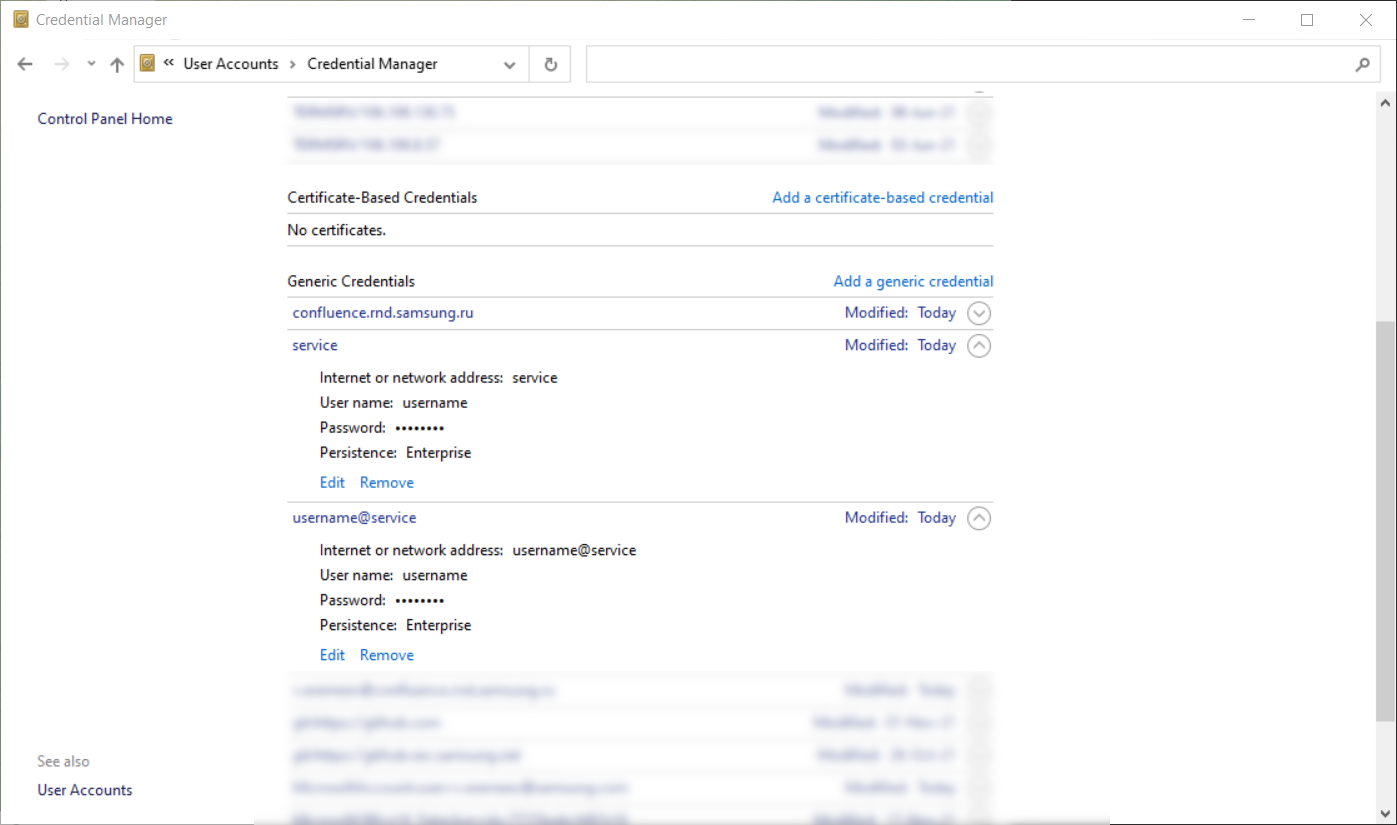
3. Update password. Open cmd.exe again and set new password with CLI utility for the same service and user name
```
C:\>keyring set service username
Password for 'username' in 'service':
```
4. Refresh Credential manager's window and see two entries: `service` and `username@service`
**Expected behavior**
Second call for `keyring set service username` should modify existing entry instead of creating new one.
**Environment**
- OS: Windows 10 Pro with all recent updates.
```
C:\> pip list | grep keyring
keyring 23.2.1
C:\> keyring --list-backends
keyring.backends.Windows.WinVaultKeyring (priority: 5)
keyring.backends.chainer.ChainerBackend (priority: -1)
keyring.backends.fail.Keyring (priority: 0)
```
**Additional context**
The same behavior is observed in call to `keyring.set_password` in python scripts.
Contributor guide
No contributing guide indexed for this repository
Research direction
Start with the Windows.WinVaultKeyring backend listed by `keyring --list-backends`, then reproduce the two `keyring set_password` calls on Windows and inspect the resulting Credential Manager entries. Compare the CLI path with the direct Python `keyring.set_password` path; done means the second call updates the existing credential rather than creating a second entry.
Written by the indexing model from the issue text.
Assessment
- Tech stack
- python
- Domain
- authentication
- Issue type
- Bug
- Difficulty
- 3/5
- Estimated time
- 1-2 days
- Activity status
- Stale
- Clarity
- Mostly clear
- Newbie friendliness
- 35/100