How to avoid round artifacts for the reconstruction pipeline? [data from realsense D435]
- Dominant language
- C++
- Stars
- 14k
- Forks
- 2.6k
- Avg merge
- 5d 18h
- Merged PRs (30d)
- 6
Description
### Checklist
- [X] I have searched for [similar issues](https://github.com/isl-org/Open3D/issues).
- [X] For Python issues, I have tested with the [latest development wheel](http://www.open3d.org/docs/latest/getting_started.html#development-version-pip).
- [X] I have checked the [release documentation](http://www.open3d.org/docs/release/) and the [latest documentation](http://www.open3d.org/docs/latest/) (for `master` branch).
### My Question
Hello,
my goal is to reconstruct the pointcloud of simple objects in order to use it for pose estimation later on. To achieve this, I place the object on a table and scan it with my realsense d435 camera mounted on a robot arm, so that at every time step the pose of the camera is known. The scanning trajectory has roughly 1000 images, and moves around all sides of the object.
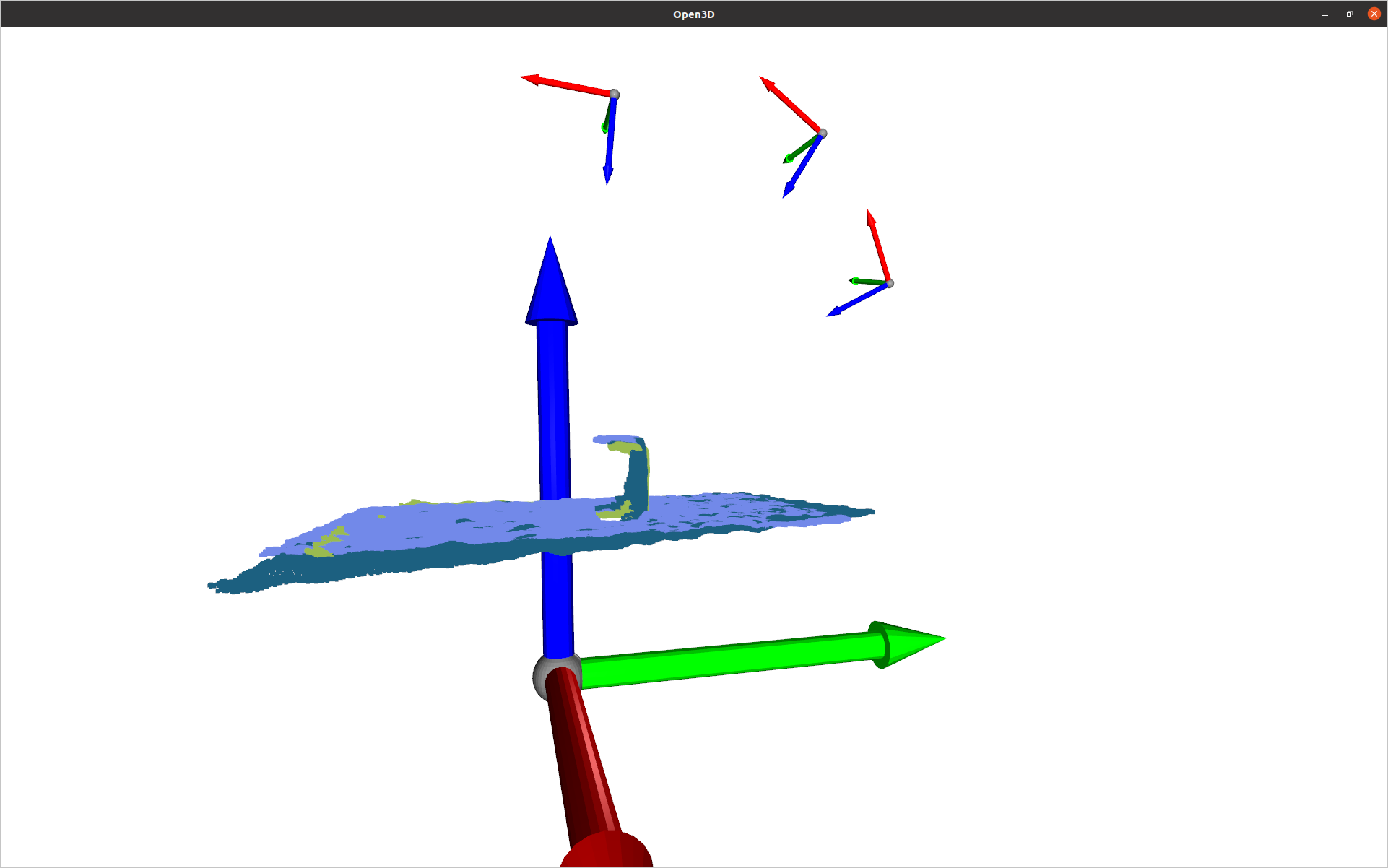
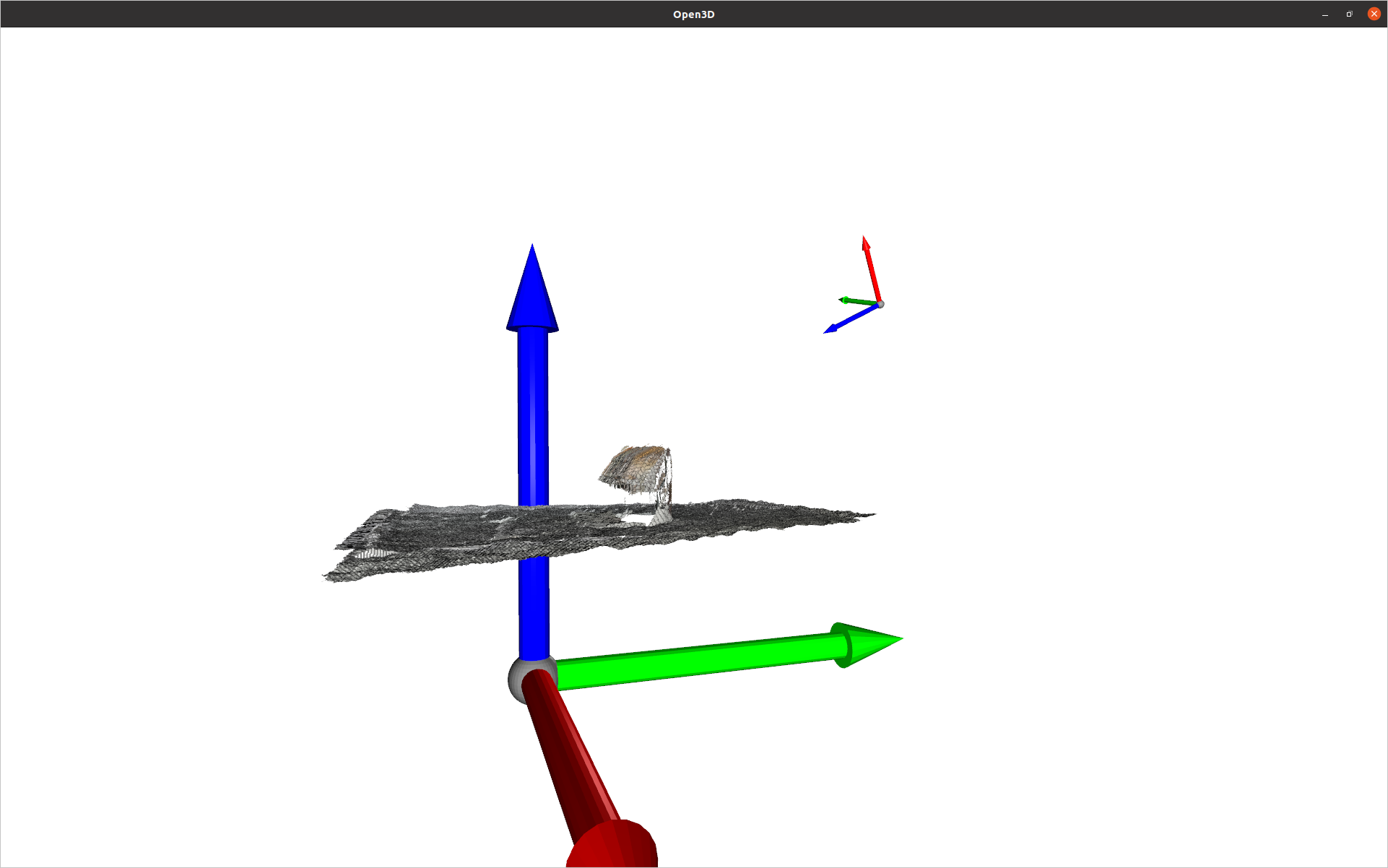
The issue I am facing now is that when integrating a new rgbd image in the volume, strange round artifacts appear on the "non-visible" side of the object. By the time my camera travels to the other side, the volume is already corrupted with such artifacts. The image below shows the issue with a simple object (a box): you can see in the first image an overlay of a few of the generated pointclouds, and in the second one the respective integrated volume
Is there something wrong that I am doing? Is this behavior expected? I paste here some (pseudo-)code for reference:
```python
volume = o3d.pipelines.integration.ScalableTSDFVolume(
voxel_length=voxel_length,
sdf_trunc=0.05,
color_type=o3d.pipelines.integration.TSDFVolumeColorType.RGB8,
)
for rgb, depth in data:
depth_o3d = o3d.geometry.Image(depth_np.astype(np.uint16))
rgb_o3d = o3d.geometry.Image(rgb_np.astype(np.uint8))
rgbd_o3d = o3d.geometry.RGBDImage.create_from_color_and_depth(
rgb_o3d,
depth_o3d,
depth_trunc=depth_truncate_m,
convert_rgb_to_intensity=False,
)
volume.integrate(
rgbd_o3d,
camera_intrinsic,
camera_pose, # camera_pose is in world
)
#### Visualization ####
pcd = o3d.geometry.PointCloud.create_from_rgbd_image(
rgbd_o3d, camera_intrinsic
)
pcd.transform(np.linalg.inv(camera_pose))
# Visualize all point clouds + camera frames up to now
o3d.visualization.draw_geometries(
intermediate_pcds + camera_coordinate_frames + [coordinate_frame_world]
)
# Show intermediate progress
mesh = volume.extract_triangle_mesh()
mesh.compute_vertex_normals()
o3d.visualization.draw_geometries(
[mesh, coordinate_frame_camera, coordinate_frame_world]
)
```
Thank you very much for the help in advance!!
Eugenio
Contributor guide
No contributing guide indexed for this repository
Assessment
This issue has not been assessed yet.