by moving the camera, point light is cutted
- Dominant language
- C++
- Stars
- 14k
- Forks
- 2.6k
- Avg merge
- 5d 18h
- Merged PRs (30d)
- 6
Description
### Checklist
- [X] I have searched for [similar issues](https://github.com/isl-org/Open3D/issues).
- [X] For Python issues, I have tested with the [latest development wheel](http://www.open3d.org/docs/latest/getting_started.html#development-version-pip).
- [X] I have checked the [release documentation](http://www.open3d.org/docs/release/) and the [latest documentation](http://www.open3d.org/docs/latest/) (for `master` branch).
### My Question
Hi,
I hope it is just a simply issue:
I have imported a .ply file with quite a big surface and added point light to render.
While I'm moving the camera higher the light is cut, or camera has something like a far light cut? Anyone knows how to solve/change that
...
` render.scene.scene.add_point_light("swiatlo", [100, 0.5, 50.0],[566591.49, 241480.53, 205.09],10e8,10e2,True)
render.scene.scene.enable_light_shadow("swiatlo", True)
render.scene.scene.enable_indirect_light(False)
render.setup_camera(50.0, [566591.49, 241480.53, 203.09], [566591.49, 241480.53, 310.09], [0, 0, 1])
img = render.render_to_image()
print("Saving image at test2.png")
o3d.io.write_image("test2.png", img, 9)`
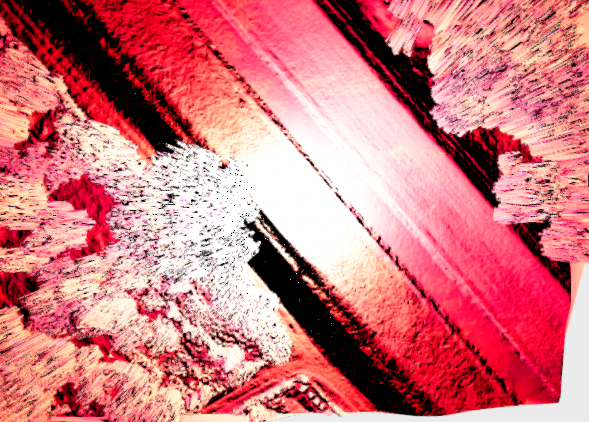
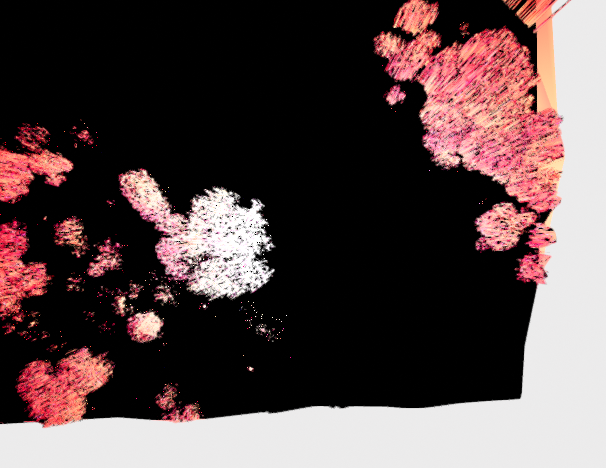
?
Thanks for any help.
Contributor guide
No contributing guide indexed for this repository
Assessment
This issue has not been assessed yet.