How to "align geometry with direction of x-axis, y-axis or z-axis" on SceneWidget (C++) ?
- Dominant language
- C++
- Stars
- 14k
- Forks
- 2.6k
- Avg merge
- 5d 18h
- Merged PRs (30d)
- 6
Description
### Checklist
- [X] I have searched for [similar issues](https://github.com/isl-org/Open3D/issues).
- [X] For Python issues, I have tested with the [latest development wheel](http://www.open3d.org/docs/latest/getting_started.html#development-version-pip).
- [X] I have checked the [release documentation](http://www.open3d.org/docs/release/) and the [latest documentation](http://www.open3d.org/docs/latest/) (for `master` branch).
### My Question
Hi, Open3D Teams,
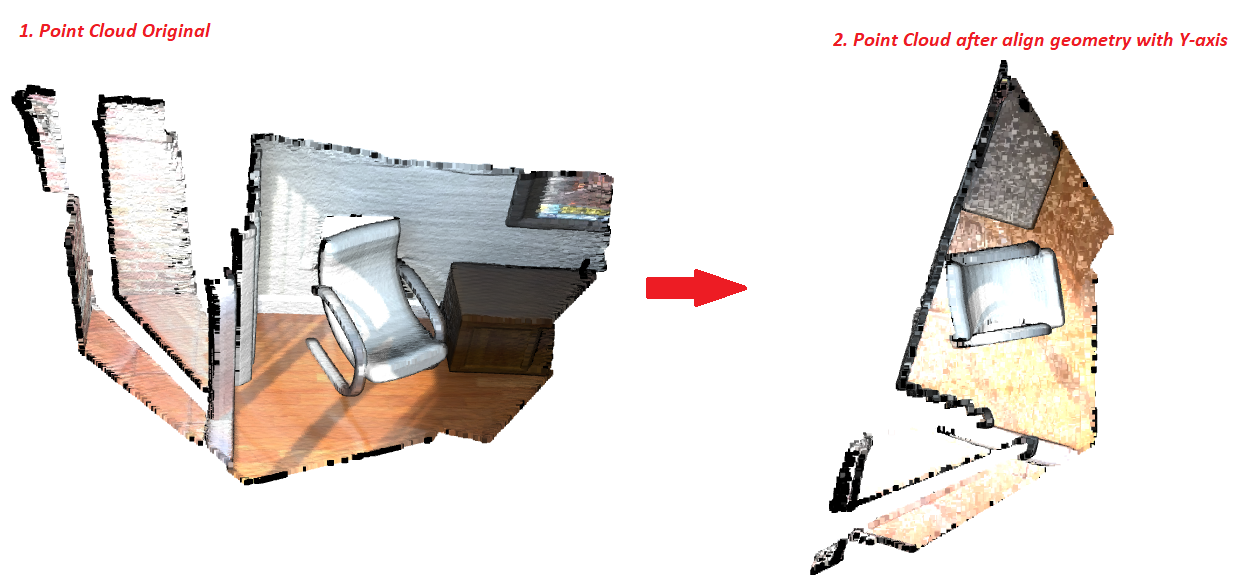
I'm wondering that Is there any way to align geometry with the direction of the x-axis, y-axis or z-axis on SceneWidget. I had tried with python sourcecode "interactive_visualization.py", it can align with the y-axis but it uses draw_geometries_with_editing instead.
For example:
1. "interactive_visualization.py" example can align with the y-axis and the user just can rotate follow clockwise instead of translating and rotating in any direction
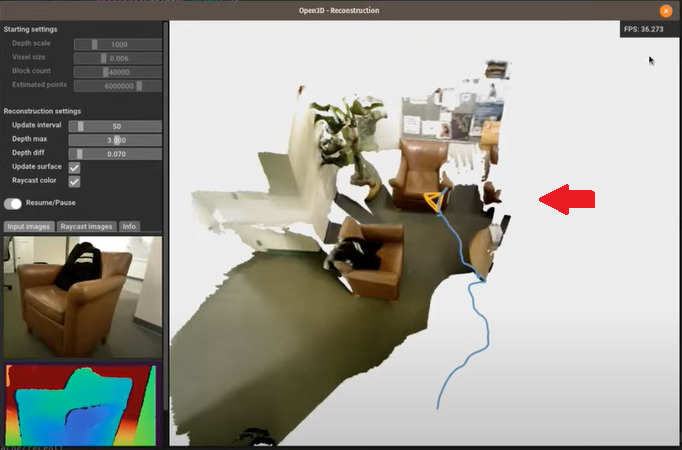
2. I want to align the SceneWidget below to x, y or z axis and the user just can rotate follow clockwise. Is there any way to overcome this problem?
Contributor guide
No contributing guide indexed for this repository
Assessment
This issue has not been assessed yet.