Displayproblems with ImageWidget
- Dominant language
- C++
- Stars
- 14k
- Forks
- 2.6k
- Avg merge
- 5d 18h
- Merged PRs (30d)
- 6
Description
### Checklist
- [X] I have searched for [similar issues](https://github.com/isl-org/Open3D/issues).
- [X] For Python issues, I have tested with the [latest development wheel](http://www.open3d.org/docs/latest/getting_started.html#development-version-pip).
- [X] I have checked the [release documentation](http://www.open3d.org/docs/release/) and the [latest documentation](http://www.open3d.org/docs/latest/) (for `master` branch).
### My Question
Hi,
I am currently running into a problem using open3d's ImageWidget. As per the examples I am initializing the widget as follows:
```
self.rgb_size = (int(300 * self.window.scaling), int(400 * self.window.scaling), 3,)
self.color_video = gui.ImageWidget(o3d.geometry.Image(np.zeros(self.rgb_size, dtype=np.uint8)))
```
The during playback of my video data i keep updating the widget like so:
```
sampling_ratio = self.rgb_size[1] / elements["color"].columns
self.color_video.update_image(elements["color"].resize(sampling_ratio))
```
However I often get noise and artifacts in the displayed video in my GUI, specifically when the systems is under load (see screenshot below). For me it seems like a concurrency issue however I already protect my update function with python Lock and post the update on the main thread.
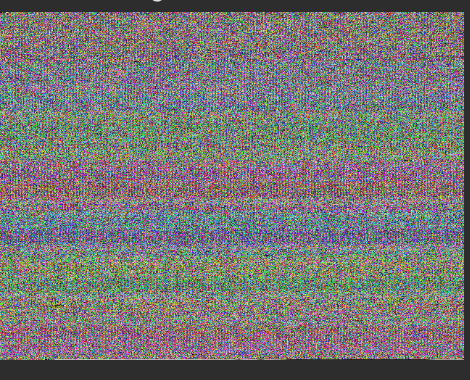
I am on Ubuntu 20.04 LTS and using python 3.9 and open3d 1.14.1. Has somebody experienced the same problems and found a solution?
Contributor guide
No contributing guide indexed for this repository
Assessment
This issue has not been assessed yet.