Rapidly moving/rotating/resizing the object when using VisualizerWithEditing crashes open3D/Python
- Dominant language
- C++
- Stars
- 14k
- Forks
- 2.6k
- Avg merge
- 5d 18h
- Merged PRs (30d)
- 6
Description
**Describe the bug**
When rapidly rotating, moving or resizing the visualization with editing window, the open3d crashes and terminates python.
**To Reproduce**
1. Import an .asc file as a pandas dataframe.
2. Convert the dataframe to a numpy array.
3. Create an open3d object.
4. Take the first three columns as point locations
5. Take the second three columns as the normals of the object (if not available, estimate the normals)
6. Construct a visualizer with editing object
7. Create a window with no offset (left=0)
8. Run the visualizer
9. Rapidly move the object, rotate it, rotate it by pressing shift, resize the visualizing window
10. If you do this long enough, it crashes (sometimes right away, sometimes it takes a while)
**Expected behavior**
Not to crash
**Screenshots**


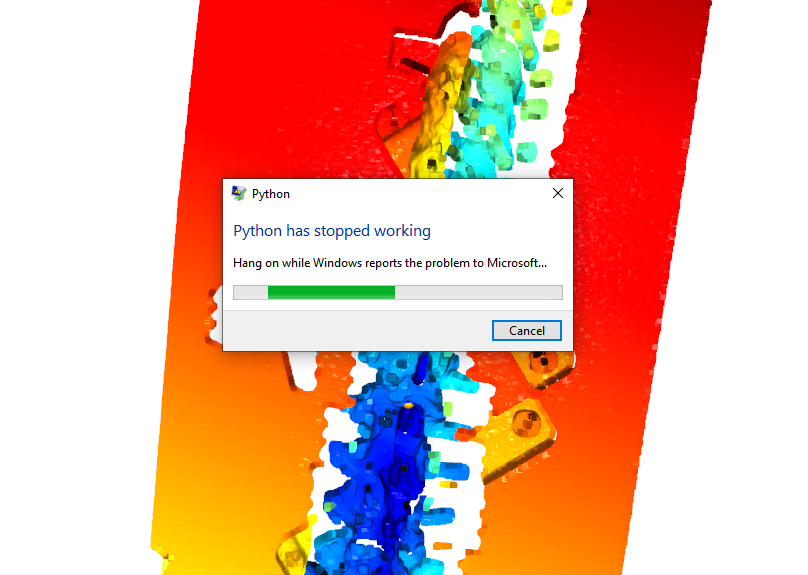
**Environment (please complete the following information):**
- Operating system: Windows 10 64-bit, Intel i7-8700K CPU @ 3.7 GHz, 16 GB RAM, GeForce GTX 1080
- Python version: Python 3.6.5 (v3.6.5:f59c0932b4, Mar 28 2018, 17:00:18) [MSC v.1900 64 bit (AMD64)] on win32
- Open3D version: 11.2
- Is this remote workstation?: no
- How did you install Open3D?: Through #PyCharm
- Compiler version (if built from source): N/A
**Additional context**
It doesn't crash all the time. Sometimes it happens right away, sometimes it needs some time for it to happen, sometimes I didn't manage to crash it.
Here is the code I used to produce the issue:
```
import open3d
import numpy as np
import pandas as pd
def main(path):
data_frame = pd.read_csv(path, sep=' ', engine='python')
some_point_cloud = data_frame_to_point_cloud(data_frame)
vis = open3d.visualization.VisualizerWithEditing()
vis.create_window(left=0)
vis.add_geometry(some_point_cloud)
vis.run()
picked_points = vis.get_picked_points()
vis.destroy_window()
del vis
print(picked_points)
def data_frame_to_point_cloud(df: pd) -> open3d.geometry.PointCloud:
data_3d = np.asarray(df)
out_pc = open3d.geometry.PointCloud()
out_pc.points = open3d.utility.Vector3dVector(np.asarray(data_3d[:, 0:3], np.float64))
if data_3d.shape[1] > 3:
out_pc.normals = open3d.utility.Vector3dVector(np.asarray(data_3d[:, 3:6], np.float64))
else:
out_pc.estimate_normals()
return out_pc
if __name__ == '__main__':
filename = r'.\some_asc_file.asc'
main(filename)
```
Here is the .asc file I used in the example above (couldn't add it here because of the size):
https://drive.google.com/file/d/13DBV4kcFIE3o2ggDZHBtZ9uH-jpufC7F
Contributor guide
No contributing guide indexed for this repository
Assessment
This issue has not been assessed yet.