Tasks UI freezes when creating a new task with option task parameters are different than the form on the left
- Dominant language
- TypeScript
- Stars
- 117
- Forks
- 51
- Avg merge
- 2d 15h
- Merged PRs (30d)
- 4
Description
## About the bug
**Steps to reproduce:**
Here are the steps to reproduce the issue:
1. Go to Tasks page and create a new task
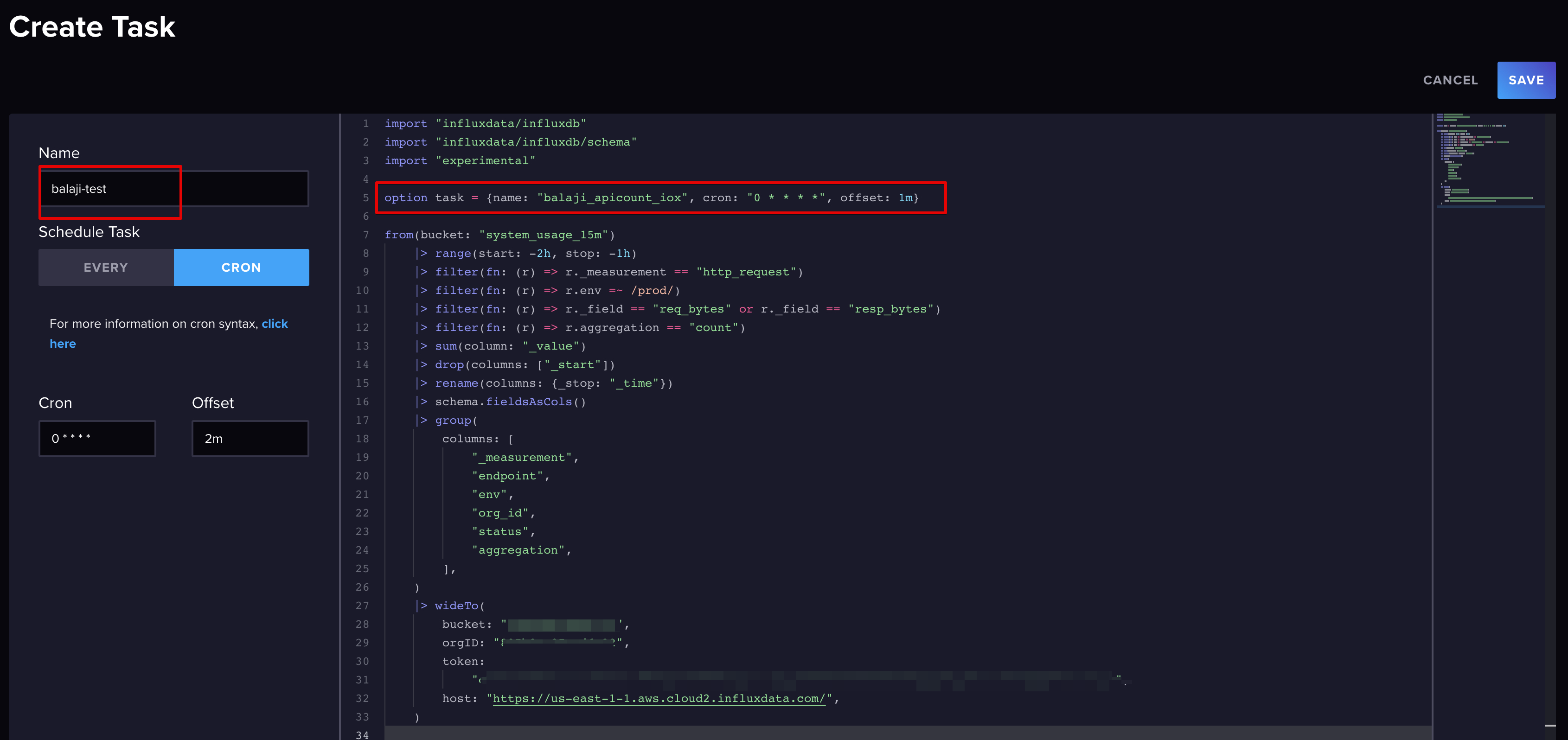
2. Copy & paste task code snippet from another task with the intent to change it before saving (Make sure `option task = {name: "task name", cron: "0 * * * *", offset: 1m}` is present in the snippet)
3. Change the name and set the task schedule using the form on the left
4. Save the task
**Expected behavior:**
The expected behavior is that the Task would use the config parameters entered in the form on the left and then save the Task successfully. The task does get created even if you removed the `option task ={name` snippet and tried to save.
**Actual behavior:**
The entire UI freezes and there is no way to recover except refresh the browser which causes all the changes to be lost and you have to start from scratch.
**Visual Proof:**
Don't have visual proof of the browsing freezing, but here is a screenshot of what I tried to do before hitting save and causing the browser to freeze.
## About your environment
**Environment info:**
Cloud: `https://us-east-1-2.aws.cloud2.influxdata.com/`
**Config:**
None
**Logs:**
None
**Performance:**
Generate profiles with the following commands for bugs related to performance, locking, out of memory (OOM), etc.
?
```sh
# Commands should be run when the bug is actively.
# Note: This command will run for at least 30 seconds.
curl -o profiles.tar.gz "http://localhost:8086/debug/pprof/all?cpu=true"
curl -o vars.txt "http://localhost:8086/debug/vars"
iostat -xd 1 30 > iostat.txt
# Attach the `profiles.tar.gz`, `vars.txt`, and `iostat.txt` output files.
```
Contributor guide
No contributing guide indexed for this repository
Assessment
This issue has not been assessed yet.