Alert error messages are inaccessible in the UI
- Dominant language
- TypeScript
- Stars
- 117
- Forks
- 51
- Avg merge
- 2d 15h
- Merged PRs (30d)
- 4
Description
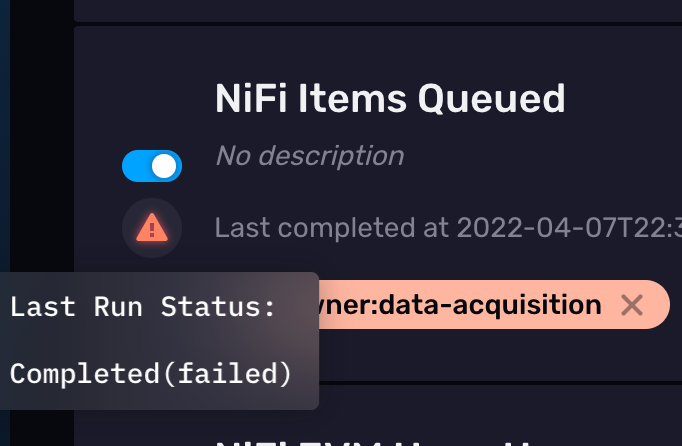
Currently our alert error messages are inaccessible in the UI unless you perform some hacky maneuvers. However, I think it's an easy fix to resolve this issue.
To reproduce:
1. create an alert with a message that references a field/column that does NOT exist
2. save the alert and observe that it fails
3. observe that while the alert is in a failure state, there is no way to collect information on WHY the alert is failing
Notes:
I noticed that you can see the logs of the alert's associated task to get the error message by copying the task ID and navigating to `/tasks/{id}/runs`. However, this task ID does not show up in the list of tasks on the Tasks page (intentionally). This is because we do not want users to be able to edit the task associated to the alert because they could break it. However, there is no harm in them seeing the logs.
In my mind this is a critical issue because if users run into an issue while creating an Alert, they have no way to debug the issue further. When I experienced this bug, my Alert was failing because I had `null` values in my query's results. I had absolutely no idea what was causing the failure and it took me over an hour to figure it out - extremely frustrating!
Proposed fix:
1. Clicking the red triangle on the failed alert should take you to `/tasks/{taskID}/runs` page in the UI
2. The `/tasks/{taskID}/runs` page should only show the "Edit" button IF the provided task ID exists in the response from /api/v2/tasks
Contributor guide
No contributing guide indexed for this repository
Assessment
This issue has not been assessed yet.