Alerts: Notebook generated alerts are missing syntax for setting levels
- Dominant language
- TypeScript
- Stars
- 117
- Forks
- 51
- Avg merge
- 2d 15h
- Merged PRs (30d)
- 4
Description
## About the bug
After seeing yesterday's UI changes making Alerting less visible from the navbar, I tried to recreate a deadman check/alert, that I've been using in preparing tests, through the Notebook feature.
**Steps to reproduce:**
List the minimal actions needed to reproduce the behavior.
1. Generate some test data through data > buckets > add data > line protocol
2. Create a new notebook
3. Use query builder to query/preview the test data
4. Add an alert action and define the criteria as when creating a Check in the Alerts section
**Expected behavior:**
Expected the criteria syntax builder to follow the same logical syntax that exists for checks.
**Actual behavior:**
The current Notebook alert syntax reads
"When _value_ is _in condition for_ : _time frame_ and stop checking after _time frame_ "
The "old style" Alert check syntax reads more like
"When _value_ is _in condition for_ : _time frame_ **then set status to _level_** and stop checking after _time frame_"
When the Notebook prepared alert is exported as a task and left to run, it generates status messages, however the level is always "OK". I've not been able to locate where I can reset this to a different level like "Crit"
**Visual Proof:**
__Notebook Alert__
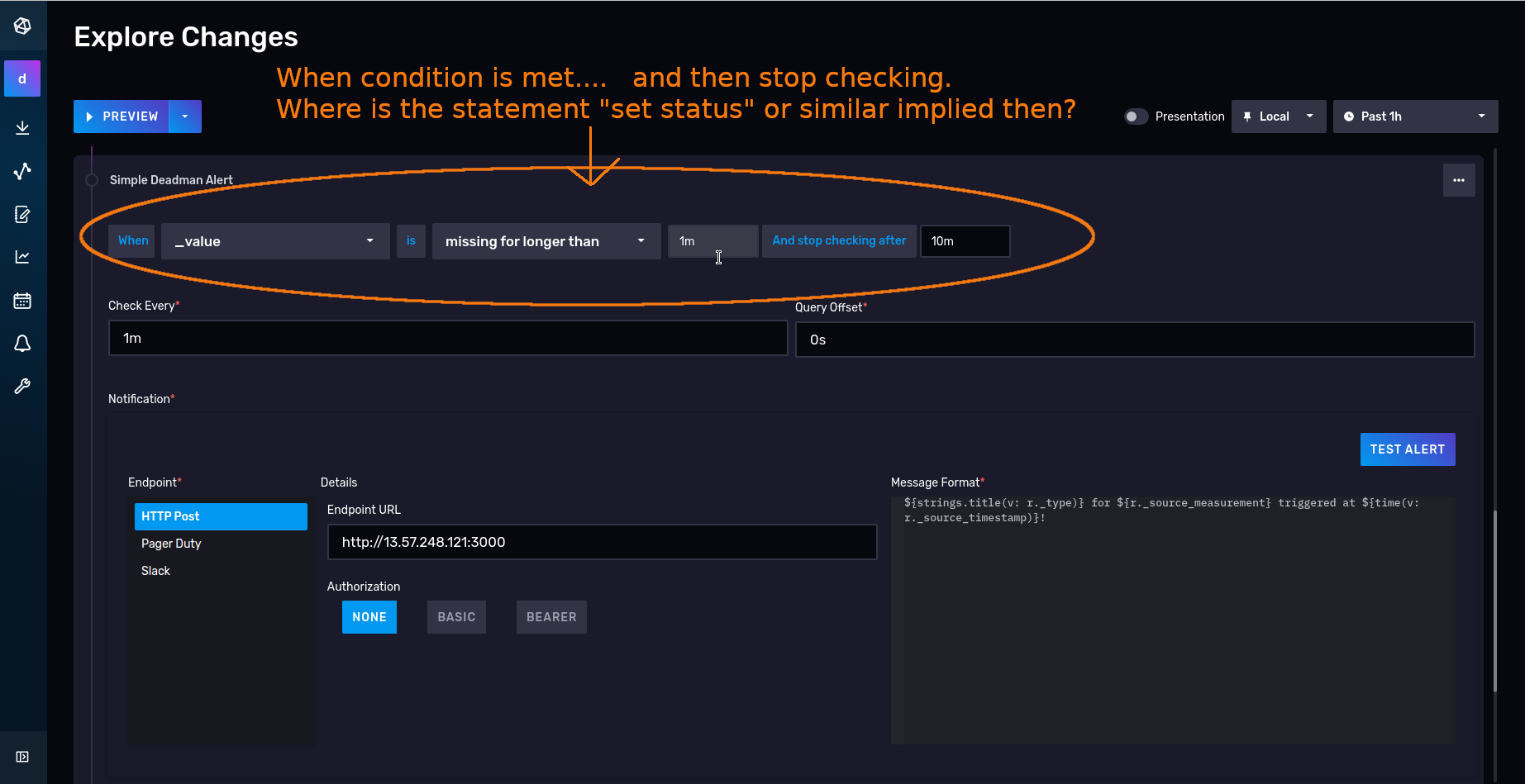
__Alert Check__
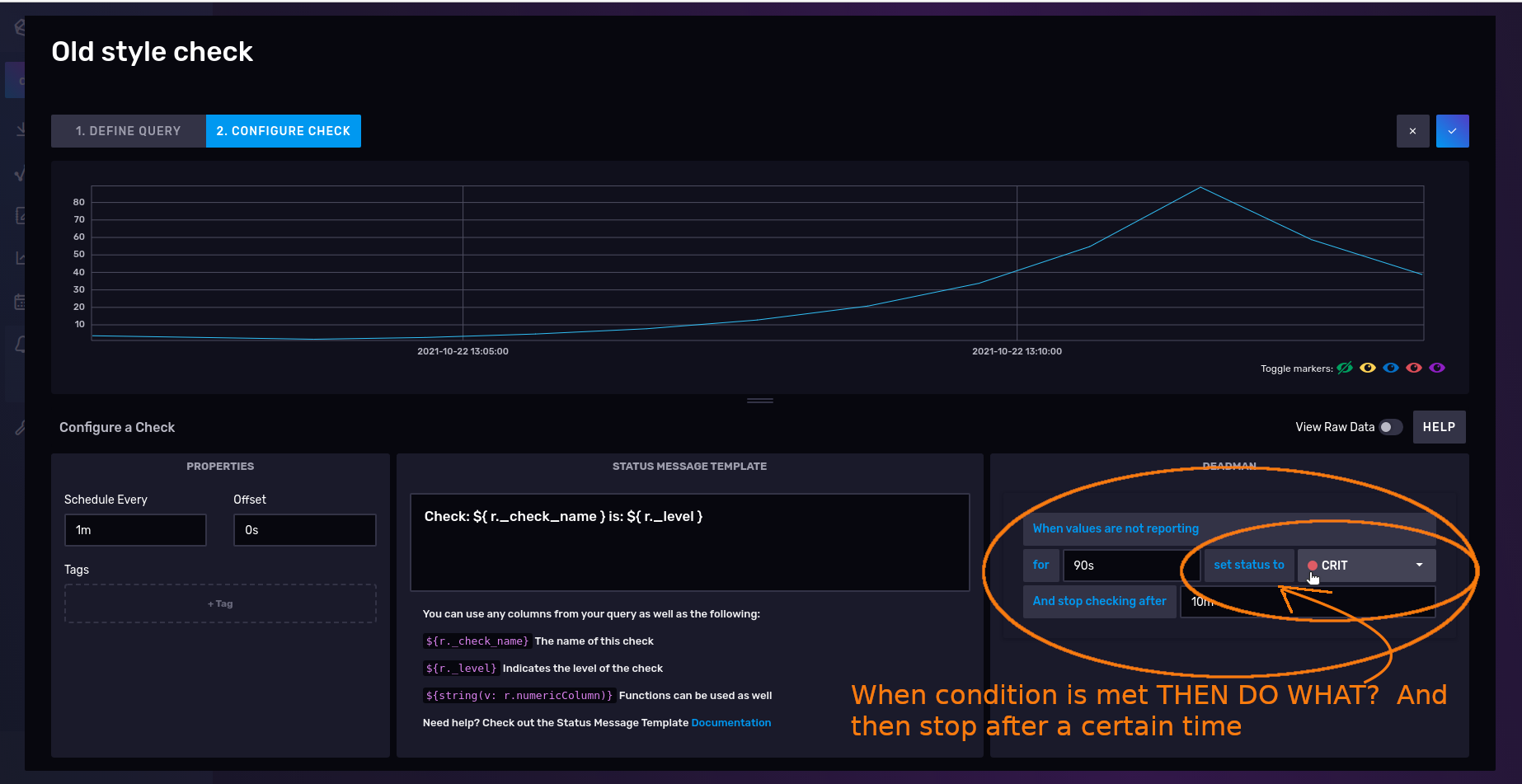
__Notebook Alert History__
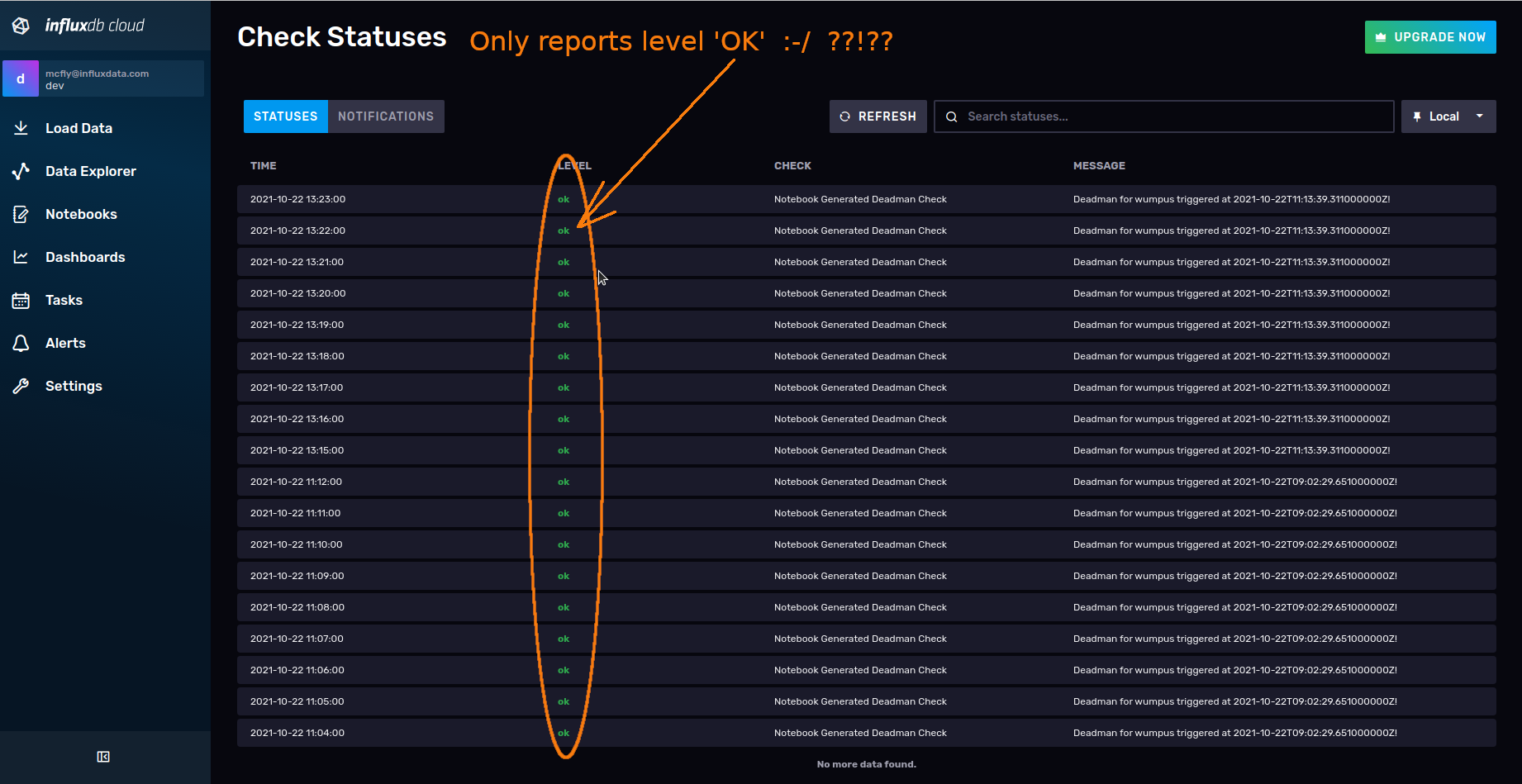
__Updated Alert History with Oldstyle check__
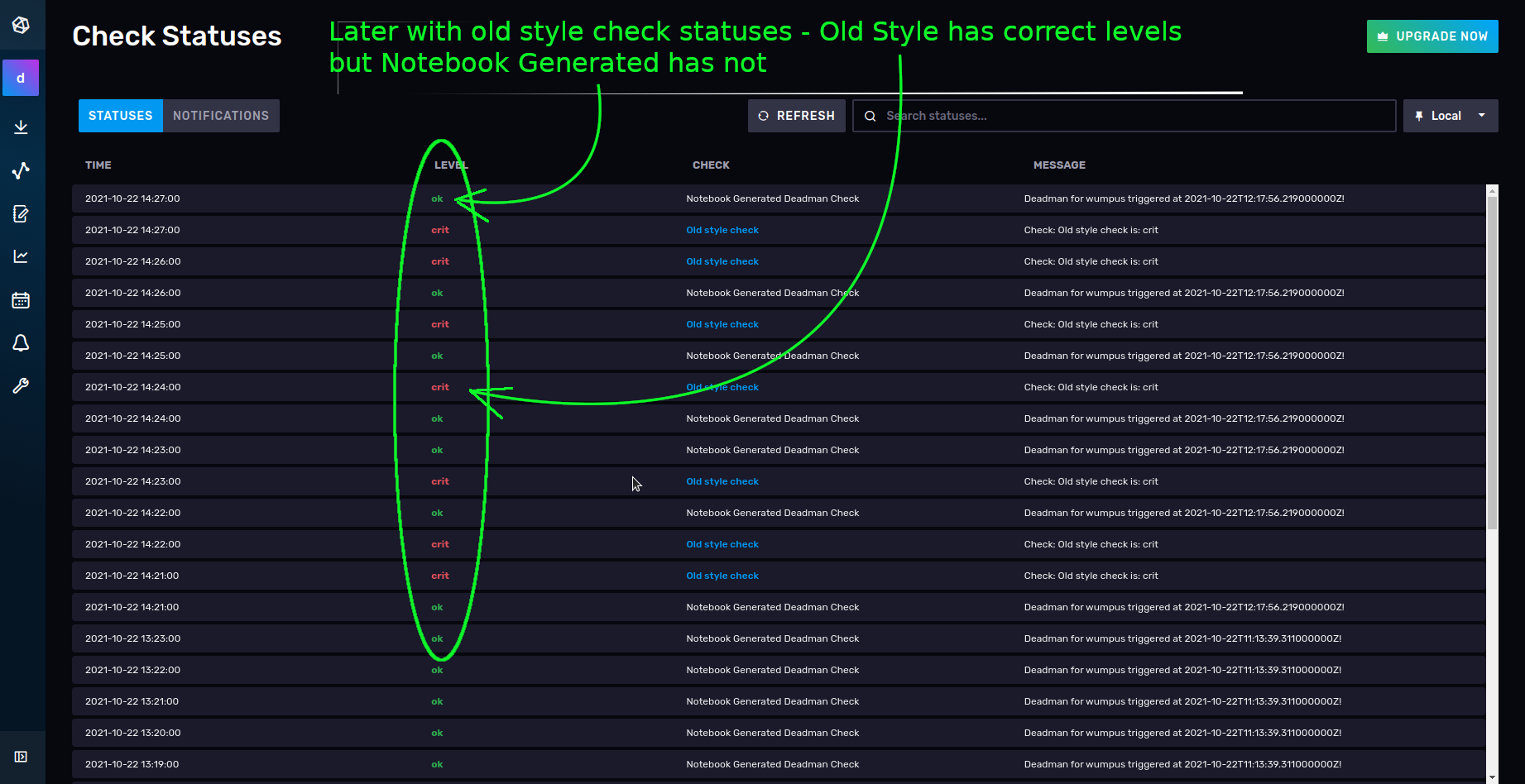
## About your environment
**Environment info:**
Browser is Chrome 95 on Ubuntu 20.04.
Working with latest remocal.
Latest UI commit
```
commit 377a4dbb294e313b0c4bb58e6dcfdadd21452eec (HEAD -> cypress/check-expr, upstream/master, origin/master, origin/HEAD, master)
Author: David Kim
Date: Thu Oct 21 18:43:57 2021 -0400
```
**Logs:**
No logs needed.
Contributor guide
No contributing guide indexed for this repository
Assessment
This issue has not been assessed yet.