Epic: Power User Accelators
- Dominant language
- TypeScript
- Stars
- 117
- Forks
- 51
- Avg merge
- 2d 15h
- Merged PRs (30d)
- 4
Description
### Background
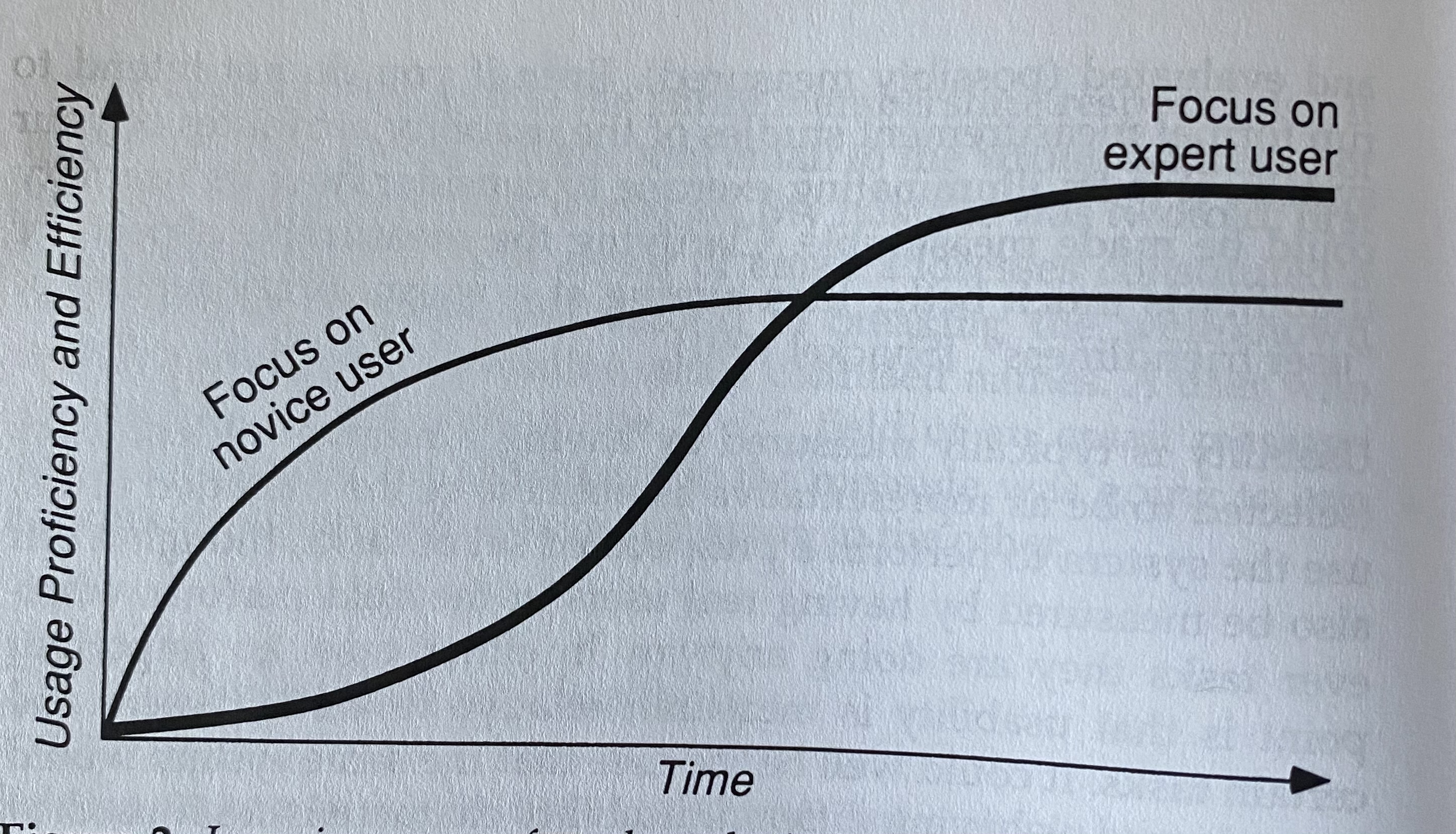
>The learning curves in [the above image] may give the impression that one can have _either_ a system that is easy to learn _or_ one that is eventually efficient, though initially hard to learn. In fact, often a system that will give good novice learning will also be good for the experts. Also, it is often possible to ride the best parts of both learning curves by providing a user interface with multiple interaction styles, such that the user starts by learning one interaction style that is easy to learn and later changes to another that is more efficient for frequently used operations.
>The typical way to achieve this "best-of-both-worlds" effect is to include _accelerators_ in the user interface. Accelerators are user interface elements that allow the user to perform frequent tasks quickly, even though the same tasks can be performed in a more general, and possibly slower, way. Typical examples of accelerators include function keys, command name abbreviations, and the use of double clicking...
Jakob Nielsen, [_Usability Engineering_](https://smile.amazon.com/Usability-Engineering-Jakob-Nielsen/dp/0125184069)
Relevant article on the process of creating shortcuts: https://blog.prototypr.io/keyboard-shortcuts-creation-d5ae2663fdea
Contributor guide
No contributing guide indexed for this repository
Assessment
This issue has not been assessed yet.