influxdata / influxdata/giraffe
GeoWidget: Need to be able to select track colors based on data field
- Dominant language
- TypeScript
- Stars
- 189
- Forks
- 33
- Avg merge
- 3d 15h
- Merged PRs (30d)
- 4
Description
**Build**
Detected in PR 365 - Dubsky fork
```
commit 361b63bc55ac4989f17f03f33165d3070c7236b2
```
**Use Case**
I've extracted the data for tracks using the following query.
```javascript
import "experimental/geo"
from(bucket: "qa")
|> range(start: -2h)
|> filter(fn: (r) => r["_measurement"] == "voieGis" )
|> geo.toRows()
|> geo.asTracks(groupBy: ["ligne"], orderBy: ["_time"])
```
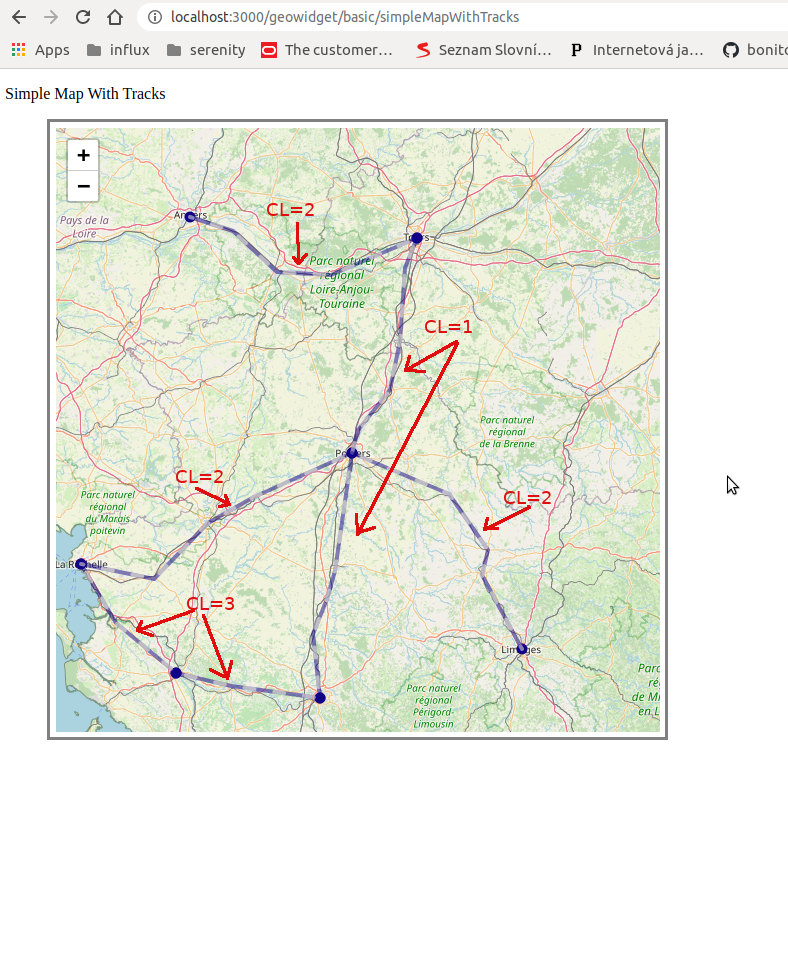
This returns records with the fields `[_time,_measurement,cl, ligne, nom, st, dur, mag, lat, lon]`. The field `cl`
indicates a class rating for each track 1,2 or 3.
**Expected Behavior**
When drawing the tracks I would like to be able distinguish between each track class with a color schema. (perhaps by width as well).
With the circle geo layer it is possible to specify colors based on a colorField and value limits.
```Javascript
colorField: 'dur',
colors: [
{type: 'min', hex: '#ff8808'},
{value: 50, hex: '#ff0888'},
{type: 'max', hex: '#343aeb'},
```
I was hoping to find a similar mechanism to display different tracks.
**Actual Behavior**
It appears that colour choice is limited to the following two combinations:
_Combo A_
```javascript
randomColors: false,
...
colors: [
{type: 'min', hex: "#110088"},
{type: 'max', hex: "#ffffdd"},
],
```
In the above configuration the two track colours are defined by `min` and `max` with endpoints getting the value for `min`. They apply to all tracks regardless of any other data values.
_Combo B_
```javascript
randomColors: true,
...
colors: undefined
```
In this second configurations the base track color is based on a palette list of 7 basic colors and white. Giraffe cycles through this palette when random is selected.
```javascript
...
const DEFAULT_TRACK_PALETTE = [
{hex: 'blue'},
{hex: 'red'},
{hex: 'green'},
{hex: 'brown'},
{hex: 'black'},
{hex: 'deeppink'},
{hex: 'olive'},
]
...
```
**Comment**
It would be nice if the user could define their own palette if random colors is desired. BTW. does it make sense to keep a random option available in the production code?
It would be nice if the user could define track colour based on a data field, as is currently the case with other geo and giraffe components.
**Screenshots**
_Defined Min/Max Colours_
_Random Colours__
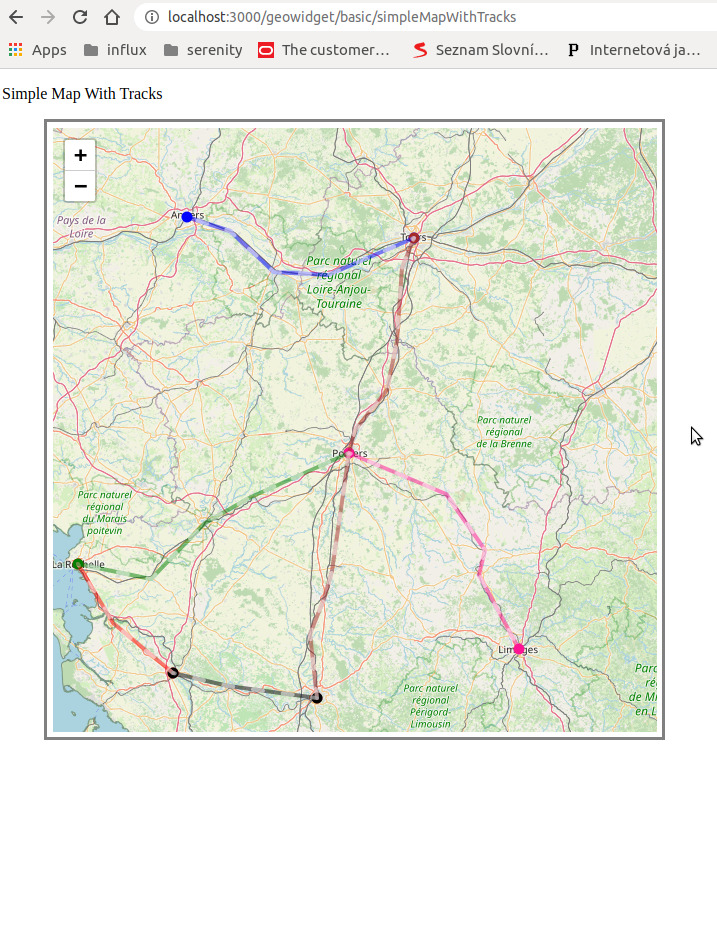
**Related**
Note that when the combo `randomColor: true` is used with `colors: [...]` defined React throws an exception as reported in...
#402
Contributor guide
Assessment
This issue has not been assessed yet.