ImageJ does not correctly read RGB TIFF files with RowsPerStrip=1 and Planar Configuration=separate image planes
- Dominant language
- Java
- Stars
- 1.4k
- Forks
- 350
- PR merge metrics
- No merged PRs in 30d
Description
I believe I have found a bug in ImageJ (1.51j8) when it reads RGB TIFF files with RowsPerStrip=1 and Planar Configuration=separate image planes.
These files are displayed correctly in all other applications I have tested, including:
- Python Imaging Library (PIL)
- IDL (8.5.1)
- ImageMagick "display" utility on Linux (6.7.8-9)
- Microsoft Word, PowerPoint, Photos, and Paint (Windows 10)
I have not attached the test file because it is quite large. However, it can be found here:
http://cars.uchicago.edu/data/rivers/imagej/test_rgb2_001.tif
This is the output of tiffinfo on this file. Note that Rows/Strip is 1 and Planar Configuration is separate image planes.
```
TIFF Directory at offset 0x300008 (3145736)
Image Width: 1024 Image Length: 1024
Bits/Sample: 8
Sample Format: unsigned integer
Compression Scheme: None
Photometric Interpretation: RGB color
Samples/Pixel: 3
Rows/Strip: 1
Planar Configuration: separate image planes
Make: Unknown
Model: Unknown
Software: EPICS areaDetector
```
This is a screen shot of how ImageJ displays this file. It is not correct.

This is a screen shot of how the ImageMagick "display" command displays this file. All other applications listed above also display this file like this.
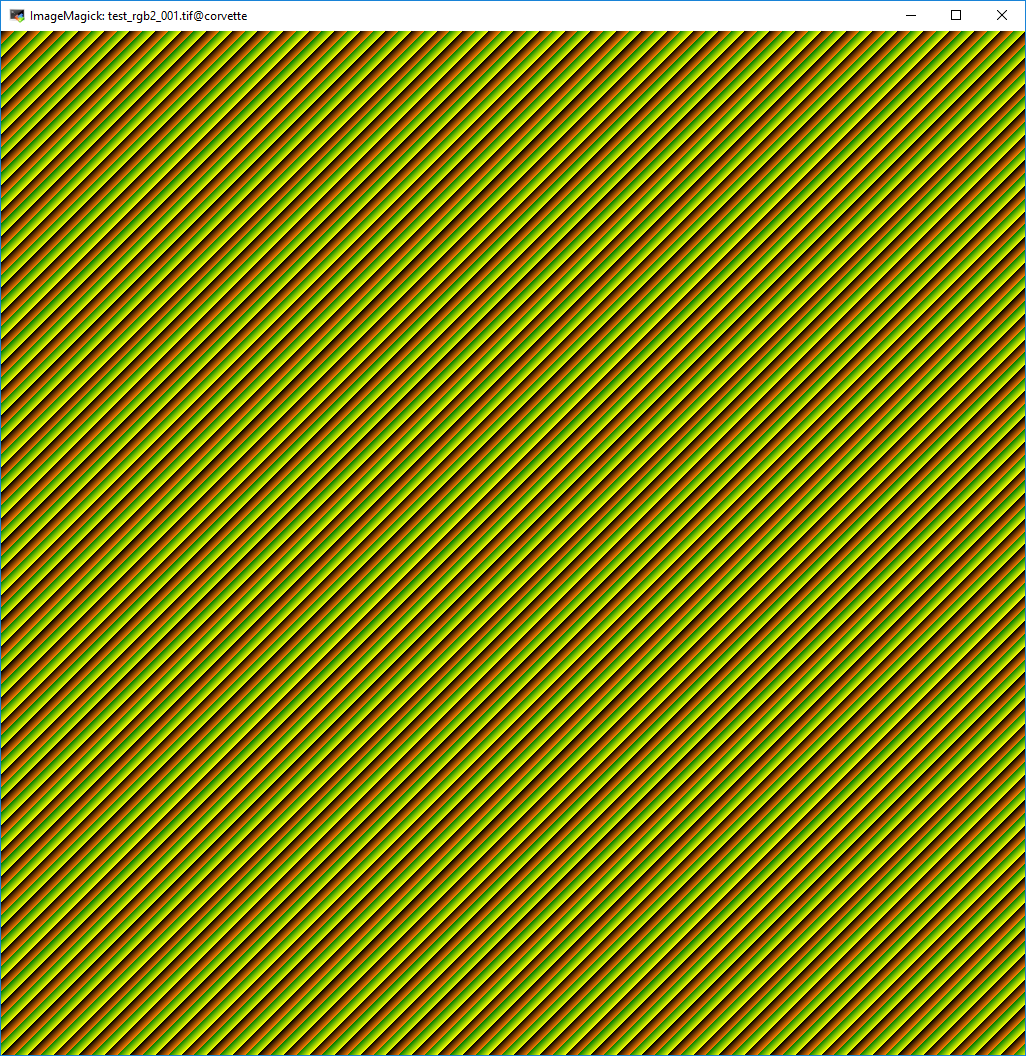
That directory listed above also contains 3 other test files.
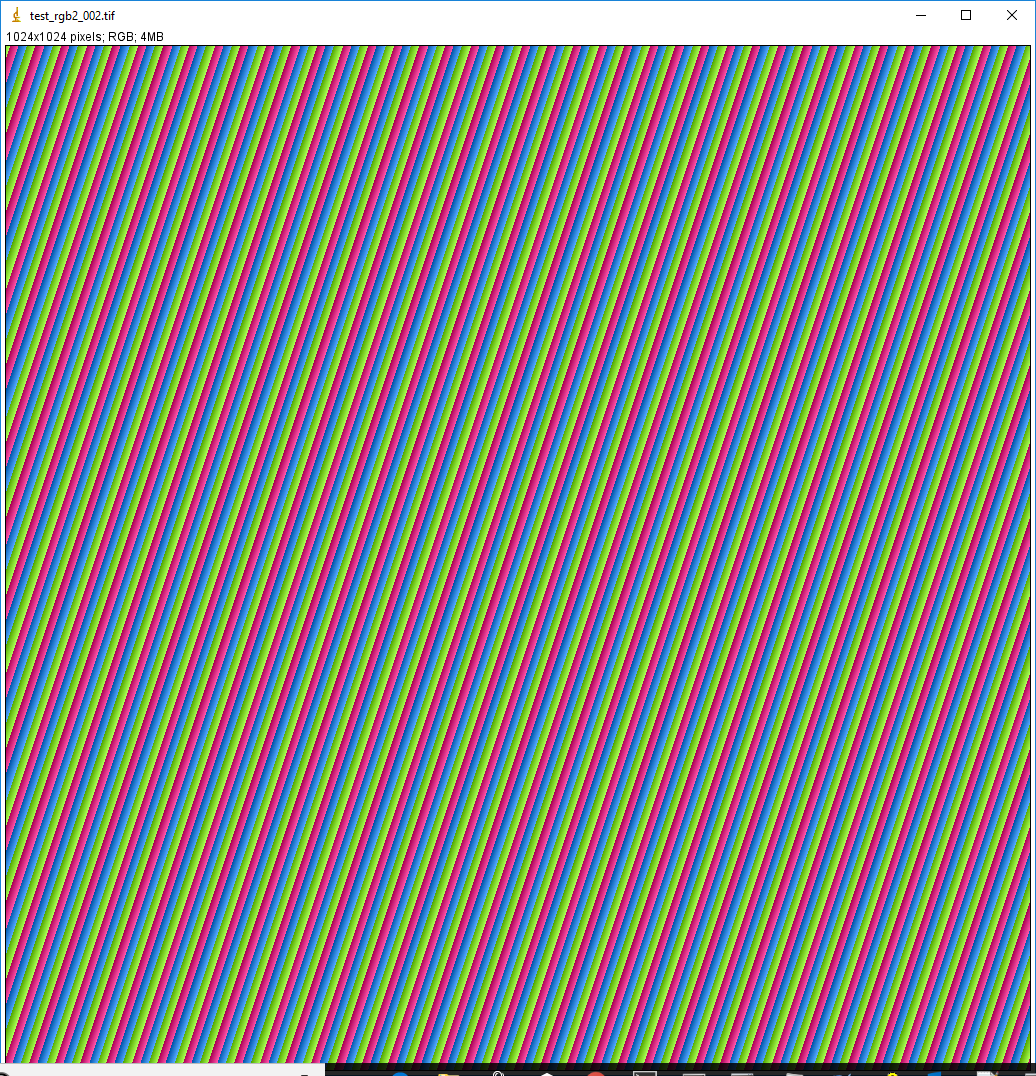
test_rgb2_002.tif. This is like the first test file listed above except that the values of the Red, Green, and Blue pixels in the file are identical, so it should display as grayscale. This is how it displays in Image, and is not correct:
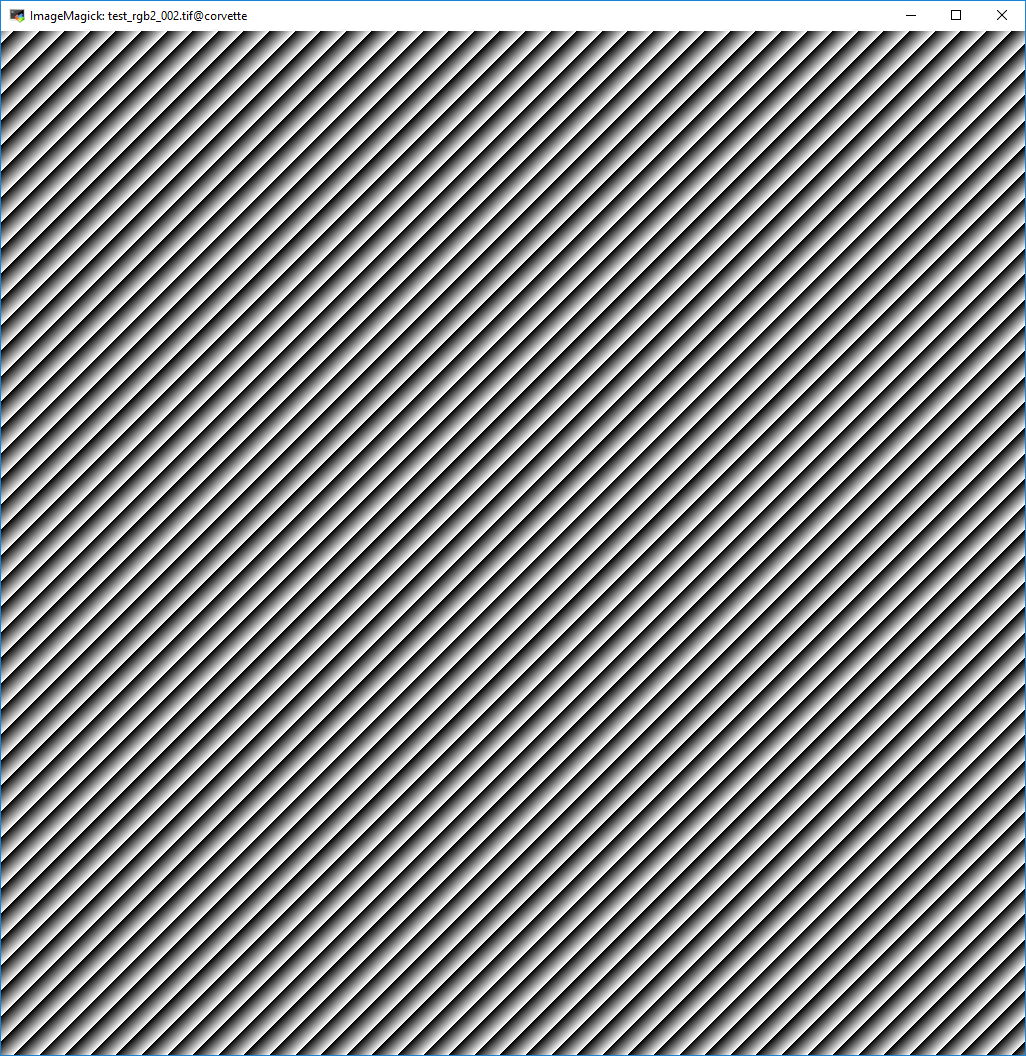
This is how it displays in ImageMagick and all other applications listed above and is correct:
test_rgb1_001.tif
This is essentialyl the same data, but with a more conventional TIFF layout of pixel interleave. It displays correctly in ImageJ, as shown by rgb1.png which is a screen shot of ImageJ display of this file.
This is the output of tiffinfo on this file. Note that Rows/Strip is 1024 and Planar Configuration is single image plane.
```
TIFF Directory at offset 0x300008 (3145736)
Image Width: 1024 Image Length: 1024
Bits/Sample: 8
Sample Format: unsigned integer
Compression Scheme: None
Photometric Interpretation: RGB color
Samples/Pixel: 3
Rows/Strip: 1024
Planar Configuration: single image plane
Make: Unknown
Model: Unknown
Software: EPICS areaDetector
```
test_rgb3_001.tif
This is essentially the same data, but with a more conventional TIFF layout of plane interleave. It displays correctly in ImageJ, as shown by rgb3.png which is a screen shot of ImageJ display of this file.
This is the output of tiffinfo on this file. Note that Rows/Strip is 1024 and Planar Configuration is separate image planes.
```
TIFF Directory at offset 0x300008 (3145736)
Image Width: 1024 Image Length: 1024
Bits/Sample: 8
Sample Format: unsigned integer
Compression Scheme: None
Photometric Interpretation: RGB color
Samples/Pixel: 3
Rows/Strip: 1024
Planar Configuration: separate image planes
Make: Unknown
Model: Unknown
Software: EPICS areaDetector
```
Thanks,
Mark Rivers
Contributor guide
No contributing guide indexed for this repository
Research direction
Download test_rgb2_001.tif from the linked URL and compare ImageJ's rendering with the reported ImageMagick result. Also inspect test_rgb2_002.tif, test_rgb1_001.tif, and test_rgb3_001.tif to isolate the RowsPerStrip=1 and separate-plane combination. Done means the RGB TIFF test files display correctly in ImageJ, including the grayscale case.
Written by the indexing model from the issue text.
Assessment
- Tech stack
- java
- Domain
- computer-vision
- Issue type
- Bug
- Difficulty
- 4/5
- Estimated time
- 3-5 days
- Activity status
- Stale
- Clarity
- Mostly clear
- Newbie friendliness
- 35/100