hypothesis / hypothesis/support-legacy
Allow users to magnify beyond 200% and maintain function of the app (PDFs)
- Dominant language
- No language data
- Stars
- 3
- Forks
- 0
- PR merge metrics
- No merged PRs in 30d
Description
This issue is part of our effort to become WCAG 2.0 AA compliant.
1.4.4: Resize text
- [ ] Allow users to magnify beyond 200% and maintain function of the app (A)
Problem:
Users should be able to increase the size of text to 200% without loss of content or
functionality and without requiring horizontal scrolling. This works well for HTML documents, but doesn't work for PDFs.
Steps to reproduce:
- Activate Hypothesis over a PDF - [This one, for example](https://d242fdlp0qlcia.cloudfront.net/uploads/2018/05/25160432/HypothesisWCAGReview20180514.pdf).
- Using your keyboard, attempt to magnify your browser tab by 200%
Expected results:
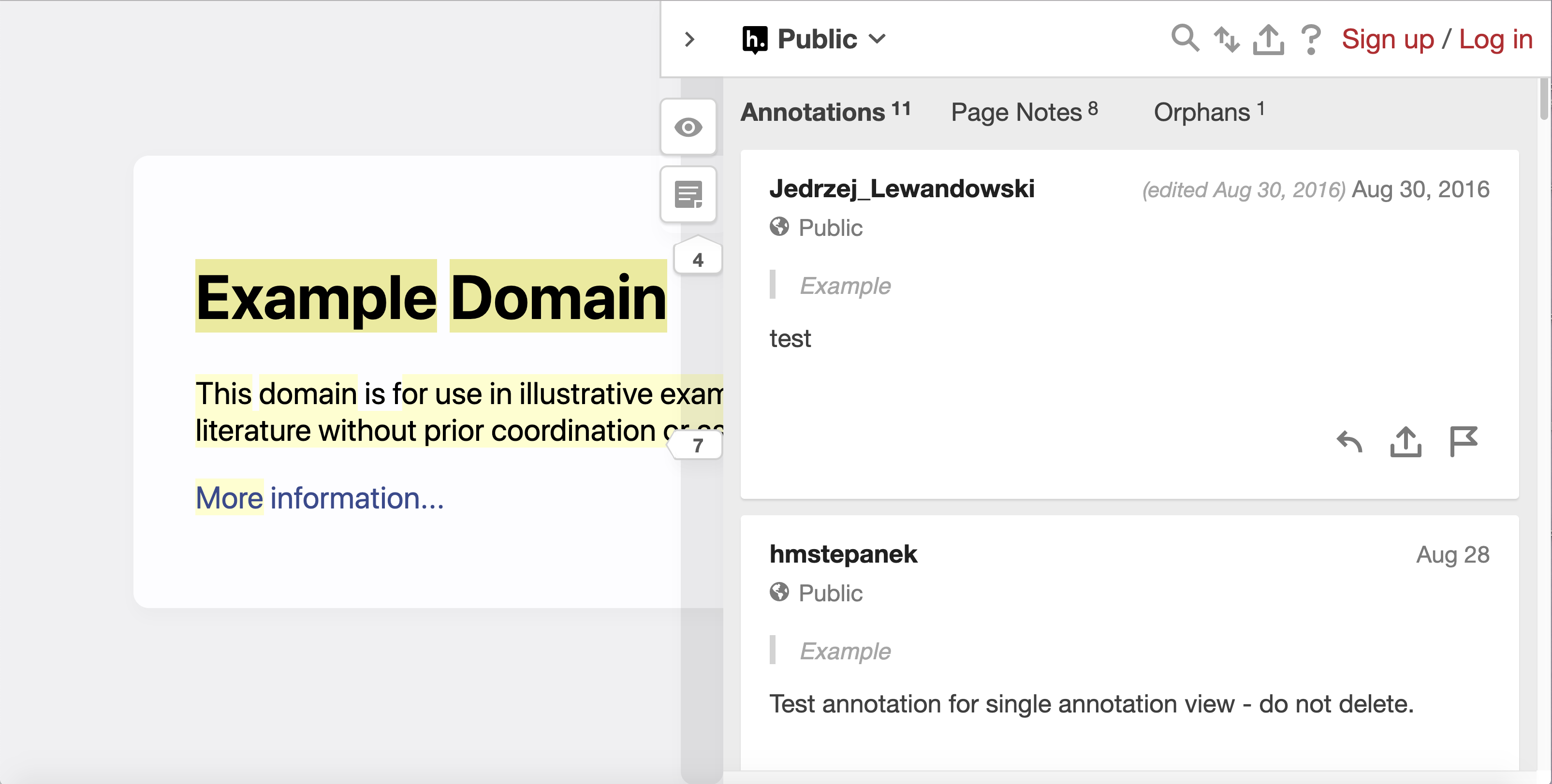
Like with an HTML page, both the document and sidebar are magnified
Actual results:
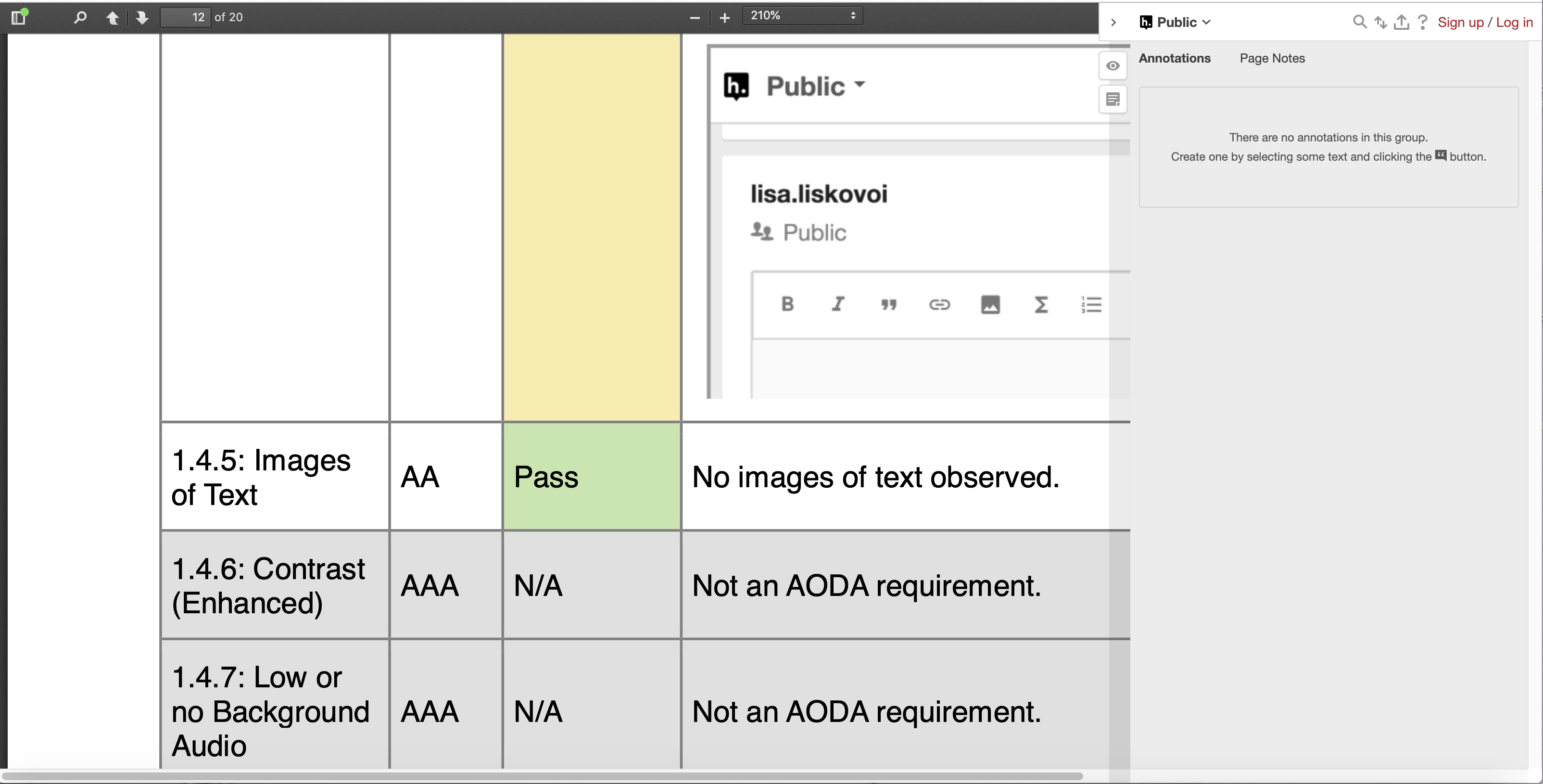
The PDF content is magnified, but the sidebar is not:
Compare this to the HTML experience:
Notes:
See W3C guidelines for scale/magnification here: https://www.w3.org/TR/UNDERSTANDING-WCAG20/visual-audio-contrast-scale.html
Contributor guide
No contributing guide indexed for this repository
Assessment
This issue has not been assessed yet.