hypothesis / hypothesis/support-legacy
KB Design: confusing placement of search bar
- Dominant language
- No language data
- Stars
- 3
- Forks
- 0
- PR merge metrics
- No merged PRs in 30d
Description
As [discussed in Slack](https://hypothes-is.slack.com/archives/C07NXBDNW/p1540394755000100):
our knowledge base has a search bar at the top of each article so people can search for other topics. It’s been fine so far, but it created some confusion with the domain-level search article: https://web.hypothes.is/help/how-to-use-domain-level-search/
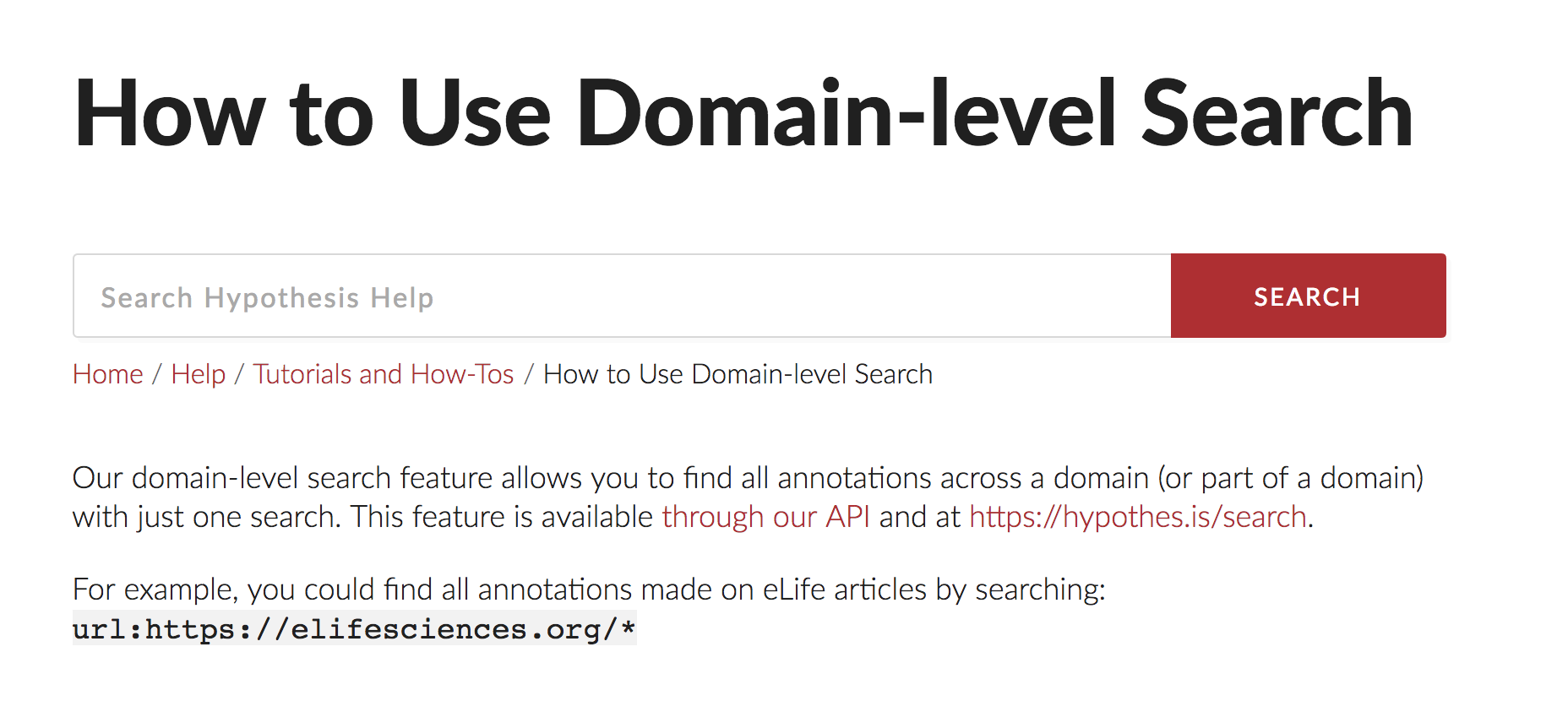
someone tried to use domain-level search in the KB search bar, and honestly I think it was a fair mistake
Nate said:
> I think the main issue is that the search bar sits in what looks like the top of the article (below the title, but above the body). One way to address it would be to move the search bar either to the sidebar (as it is in the rest of the site), or maybe above the article title.
From Dave:
> I think moving the search bar above the title is a great idea. We probably want it right where it is until the article page, to make it clear that that search bar belongs to the Help section, but on article pages, yes.
>
> I think if we were to move it into the sidebar, it might confuse users who think they're searching the whole site, when in fact they'd only be searching help.
Unclear at this point whether this could be done in Heroic or if we'd need to adjust the website theme.
- [ ] Investigate whether Heroic allows for search bar to be moved above article title
- [ ] Investigate whether Heroic allows for search bar to be moved
- [ ] If neither is possible, research theme-level interventions and create an issue for it in https://github.com/hypothesis/webhypothesis
Contributor guide
No contributing guide indexed for this repository
Research direction
Start by checking Heroic's support for moving the search bar above the article title or elsewhere on article pages. If Heroic cannot do this, investigate the website theme and create an issue in hypothesis/webhypothesis describing the required intervention. Done means the implementation path is identified and the follow-up issue is filed when needed.
Written by the indexing model from the issue text.
Assessment
- Domain
- documentation
- Issue type
- Feature
- Difficulty
- 4/5
- Estimated time
- 3-5 days
- Activity status
- Stale
- Clarity
- Needs clarification
- Newbie friendliness
- 25/100