Dialog overflows ancestor
- Dominant language
- Python
- Stars
- 53
- Forks
- 16
- Avg merge
- 14d 5h
- Merged PRs (30d)
- 14
Description
# Problem
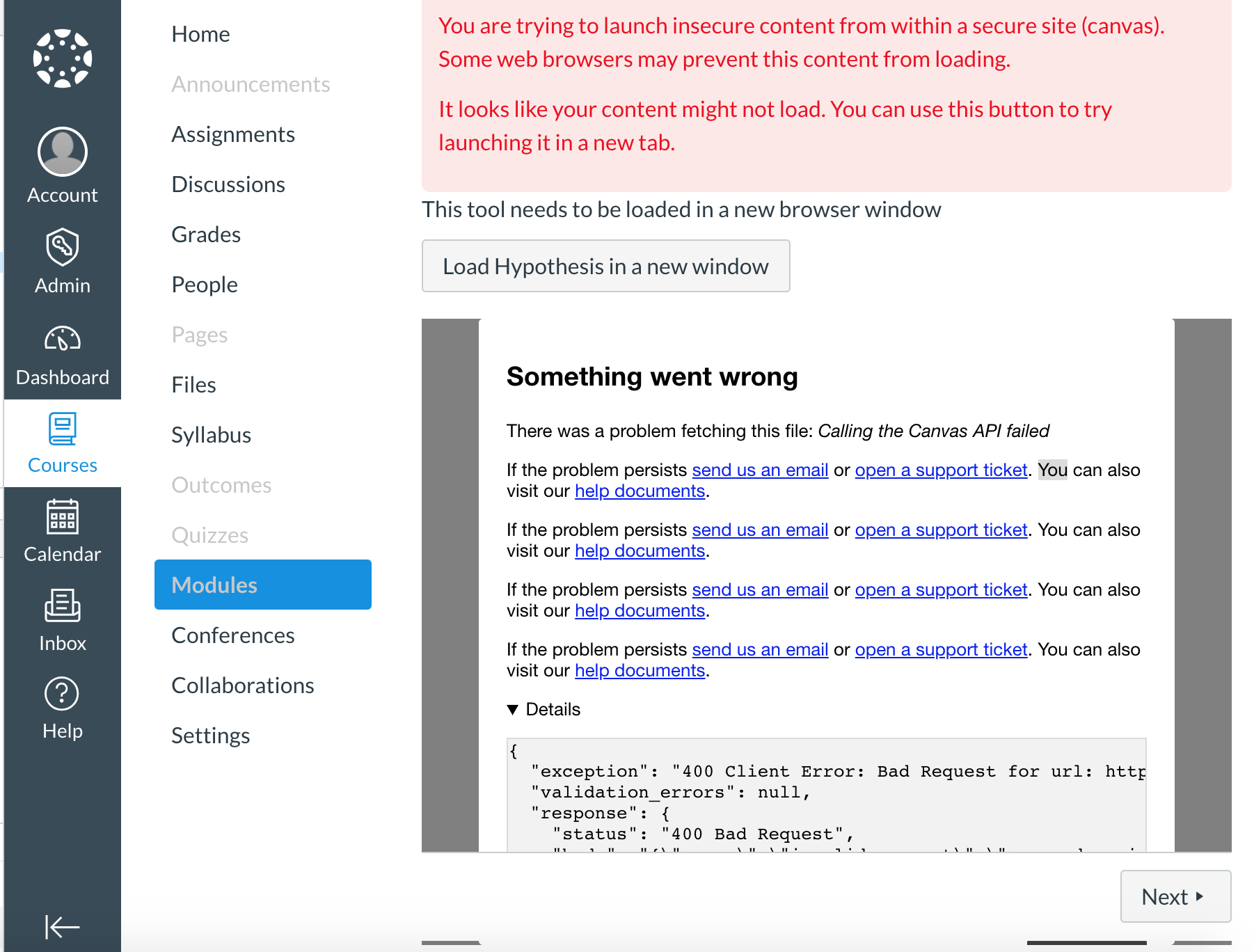
On canvas, (this may happen in other LMS's I haven't checked) the height of the Dialog overflows its ancestor. Note the overflow below the Next button at the bottom of the image.
# Root Cause
If one of the iframe's children has a height > 0px and the Dialog is visible, the Dialog will overflow the height of the iframe. The Dialog's height is set to 100% which is obtained from the iframe's height but, in cases where other children of the iframe's heights are not zero, the height needs to actually be less than 100%.
The height of the Dialog is currently:
```height of dialog = height of iframe ```
The height of the Dialog should be:
```height of dialog = height of iframe - height of other iframe children ```
# Solution
The correct way to fix this would be to set a flex heights on the iframe and its children however, since we have no control of the styling of the iframe since it is owned by Canvas we need another solution.
We can force the height by creating a wrapper div around the Dialog. Currently however, the Dialog does not respect the height set by the wrapper div. This ended up being the case for a combination of reasons which ultimately lead to refactoring of the Dialog component.
See https://github.com/hypothesis/lms/pull/927 for a pro-typed solution.
Contributor guide
No contributing guide indexed for this repository
Assessment
This issue has not been assessed yet.