Detect authorization loops and show an error dialog
- Dominant language
- Python
- Stars
- 53
- Forks
- 16
- Avg merge
- 14d 5h
- Merged PRs (30d)
- 14
Description
Bugs in the code can cause the LMS app to get into a loop where it keeps showing the non-error **Authorize Hypothesis** dialog to the user again and again. As far as I know the only way this can happen is if we deploy a bug. Nonetheless it could be useful to have a generic way to detect these authorization loops if they do happen and show an error dialog.
### Reproducing
1. Break the code so that we no longer request one of the Canvas files scopes for the Canvas API:
```diff
diff --git a/lms/views/api/canvas/authorize.py b/lms/views/api/canvas/authorize.py
index cc1e6028..1176dd01 100644
--- a/lms/views/api/canvas/authorize.py
+++ b/lms/views/api/canvas/authorize.py
@@ -21,7 +21,6 @@ from lms.validation.authentication import OAuthCallbackSchema
#: The Canvas API scopes that we need for our Canvas Files feature.
FILES_SCOPES = (
"url:GET|/api/v1/courses/:course_id/files",
- "url:GET|/api/v1/files/:id/public_url",
)
#: The Canvas API scopes that we need for our Sections feature.
```
2. Log in to https://hypothesis.instructure.com/ and launch [localhost (make devdata) Canvas Files Assignment](https://hypothesis.instructure.com/courses/125/assignments/875)
3. You should see the **Authorize Hypothesis** dialog:
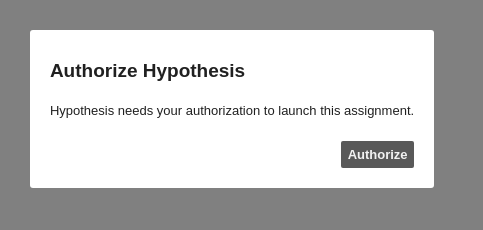
4. When you click Authorize (and then click the Authorize button from Canvas in the popup window as well) you'll see the **Authorize Hypothesis** dialog again. You're stuck in a loop:

### Solution
Detect this loop and show our standard error dialog like this (though possibly with different text for this particular situation):
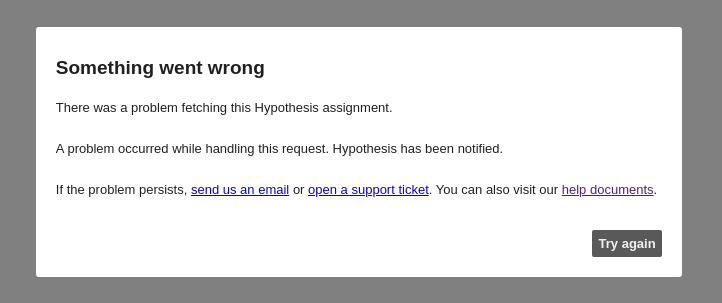
Key things about this error dialog:
1. It indicates to the user that something has gone wrong, an error has happened
2. It gives the user a way to contact support or go to our help documents "If the problem persists"
3. It has a Try again button. This Try again button will send the user in a loop (just like the Authorize button does) but the situation is crucially different because of (1) and (2) above. It's always correct to have the Try again button because the error might be transient and the user should have a way to try again. If they get stuck in a trying-again loop that's when they use the support links
Contributor guide
No contributing guide indexed for this repository
Assessment
This issue has not been assessed yet.