hoffstadt / hoffstadt/DearPyGui
DPI and screen resolution bugs on Win10
- Dominant language
- C++
- Stars
- 15.6k
- Forks
- 783
- PR merge metrics
- No merged PRs in 30d
Description
## Version of Dear PyGui
Version: **1.6.2.**
Operating System: **Windows 10**
**1-st bug.** When app start, first press to Alt+Enter app goes to fullscreen and stretched, on next Alt-Enter app return to it start-up size, but when i press Alt-Enter again, then app goes full-screen, but not stretched, plotted window still small.
**2-nd bug.** After installing DPG, and when i run my first DPG-app(built-in demo-app) for first time in my life, then it was started at normal GUI size for my screen DPI, "normal" means like any other apps (not DPG). But after Alt-Enter, when it goes fullscreen and next Alt-Enter, when it return in window mode, they goes too small, that they forgot about my screen DPI. And any other time it paints so tiny, like 72 dpi. Like on screenshot above.
## To Reproduce
**Steps to reproduce the behavior (BUG-1):**
I don't know how to reproduce 1-st bug, but now app started, like they think that my DPI is 72. All the drawing is too small.
**Steps to reproduce the behavior (BUG-2):**
1. Run [(demo-app)](https://dearpygui.readthedocs.io/en/latest/tutorials/first-steps.html#demo)
2. Press Alt-Enter to fullscreen
4. See stretched window
5. Press Alt-Enter to return to window-mode
6. Press Alt-Enter to return to fullscreen
7. See not-stretched painted window, just winApi window resized to fullscreen.
## Expected behavior
Normal sized UI-elements, that know abut my screen DPI.
## Screenshots/Video
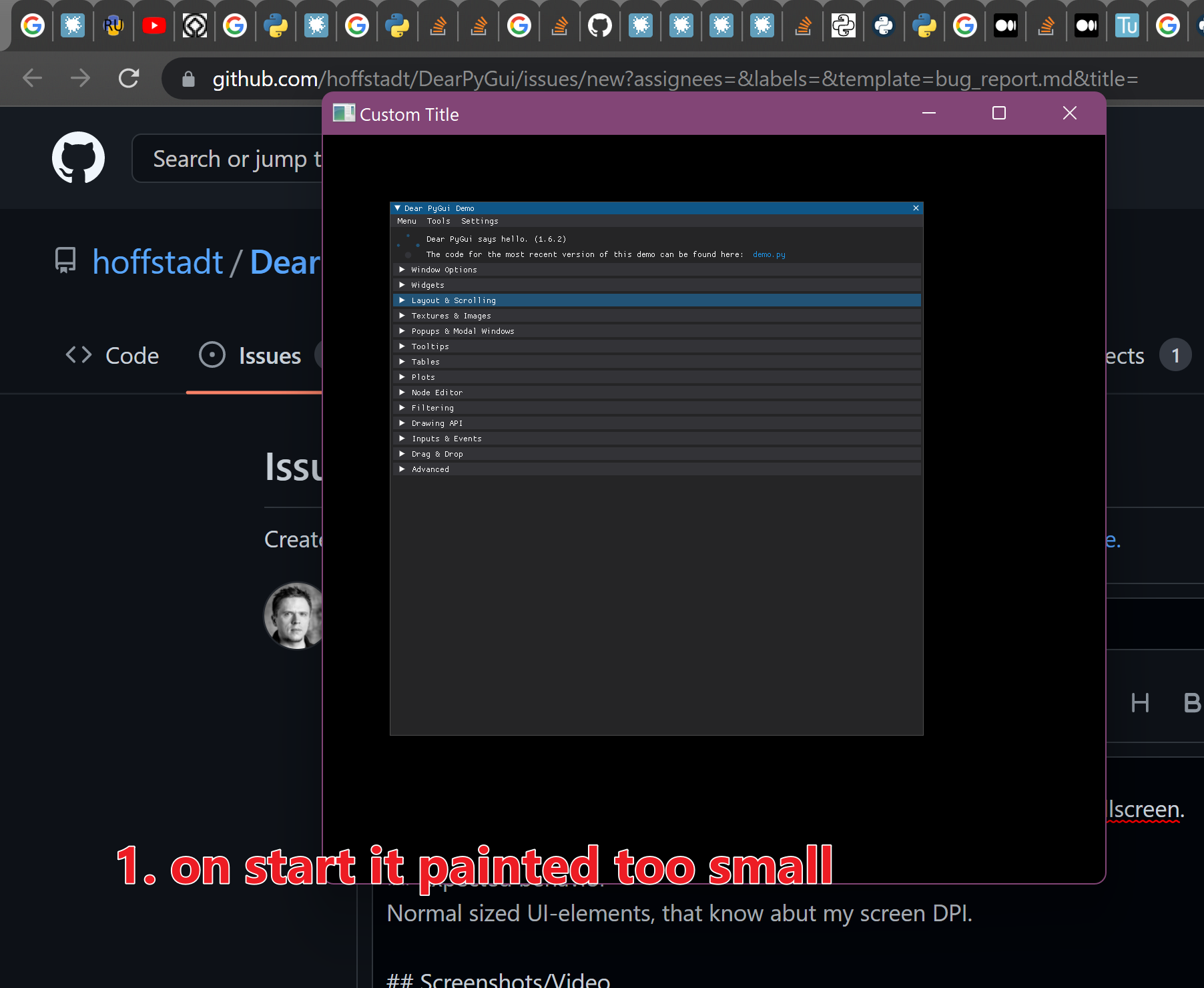
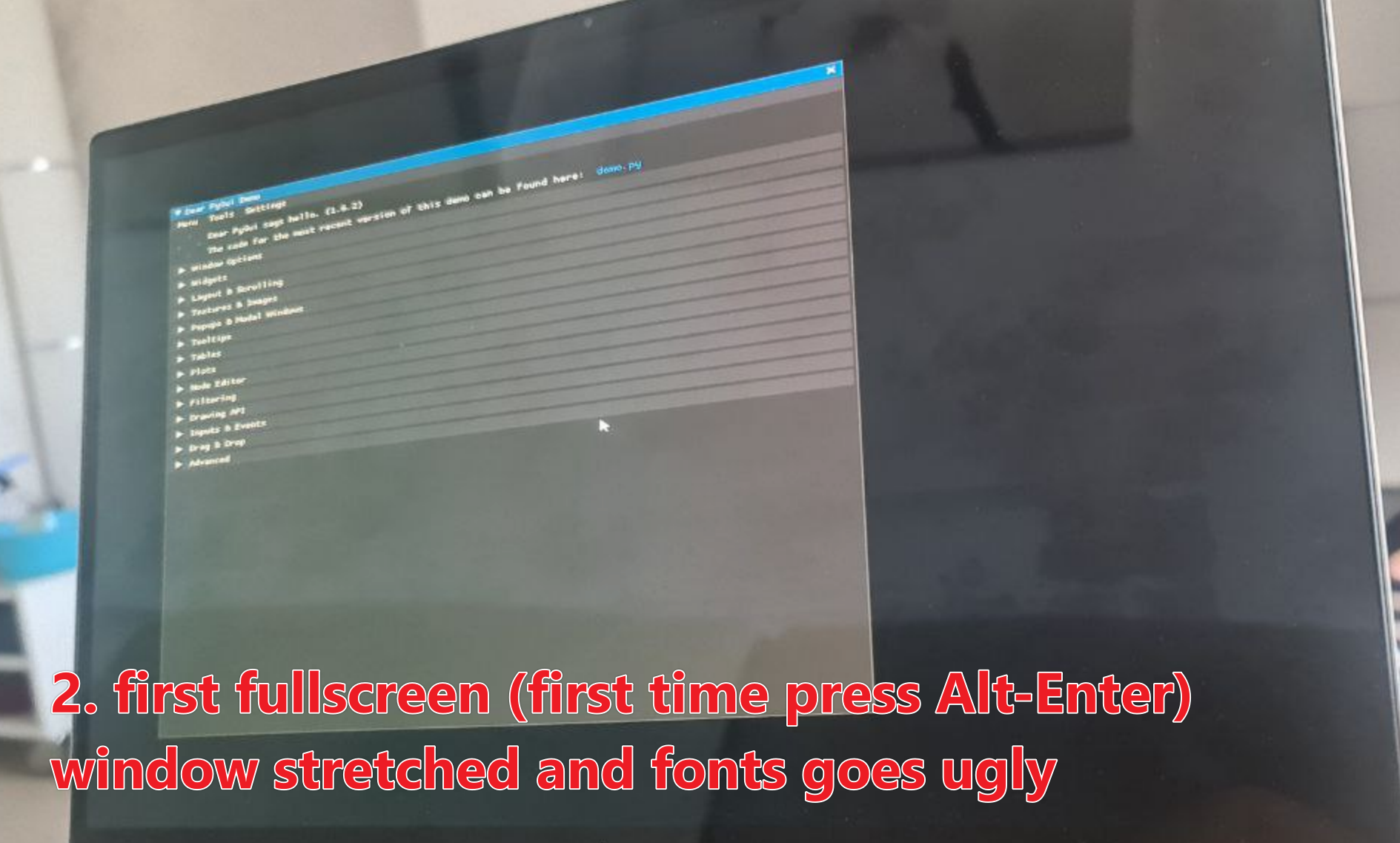
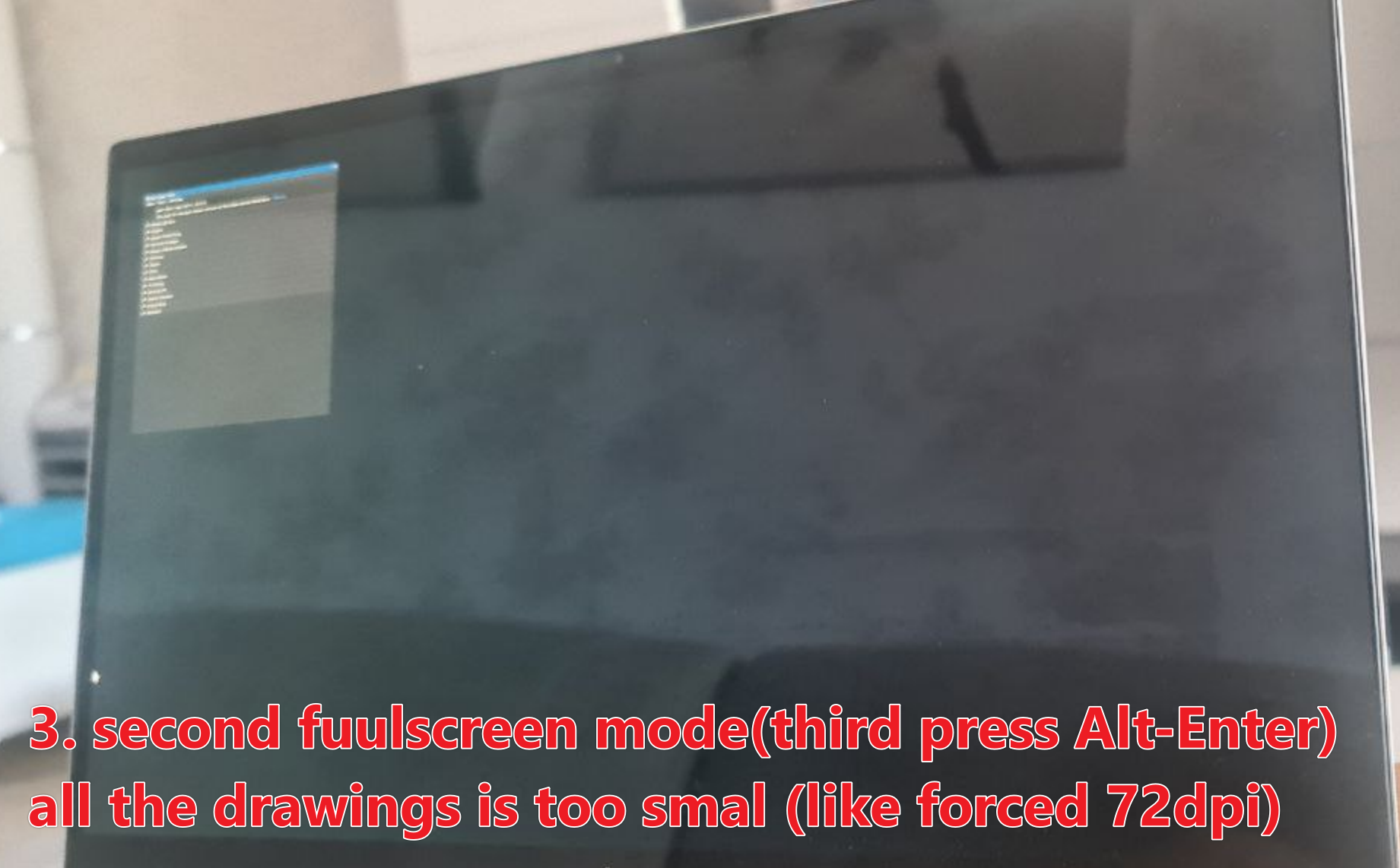
```python
import dearpygui.dearpygui as dpg
import dearpygui.demo as demo
dpg.create_context()
dpg.create_viewport(title='Custom Title', width=600, height=600)
demo.show_demo()
dpg.setup_dearpygui()
dpg.show_viewport()
dpg.start_dearpygui()
dpg.destroy_context()
```
Contributor guide
Research direction
Start with the demo app from the linked Dear PyGui tutorial and reproduce the Alt-Enter sequence on Windows 10 using the provided Python snippet. Trace the viewport fullscreen and DPI handling, then verify that repeated fullscreen toggles preserve normal-sized UI elements and correctly stretch the painted window.
Written by the indexing model from the issue text.
Assessment
- Tech stack
- cpp, python
- Domain
- desktop
- Issue type
- Bug
- Difficulty
- 4/5
- Estimated time
- 3-5 days
- Activity status
- Stale
- Clarity
- Mostly clear
- Newbie friendliness
- 25/100