Global Shortcut - Wrong key mapping
- Dominant language
- C++
- Stars
- 12.3k
- Forks
- 593
- Avg merge
- 2d 8h
- Merged PRs (30d)
- 9
Description
**Describe the bug**
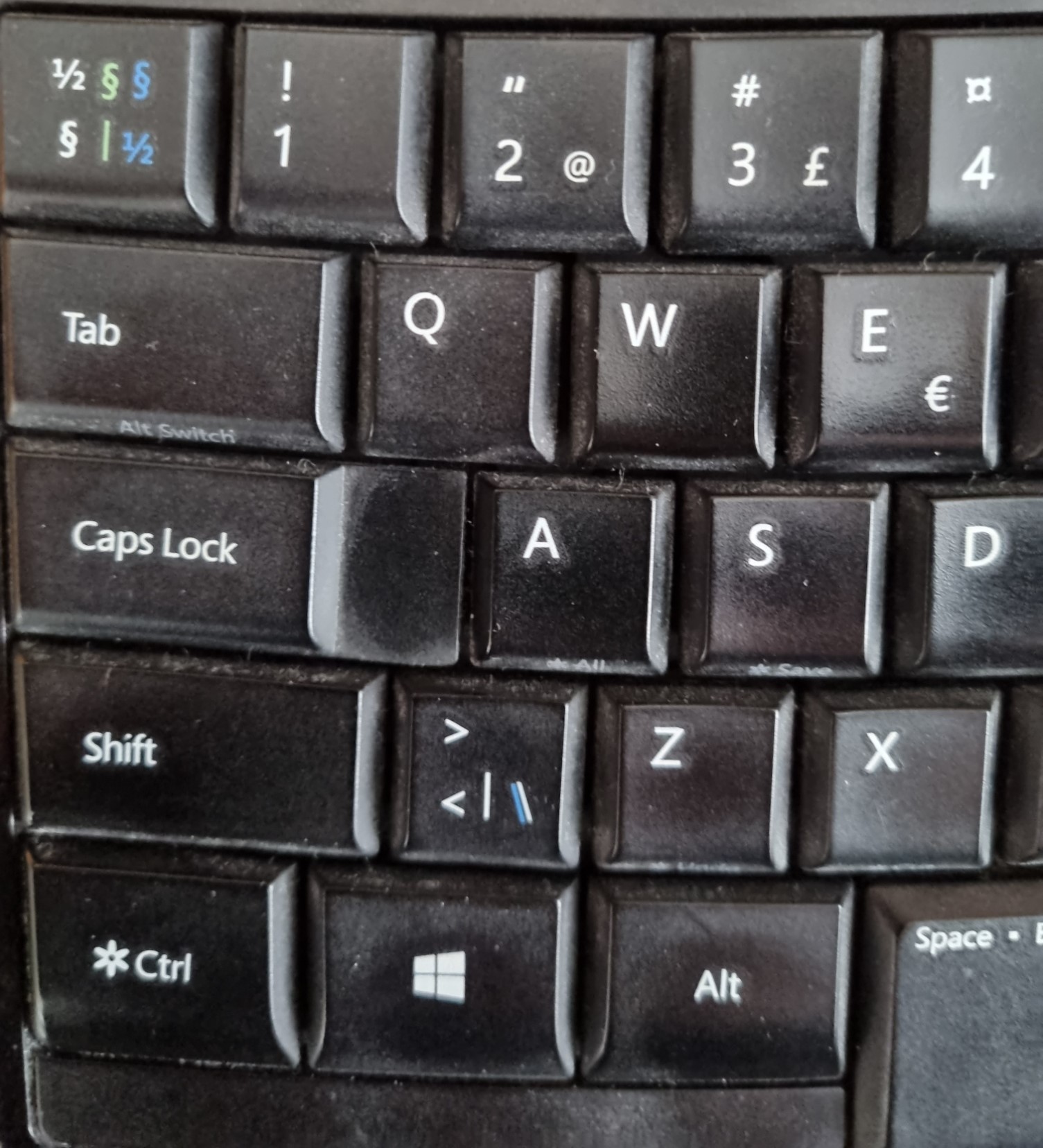
When trying to set Global Shortcut to Ctrl+< the actual shortcut becomes Ctrl+\
**To Reproduce**
Steps to reproduce the behavior:
Windows system language is English
Keyboard layout is set to Swedish
Configure Global Shortcut to Ctrl+<
Save configuration
**Expected behavior**
Global Shortcut should be Ctrl+<
**Screenshots**
**Version, OS and Environment**
- Application Version 6.4.0
- OS Windows 11
**Add any other context about the problem here.
The shortcut is wrongly saved as Ctrl+\
Not possible to set it to Ctrl+<
The only way to set the shortcut to the desired Ctrl+< is to manually edit the copyq-commands.ini file. Then, after a re-start of CopyQ, the shortcut Ctrl+< works as expected.
When typing in for example Notepad or Word, the keyboard key < is correct.
Contributor guide
No contributing guide indexed for this repository
Assessment
This issue has not been assessed yet.