histoire-dev / histoire-dev/histoire
Unexpected token '<' when using in monorepo
- Dominant language
- TypeScript
- Stars
- 3.6k
- Forks
- 212
- PR merge metrics
- No merged PRs in 30d
Description
### Describe the bug
So, the problem is weird. I am trying to use Histoire in monorepo as a standalone app with stories only. I have a bunch of libraries and the weird part is that I can use all the components in stories and they will work absolutely fine:
```
import { TestComponent } from '@histoire-bug/test-lib'
```
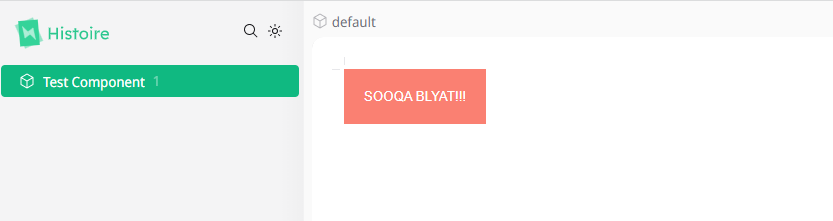
But when I'm trying to register plugin via app.use() (which I need for some of my libs in order to provide additional configuration):
```
export const setupVue3 = defineSetupVue3(({ app, story, variant }) => {
app.use(TestLib)
})
```
I get this error:
```
Error while loading C:/Desktop/histoire-bug/apps/vue-project/histoire.config.ts
C:\Desktop\histoire-bug\packages\test-lib\src\Component.vue:1
^
SyntaxError: Unexpected token '<'
```
I think if I were using built library, there would be no problem, but the nature of monorepo is a little bit different, so I can use raw components.
Also, I wish there was an option to initialize project as a standalone application, not as addition to existing app. This is not that hard to configure manually, but would be great to have something like `npm init histoire@latest` where I could choose how I wish to configure my project.
### Reproduction
https://github.com/Rusinas/histoire-bug
1. Run `npm i` at the project root;
2. Run `npm run story:dev` inside `apps/vue-project` (you can also run `npm run dev` to see that lib is working);
3. Check if Histoire is working;
4. Uncomment line 7 in `histoire.config.ts`;
5. Face the bug;
### System Info
```shell
System:
OS: Windows 10 10.0.22623
CPU: (12) x64 Intel(R) Core(TM) i7-8750H CPU @ 2.20GHz
Memory: 6.02 GB / 15.85 GB
Binaries:
Node: 19.0.0 - ~\AppData\Local\Volta\tools\image\node\19.0.0\node.EXE
npm: 8.19.2 - ~\AppData\Local\Volta\tools\image\node\19.0.0\npm.CMD
Browsers:
Edge: Spartan (44.22621.1095.0), Chromium (108.0.1462.54)
Internet Explorer: 11.0.22621.1
```
### Used Package Manager
npm
### Validations
- [X] Read the [Contributing Guidelines](https://github.com/histoire-dev/histoire/blob/main/CONTRIBUTING.md).
- [X] Follow our [Code of Conduct](https://github.com/histoire-dev/histoire/blob/main/CODE_OF_CONDUCT.md)
- [X] Read the [docs](https://histoire.dev/guide/).
- [X] Check that there isn't [already an issue](https://github.com/histoire-dev/histoire/issues) that reports the same bug to avoid creating a duplicate.
- [X] Check that this is a concrete bug. For Q&A open a [GitHub Discussion](https://github.com/histoire-dev/histoire/discussions).
- [X] The provided reproduction is a [minimal reproducible example](https://stackoverflow.com/help/minimal-reproducible-example) of the bug.
Contributor guide
Research direction
Reproduce the failure from apps/vue-project/histoire.config.ts using the linked monorepo: run npm i, start story:dev, then uncomment line 7. Compare the working story-only case with the app.use(TestLib) case and inspect packages/test-lib/src/Component.vue; done means the raw component loads without the Unexpected token '<' error.
Written by the indexing model from the issue text.
Assessment
- Tech stack
- typescript, vite
- Domain
- build-system, tooling
- Issue type
- Bug
- Difficulty
- 4/5
- Estimated time
- 3-5 days
- Activity status
- Stale
- Clarity
- Mostly clear
- Newbie friendliness
- 35/100