hasura / hasura/graphql-engine
Check Constraints Button missing in modify tab for some tables
- Dominant language
- TypeScript
- Stars
- 32.1k
- Forks
- 3k
- PR merge metrics
- PR metrics pending
Description
### Version Information
Tested with 2.17.1 and 2.19.0
### Environment
Community Edition
### What is the current behaviour?
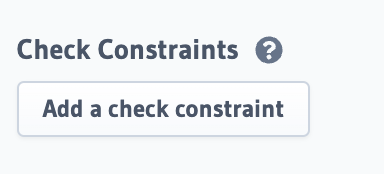
Within the Modify tab of different database columns, sometimes the "add a check constraint" button under the headline check constraints is missing and sometimes not - without any clear logic or pattern for which tables it is shown and for which it is not.
### What is the expected behaviour?
The "add a check constraint" button is available as feature for all tables under the modify tab.
### How to reproduce the issue?
1. Go to a table in the database
2. Select modify
3. Check if the "Add a check constraint" button is shown under the sub-headline "Check Constrains"
4. First check, of 6 tables, only two showed the button
### Screenshots or Screencast
How it should look like:
How it actually looks like for a lot of tables:

### Any possible solutions/workarounds you're aware of?
Not yet, will try to check if writing own migrations will help in at least adding constraints without the UI
### Keywords
- check constraints
Contributor guide
Research direction
Start in the table's Modify tab and reproduce the missing check-constraint button across the reported tables. Trace the condition that controls whether the button is rendered, then verify that it is available for every applicable table and that the existing constraint workflow still works.
Written by the indexing model from the issue text.
Assessment
- Tech stack
- postgres, typescript
- Domain
- database, frontend
- Issue type
- Bug
- Difficulty
- 3/5
- Estimated time
- 1-2 days
- Activity status
- Stale
- Clarity
- Mostly clear
- Newbie friendliness
- 38/100