hasura / hasura/graphql-engine
Filtering and sorting from 'Browse Rows' tab does not work for columns with a custom name
- Dominant language
- TypeScript
- Stars
- 32.1k
- Forks
- 3k
- PR merge metrics
- PR metrics pending
Description
### Version Information
Server Version: >=v2.18.0
### Environment
OSS
### What is the current behaviour?
Filtering and sorting from 'Browse Rows' tab does not work for columns with a custom GraphQL Field Name.

### What is the expected behaviour?
It should be possible to filter and sort even when a column has a custom name.
### How to reproduce the issue?
1. Create and track the following table
```sql
CREATE TABLE person(id SERIAL PRIMARY KEY, first_name TEXT, last_name TEXT);
```
2. Set `firstName` as the GraphQL Field Name for the column `first_name`.
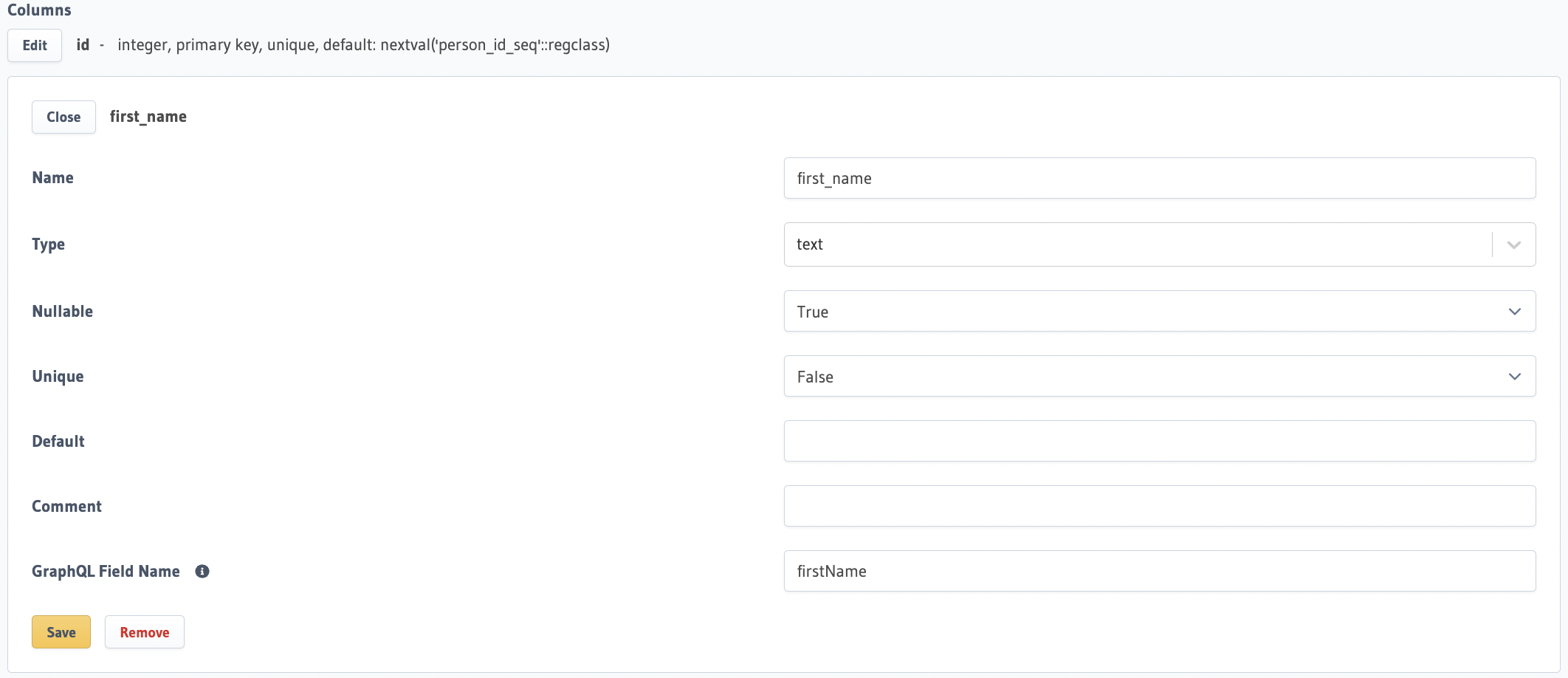
3. Go to 'Browse Rows' tab and try to filter on the column `first_name` as follows -
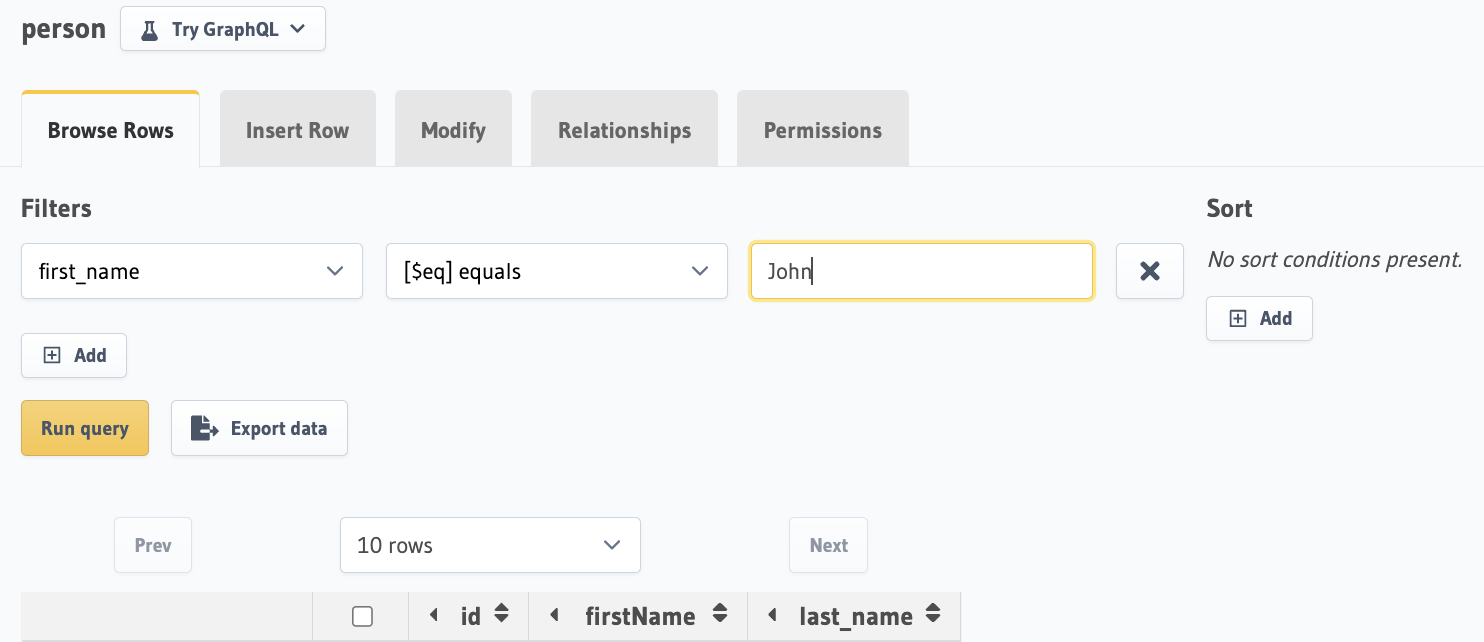
4. Upon clicking 'Run query', the error will show up.
### Please provide any traces or logs that could help here.
Request sent from the frontend is invalid. This is what it currently sends -
```json
{
"type":"concurrent_bulk",
"source":"default",
"args":[
{
"type":"select",
"args":{
"source":"default",
"table":{
"schema":"public",
"name":"person"
},
"columns":[
"id",
"first_name",
"last_name"
],
"where":{
"$and":[
]
},
"offset":0,
"limit":10,
"order_by":[
{
"column":"firstName",
"type":"asc",
"nulls":"last"
}
]
}
},
{
"type":"run_sql",
"args":{
"source":"default",
"sql":"SELECT\n reltuples::BIGINT\n FROM\n pg_class c\n JOIN\n pg_namespace n ON c.relnamespace = n.oid\n WHERE\n c.relname = quote_ident('person') AND n.nspname = quote_ident('public');",
"cascade":false,
"read_only":true
}
}
]
}
```
This is what it should send -
```json
{
"type":"concurrent_bulk",
"source":"default",
"args":[
{
"type":"select",
"args":{
"source":"default",
"table":{
"schema":"public",
"name":"person"
},
"columns":[
"id",
"first_name",
"last_name"
],
"where":{
"$and":[
]
},
"offset":0,
"limit":10,
"order_by":[
{
"column":"first_name",
"type":"asc",
"nulls":"last"
}
]
}
},
{
"type":"run_sql",
"args":{
"source":"default",
"sql":"SELECT\n reltuples::BIGINT\n FROM\n pg_class c\n JOIN\n pg_namespace n ON c.relnamespace = n.oid\n WHERE\n c.relname = quote_ident('person') AND n.nspname = quote_ident('public');",
"cascade":false,
"read_only":true
}
}
]
}
```
### Keywords
column name does not exist
Contributor guide
Research direction
Reproduce the issue in the Browse Rows tab with the provided person table and custom firstName GraphQL field, then inspect the request generated by Run query. Trace how filtering and sorting build order_by and where arguments; done means the request uses the underlying first_name column and both operations work with custom names.
Written by the indexing model from the issue text.
Assessment
- Tech stack
- graphql, postgresql, typescript
- Domain
- api, databases, frontend
- Issue type
- Bug
- Difficulty
- 3/5
- Estimated time
- 1-2 days
- Activity status
- Stale
- Clarity
- Mostly clear
- Newbie friendliness
- 35/100